20
Children safety device
The oven can be protected against thoughtless
switch--on or resetting by means of a safety lock--out.
This device being activated will prevent playing
children from switching and setting that could lead to
overheating or other exposure to danger. Make use of
this facility also in case of longer absence.
With switched on children safety device there is no
possibility for unintended setting of the electronic con-
trol system (e.g. by playing children) . Do also make
use of this device in case of extended absence.
The children safety device can exclusively be
activated or deactivated with the oven
switched off.
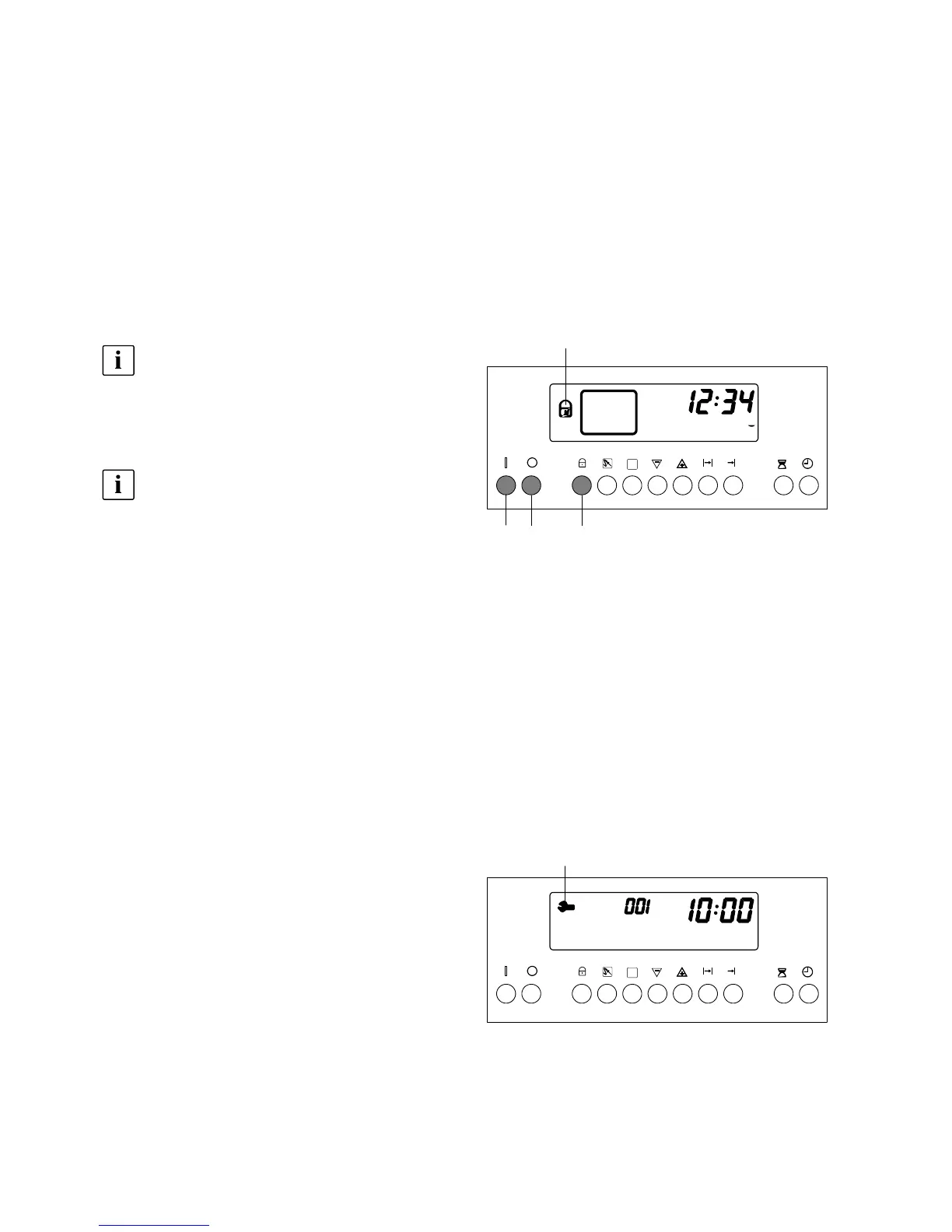
Activation of children safety
device
In case of activated children safety device but-
ton 3 must always be pushed together with the
setting buttons. The same is valid for correc-
tions.
1. Push button 3 and keep it pushed, then push but-
ton 1 and keep them both pushed for about 4 sec-
onds until symbol 17 will appear on the display.
The display shows the symbol 17, as a confirmation
that the safety device is active.
2. Switch off the oven with button 2.
Deactivation of children
safety device
-- Push buttons 2 and 3 at the same time until symbol
17 will go out.
Service symbol
Trouble with the electronic control system is indicated
by the service symbol 18 in the display. It shows the in-
dication of a specific error code instead of the tempera-
ture.
-- Switch off or unscrew the fuse. Switch on the
appliance again after some minutes and try to
switch on the oven. If the service symbol remains
on, do please file a call with the after-sales-service
and please state the model (see page 33) and
error code, e.g. 001.
-- As for safety reasons the oven fan is continuously
running, the appliance must be switched off again
with the fuse.
1 23
17
18



 To Next Page