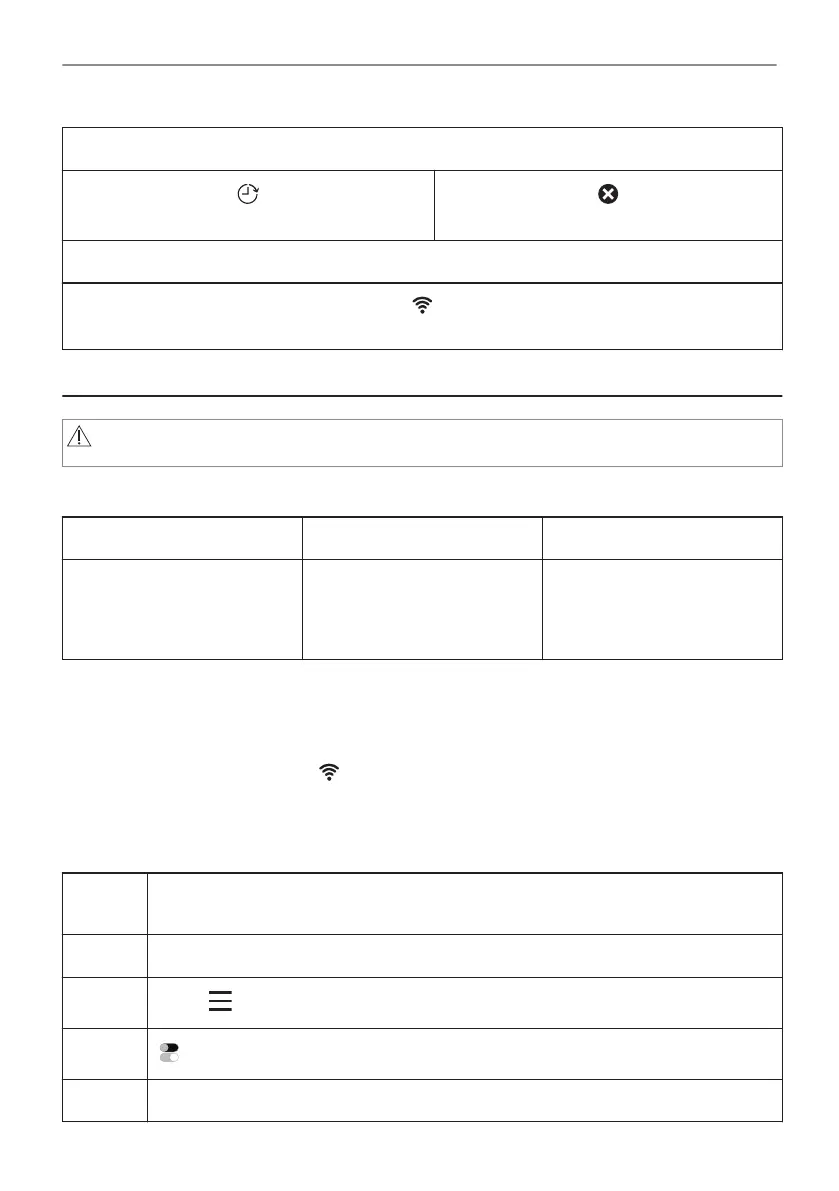
Timer indicators
To set the function: Delayed start.
To cancel the setting.
Wi-Fi indicator - the appliance can be connected to Wi-Fi.
Wi-Fi connection is turned on.
6. BEFORE FIRST USE
WARNING!
Refer to Safety chapters.
6.1 Initial Cleaning
Step 1 Step 2 Step 3
Remove all accessories and
removable shelf supports from
the appliance.
Clean the appliance and the
accessories with a microfibre
cloth, warm water and a mild
detergent.
Place the accessories and the
removable shelf supports in
the appliance.
6.2 First connection
The display shows welcome message after the first connection.
You have to set: Language, Display brightness, Key tones, Buzzer volume, Time of day.
6.3 Wireless connection
To connect the appliance you need:
• Wireless network with the Internet connection.
• Mobile device connected to your wireless network.
Step 1 Download the mobile app My Electrolux Kitchen and follow the instructions for the
next steps.
Step 2 Turn on the appliance.
Step 3
Press: . Select: Settings / Connections.
Step 4
- slide or press to turn on: Wi-Fi.
Step 5 The appliance wireless module starts within 90 sec.
14/48
BEFORE FIRST USE





 To Next Page