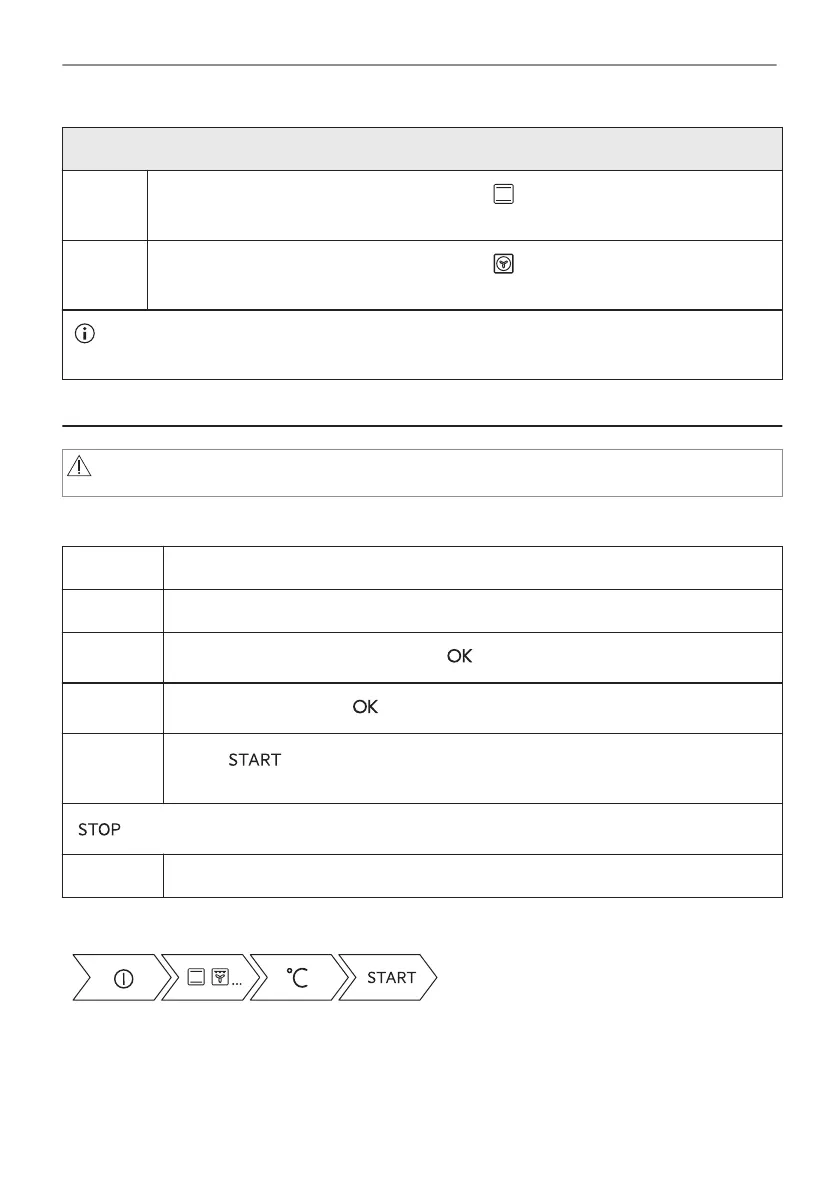
Preheat the empty oven before the first use.
Step 2
Set the maximum temperature for the function: .
Let the oven operate for 1 h.
Step 3
Set the maximum temperature for the function: .
Let the oven operate for 15 min.
The oven can emit an odour and smoke during preheating. Make sure that the room is ventila‐
ted.
7. DAILY USE
WARNING!
Refer to Safety chapters.
7.1 How to set: Heating functions
Step 1 Turn on the oven. The display shows the default heating function.
Step 2 Press the symbol of the heating function to enter the submenu.
Step 3
Select the heating function and press: . The display shows: temperature.
Step 4
Set: temperature. Press: .
Step 5
Press: .
Food Sensor - you can plug the sensor at any time before or during cooking.
- press to turn off the heating function.
Step 6 Turn off the oven.
Take a shortcut!
7.2 How to set: Assisted Cooking
Every dish in this submenu has a recommended function and temperature. You can adjust the
time and the temperature.
For some of the dishes you can also cook with:
16/48
DAILY USE





 To Next Page