Q&CI - Technical Support 20 599 83 20-19 Rev. 02
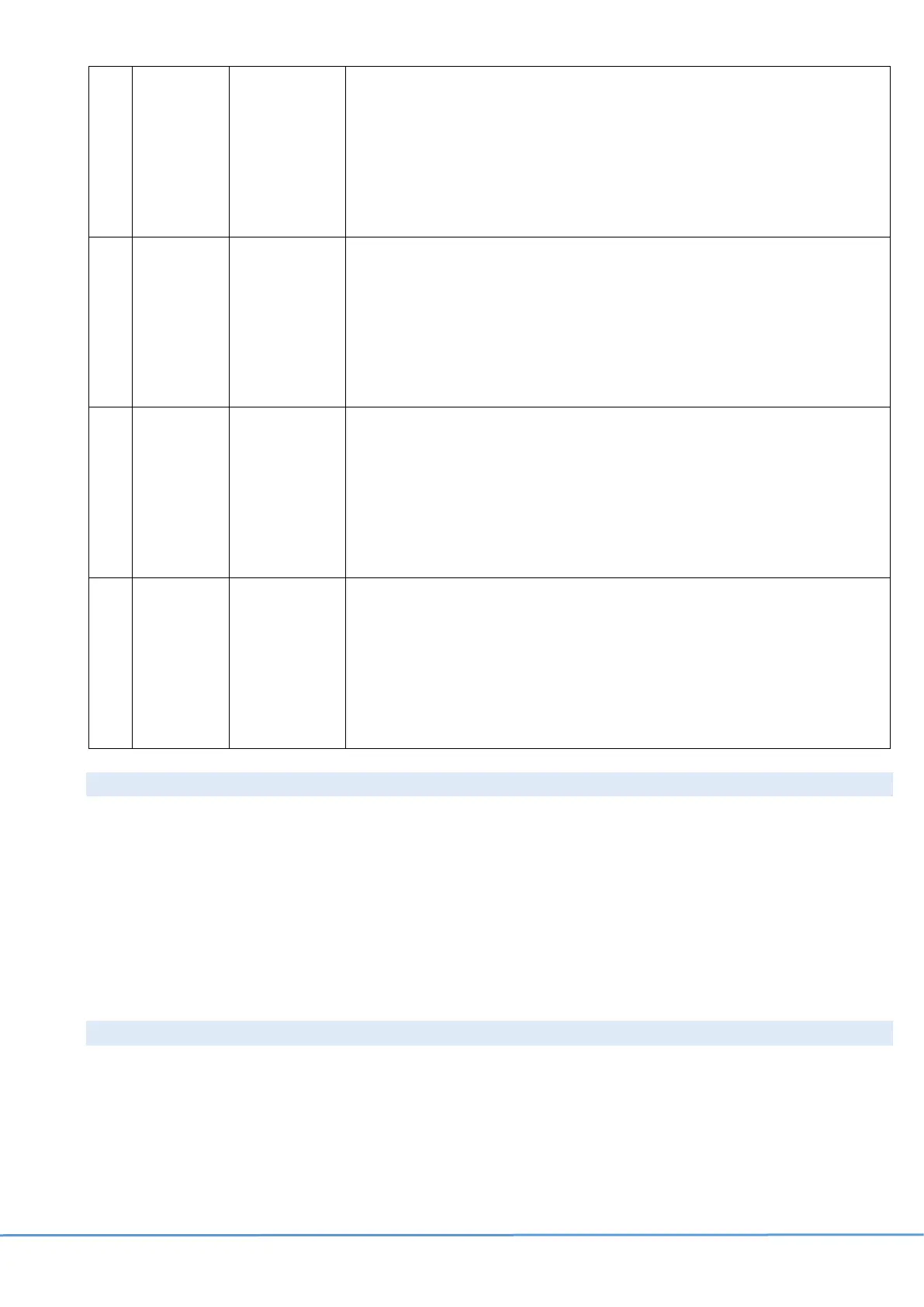
a-
Software
Parameters
Runs
Automatically,
scrolling all
the digits of
the string.
a. Displays digits sequence related to the set of parameters that is
flashed inside ERF2600 power board;
b. It is built of 8 digits. The same digit is displayed simultaneously on
the 2 displays (Freezer and Refrigerator).
• For example: “00499539”
c. Press + icon if you want to skip this visualization and pass to the
next record.
b-
Main Board
Firmware
Version
ERF2600
Runs
Automatically,
scrolling all
the digits of
the string.
a. Displays digits sequence related to the ID string or firmware version
of ERF2600 power board
b. It is built of 8 digits. The same digit is displayed simultaneously on
the 2 displays (Freezer and Refrigerator).
• For example: “JHB10G10”
c. Press + icon if you want to skip this visualization and pass to the
next record
d-
Cobalt UI
Firmware
version
Runs
Automatically,
scrolling all
the digits of
the string.
a. Displays digits sequence related to the ID_string or firmware version
of Cobalt User Interface (main UI)
b. It is built of 8 digits. The same digit is displayed simultaneously on
the 2 displays (Freezer and Refrigerator).
• For example: “LHFE0700”
c. Press (refrigerator) + if you want to skip this visualization and pass
to the next record.
d-
Indigo
Firmware
Version
(VCZ
drawer)
Runs
Automatically,
scrolling all
the digits of
the string.
a. Displays digits sequence related to the ID_string or firmware version
of Indigo User Interface (VCZ drawer UI)
b. It is built of 8 digits. The same digit is displayed simultaneously on
the 2 displays (Freezer and Refrigerator).
• For example: “MHFE0600”
Press (refrigerator) + if you want to skip this visualization and pass
to the next record
9.5 Lifetime
After the software parameters and firmware versions, it is possible to view the lifetime of the appliance. This refer to
the number of days the appliance has had power, not consecutively.
The maximum value can be 9999 days.
a- Lifetime
Press + icon,
to pass to the
next digit.
a. Displays lifetime sequence related to the number of days from the
first start-up.
b. It is built of 4 digits for Example: “0077” means 77 days.
c. Press + icon to pass to the next digit.
9.6 Free counter
The last section is related to display a free counter. It is a one second up-counting timer (0,1,2,3…) and the digit is
displayed on the display.
This phase communicates that service mode has come to end. To return to normal mode you have to press and
hold + and – icons for 10 seconds or unplug the appliance and plug it again.



 To Next Page