Q&CI - Technical Support 8 599 83 20-19 Rev. 02
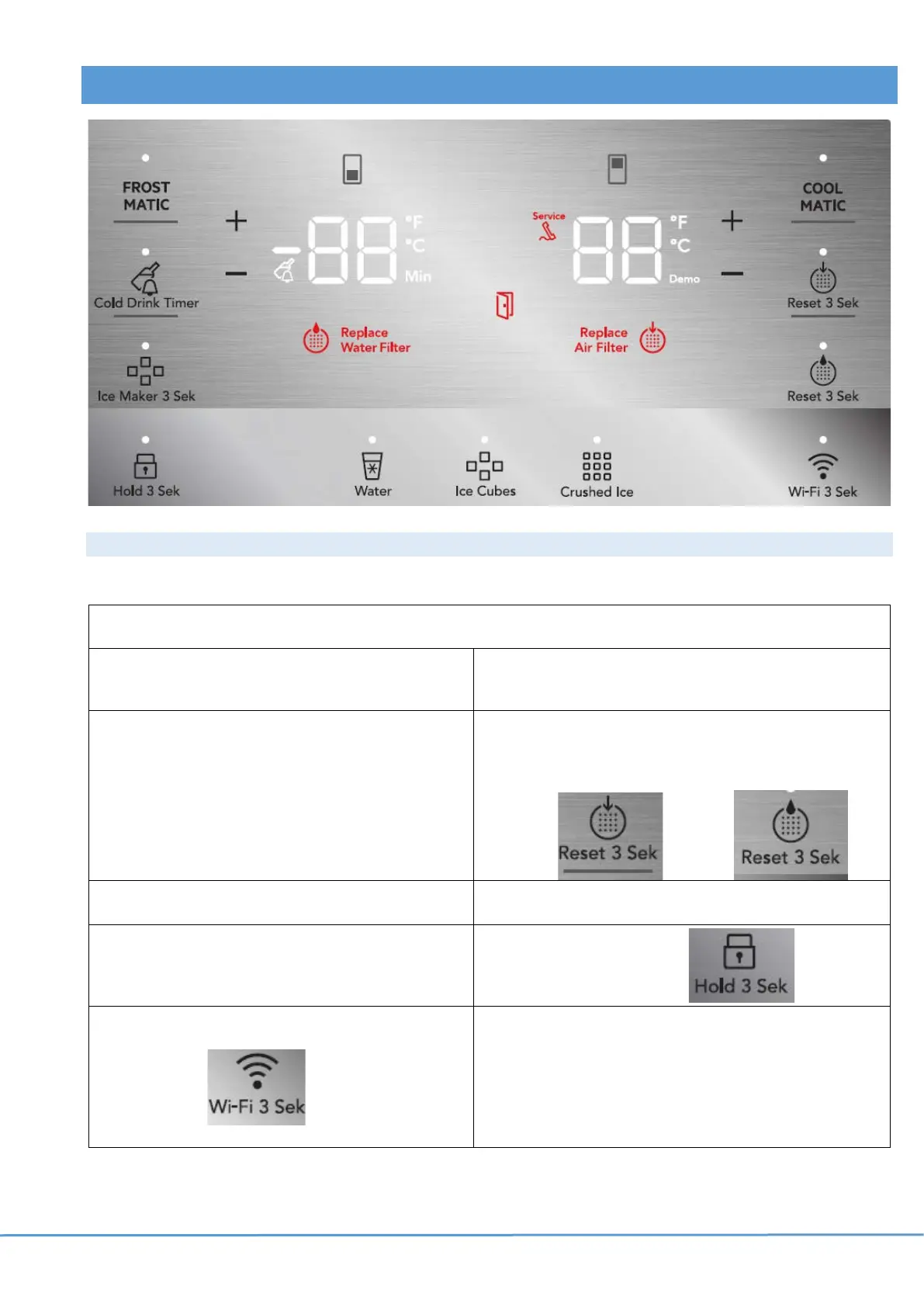
5 USER INTERFACE ON DOOR
5.1 Modes
Mode: Press and hold to activate/deactivate
Service
mode:
+ (freezer) and – (freezer) for 10
sec.
Demo
mode:
+ (freezer) and – (refrigerator) for 10 sec.
Water
pressure
setup:
“Ice Cubes” and “Crushed ice” for
10 sec to adjust the ice size based
on the water pressure.
Default 1, adjust from 1 (high
pressure, small) to 4 (low pressure,
large).
Reset
filter:
Warns automatically after 6 months since the
last reset. Hold reset key for 3 sec:
Air: “Reset 3 Sec” Water: “Reset 3 Sec”
Factory
mode:
“Water” + “Ice Cubes” for 3
seconds
°F/°C
mode:
+ (refrigerator) and – (refrigerator) for 5 sec.
Manual
defrost:
+ (fridge) and + (freezer) for 10 sec.
Lock the panel: for 3 sec.
Wi-Fi
connectivity
(connected
appliances)
Press and hold for 3 second to
enable / disable wireless connection.
LED lit - the product is connected.
LED flashes- the product is connecting.
LED off - Wi-Fi is off.



 To Next Page