Q&CI - Technical Support 21 599 83 20-19 Rev. 02
10 DEMO MODE
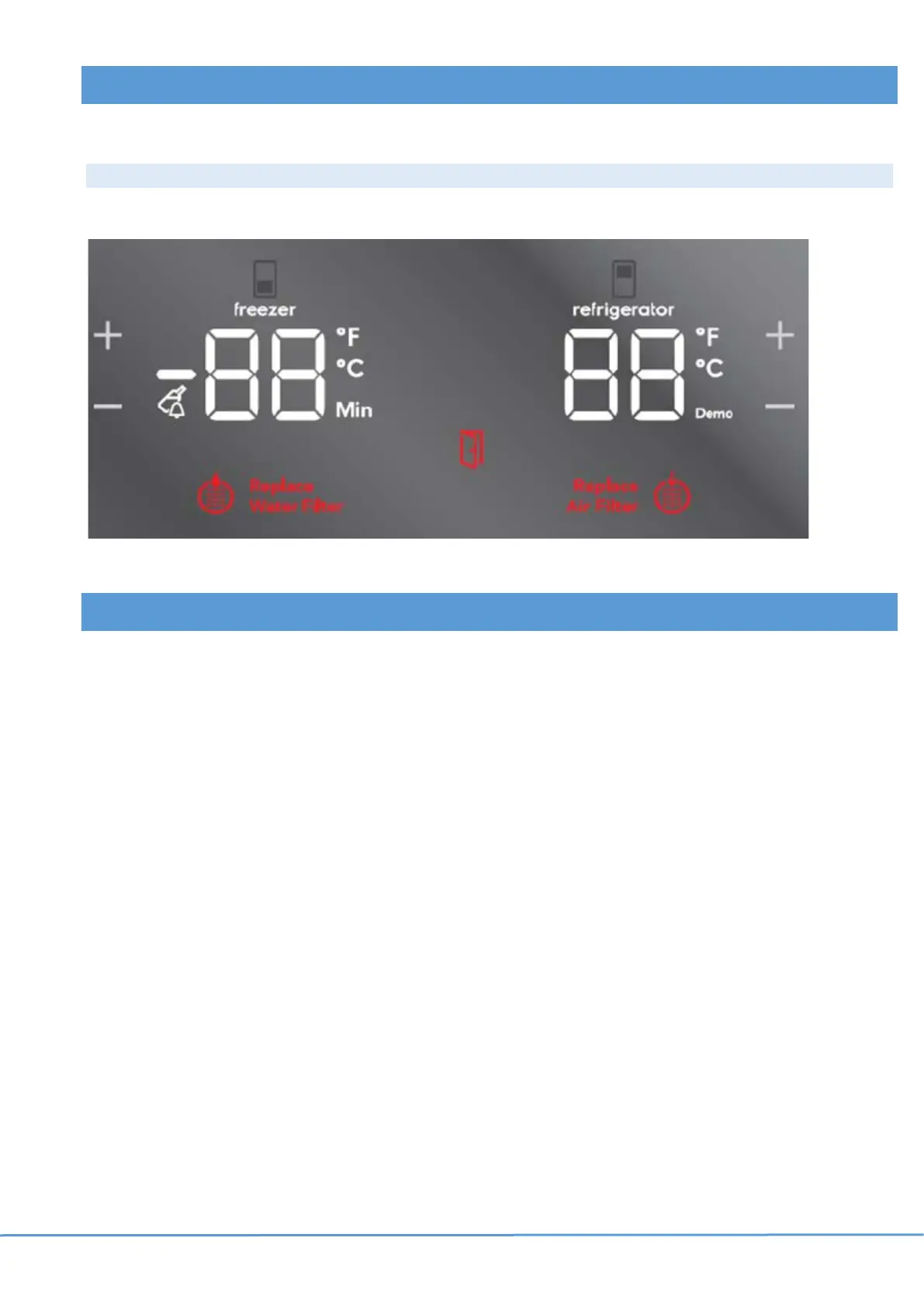
When demo mode is activated, the UI and internal light will work normally, but the cooling system is turned off.
Activating / Deactivating Demo Mode
Press and hold + (freezer) and – (refrigerator) for 10 seconds, reverse to deactivate.
11 RESET TO FACTORY DEFAULT
Press and hold - (freezer) and - (fridge) keys for 5 seconds to reset the following functions to its factory settings:
• Fridge & Freezer compartment
• Quick Chill
• Quick Freeze
• Drinks Chill
• Ice maker
• Air & Water filters



 To Previous Page