- 7 -
DGS-TDS-N 12.07 U. H. / A. B. © Electrolux 599 531 461 EN
2.3 Main features of operation
2.3.1 Appliance On and Off connection
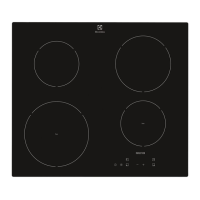
Switch on: -Touch "ON" sensor panel for 1 second. Pilot light illuminates.
Switch off: -Touch "OFF" sensor panel for 1 second. Pilot light illuminates.
After activation, a cooking stage or a function must be set within 10 seconds or the appliance
switches off automatically.
2.3.2 Child safety function
The child safety lock prevents an undesirable use of the appliance.
Switching child safety function on
- Switch appliance on with the `ON´ safety switch (do not set a cooking stage).
- Press the child safety lock button for 4 seconds. Display "L". The child safety device is
activated.
Bypassing the child safety lock
With this, the child safety lock can be deactivated for a single cooking process; it continues to
remain active afterwards.
- Switch appliance on with the `ON´ safety switch (do not set a cooking stage).
- Press the child safety lock button for 4 seconds. Display "L".
It can be used one more time until the next deactivation of the appliance. After the child safety
device has been bypassed a cooking stage or function must be set within approx. 10 seconds,
otherwise the appliance switches off automatically.
Switching child safety function off
- Activate the appliance with the "ON" sensor button.
- Press the child safety lock button for 4 seconds. Display "L".
- Appliance switch off. The childproof lock is deactivated.



 To Next Page