6. DAILY USE
WARNING!
Refer to Safety chapters.
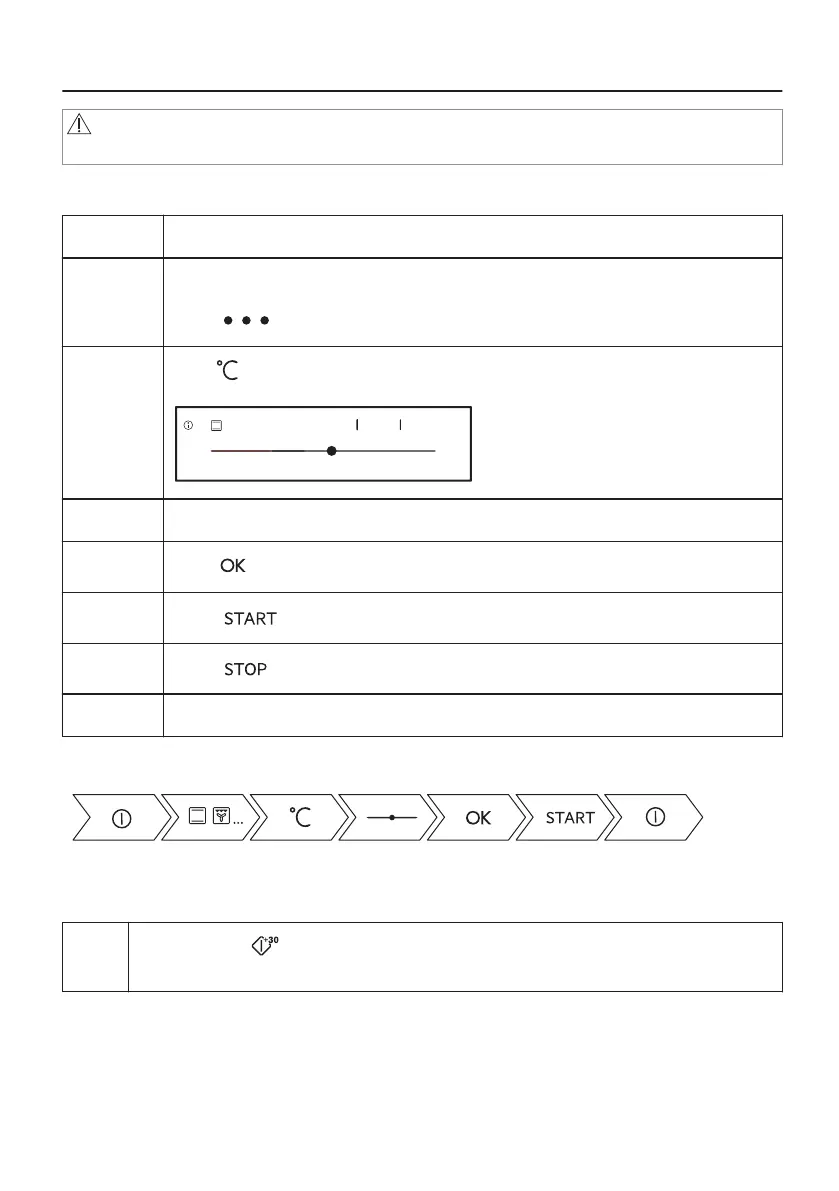
6.1 How to set: Heating Functions
Step 1 Turn on the oven.
Step 2 Select a heating function.
The display shows the default heating functions. To see more heating functions
press .
Step 3
Press .
Display goes into the temperature settings.
170°C
-5°C +5°C
210°C
170°C70°C
OK
Step 4 Move the finger on the slider to set the temperature.
Step 5
Press .
Step 6
Press .
Step 7
Press to turn off the heating function.
Step 8 Turn off the oven.
Take a shortcut!
6.2 How to use: Microwave Quick Start
Step
1
Press and hold on the display.
The microwave will run for 30 seconds.
17/48







 To Next Page