15. MENU STRUCTURE
15.1 Menu
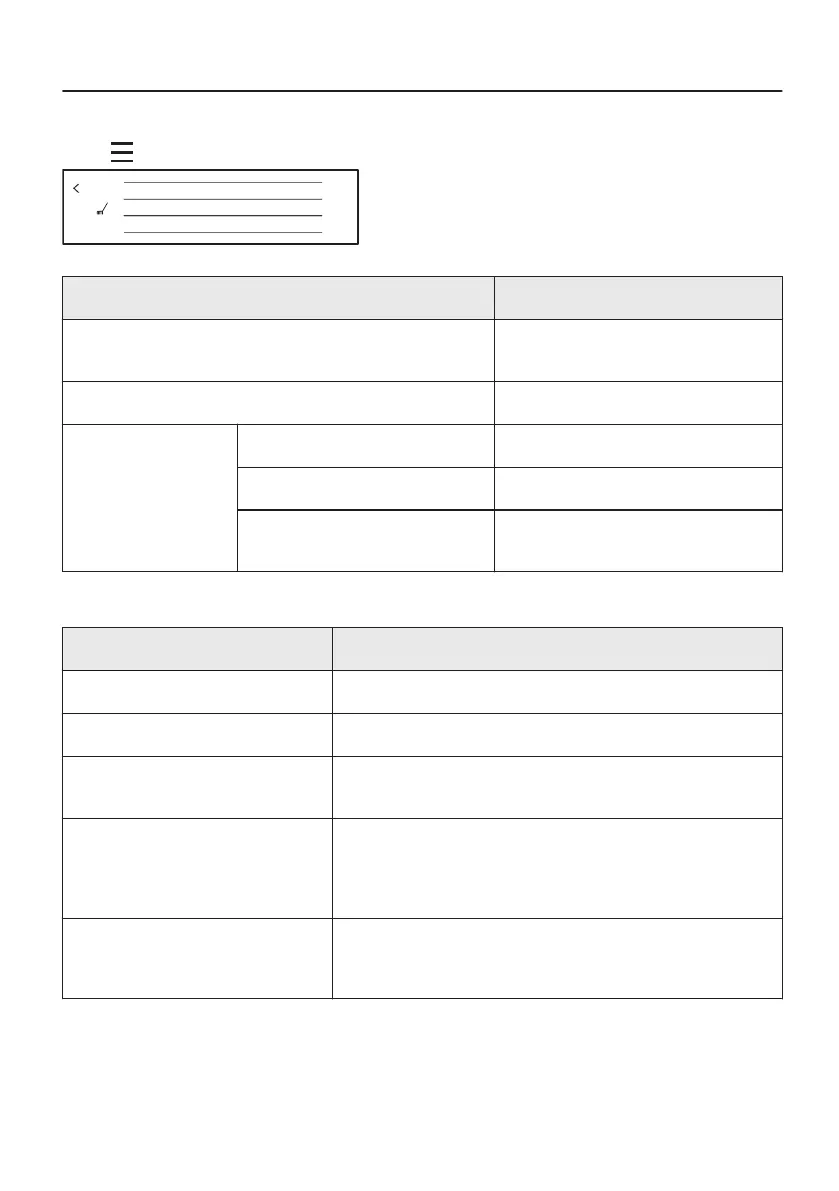
Press on the display to open Menu.
Options
Cleaning
Choose dish
Menu
Menu item Application
Assisted Cooking Contains a list of automatic pro‐
grammes.
Options To set the oven configuration.
Settings Connections To set the network configuration.
Setup To set the oven configuration.
Service Shows the software version and con‐
figuration.
15.2 Submenu for: Options
Submenu Application
Light To turn the lamp on and off.
Lamp Icon Visible Lamp icon appears on the screen.
Fast Heat Up Shortens heat up time. Note that it is available only for
some of the oven functions.
Child Lock Prevents accidental activation of the oven. When the option
is on, the text "Child Lock" appears on the display when you
turn on the oven. To enable the oven use, choose the code
letters in the alphabetical order.
ECO Mode Switches off Wi-Fi and the display to save as much power
as possible. Microwave quickstart is not available on stand‐
by in ECO Mode .
40/48







 To Next Page