8
2
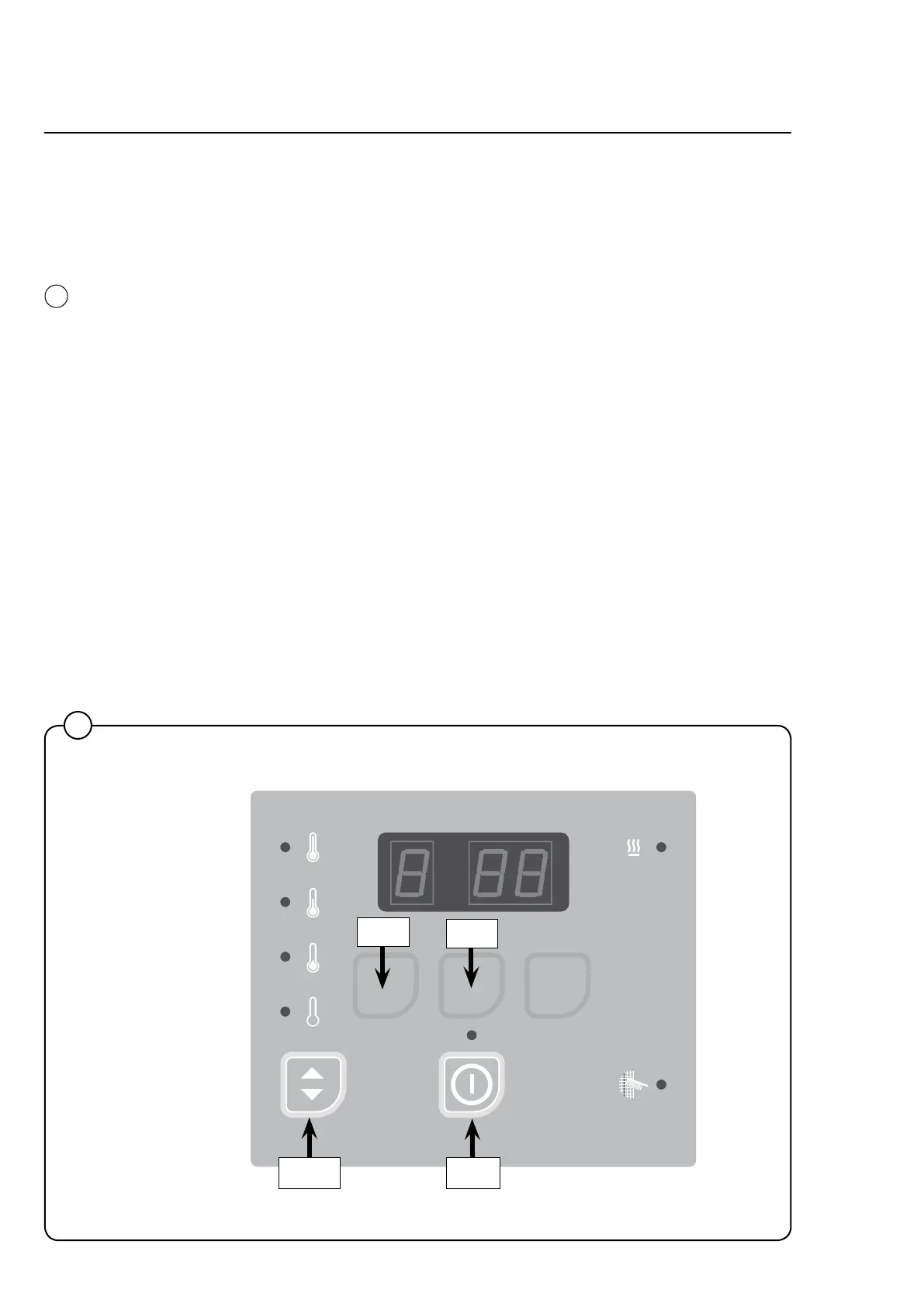
Operating panel
Therearedifferenttypesofoperatingpanels.
On the dryer operating panel the buttons might not have any symbols in
whichcasetheyareonlyusablewhenthedryerisinservicemode.
Inservicemodethe4buttonsareusedforchangingtheparameters.
Selected temperature
Light emitting diode is lit at the selected temperature or show the default-
temperaturesetting.
DefaulttemperaturecanbesetinGroupBinparameterA05.
2
487 09 10 01.00
SELECTA CO N T RO L
Down
Up
EnterReturn
High
No heat
Medium
Low
Programming



 To Next Page