10
Programming
1.
4
7 22
4
.
SEL EC TA CO N T RO L
2.
SEL EC TA CO N T RO L
487 09 10 00.00
3.
4
7 22
4
.
SEL EC TA CO N T RO L
487 09 10 00.00
4.
4
7 22
4
.
SEL EC TA CO N T RO L
487 09 10 00.00
5.
4
7 22
4
.
SEL EC TA CO N T RO L
487 09 10 00.00
6.
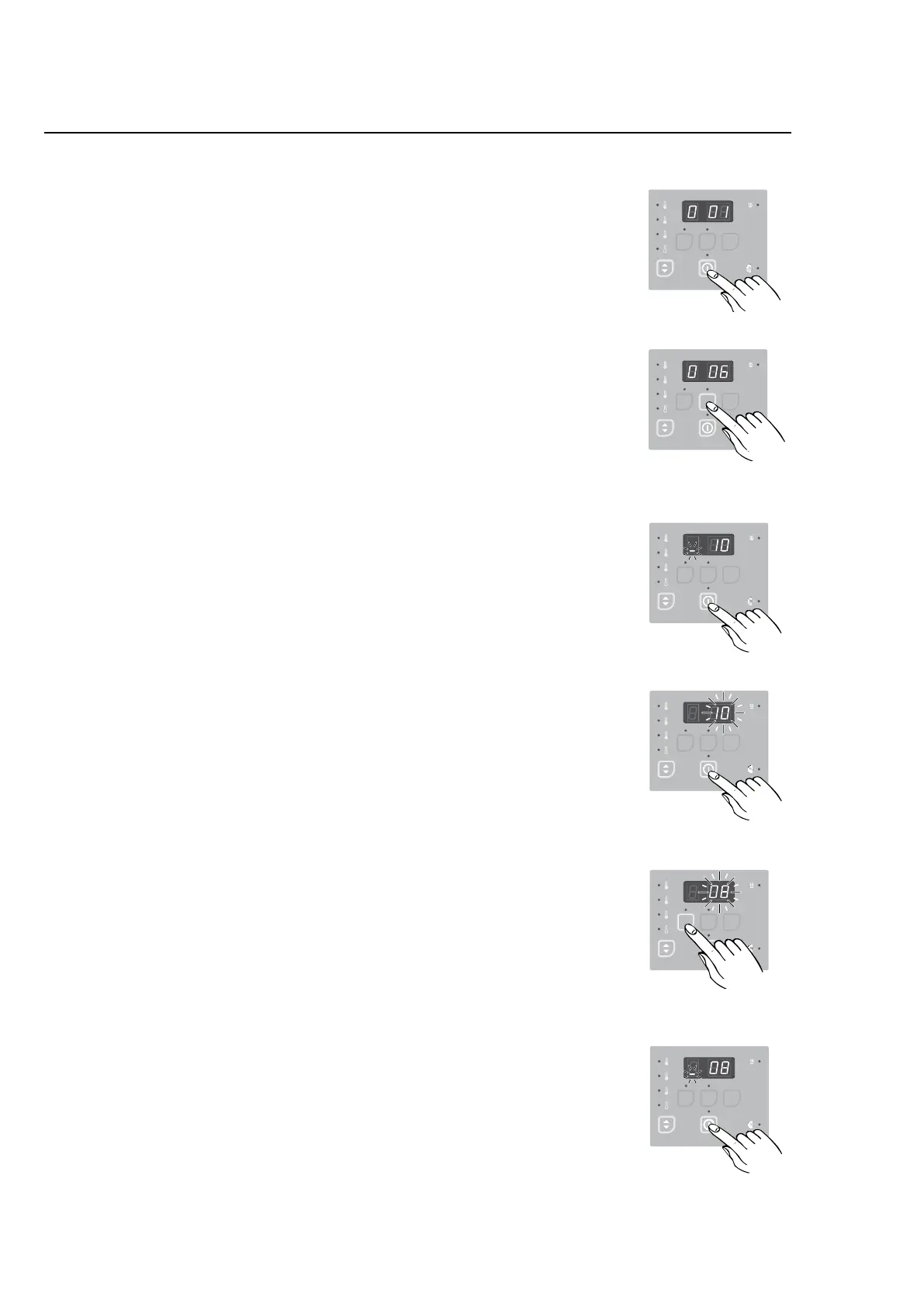
Changing of parameters in Group 0
Adjusting drying time
1. PressEnter.
The display shows 0 01, indicating Group 0, parameter
location01=Hightemperature.
2. PressUptoreachparameterlocation006.
This is the parameter location for the Time per coin or
pushvalue.Thevalueinthislocationisthenumberof
drying minutes that will be added when a coin is deposi-
ted(coinmachines)orUpispushed.
3. PressEntertoenterthislocationandviewitscontents.
Note: The ashing bar at the bottom of the left digit
indicates that this is a two-digit parameter (0 to 99
minutes).
4. PressEnteragaintoselectthisvalueforediting.Thecur-
rentvalue10willbegintoflash.
5. PressDowntolowerthevalueorUptoincreaseit.
Herethevaluehasbeenreducedto8minutespercoin.
6. PressEntertosavethenewvalue.
7. PressservicebuttonAwhentheprogrammingisdone.
8. Assembleandtestthedryer.
487 22 93 40.
SEL EC TA CO N T RO L
487 09 10 00.00



 To Next Page