© 2018 Electromedical Technologies, Inc. Phoenix, AZ USA. Any use of editorial, pictorial or layout composition of this publication without express written consent from Electromedical Technologies,
Inc. is strictly prohibited. This publication was written, illustrated and prepared for print by Electromedical Technologies, Inc
17
Connecting the Input Cable with the WellnessPro+
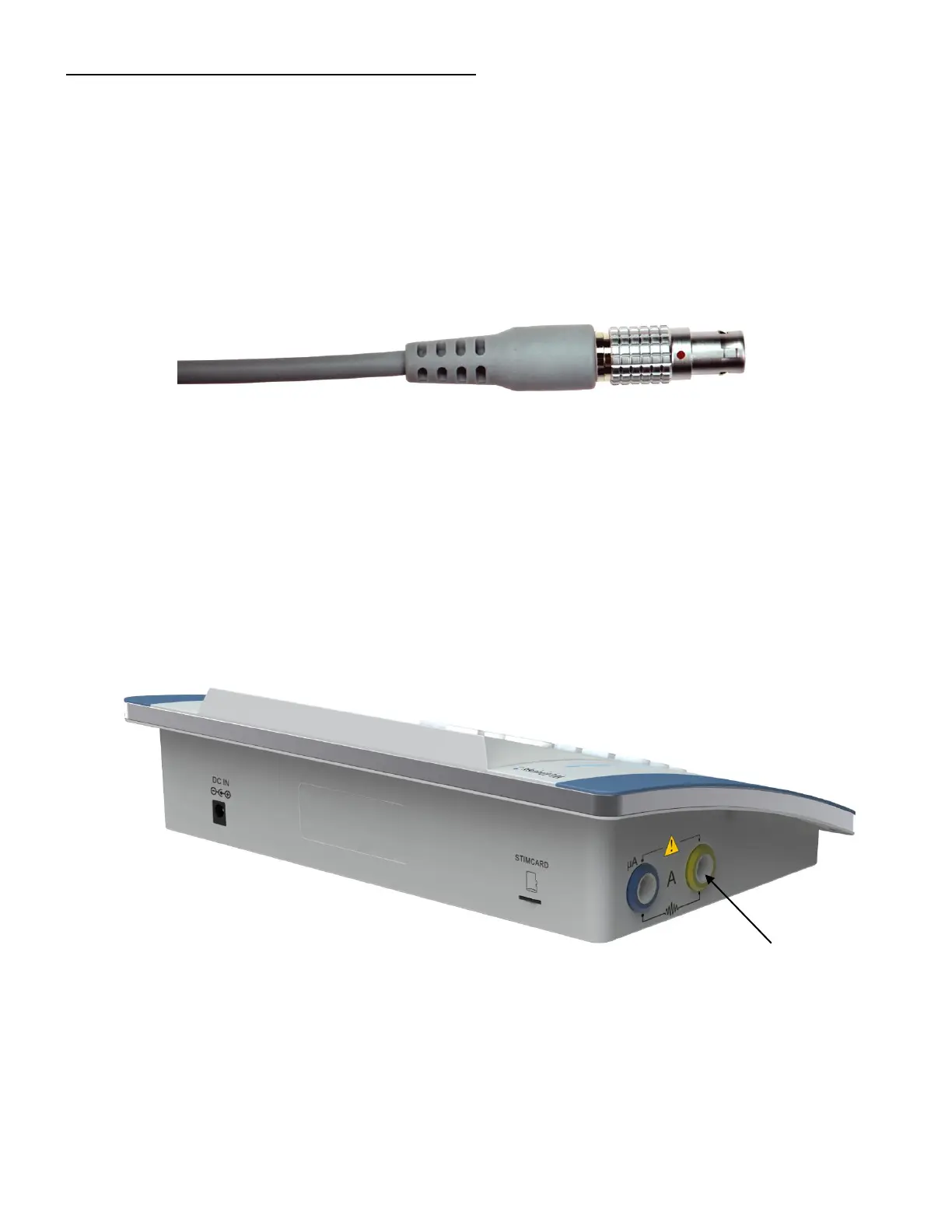
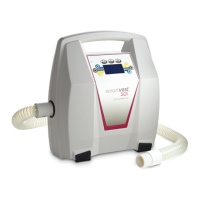
Connect the steel end of the input cable (image below) into the yellow socket of either “Channel A” or “Channel
B” of the unit. Yellow sockets are located on both sides of the unit and are closer to the front of the unit.
Make sure the red dot is aligned on the connector and receptacle (see page 16 for quick reference).
Figure 6: LEMO connector
Figure 7: Left side of the unit
Output channel A
(Yellow)


 To Next Page