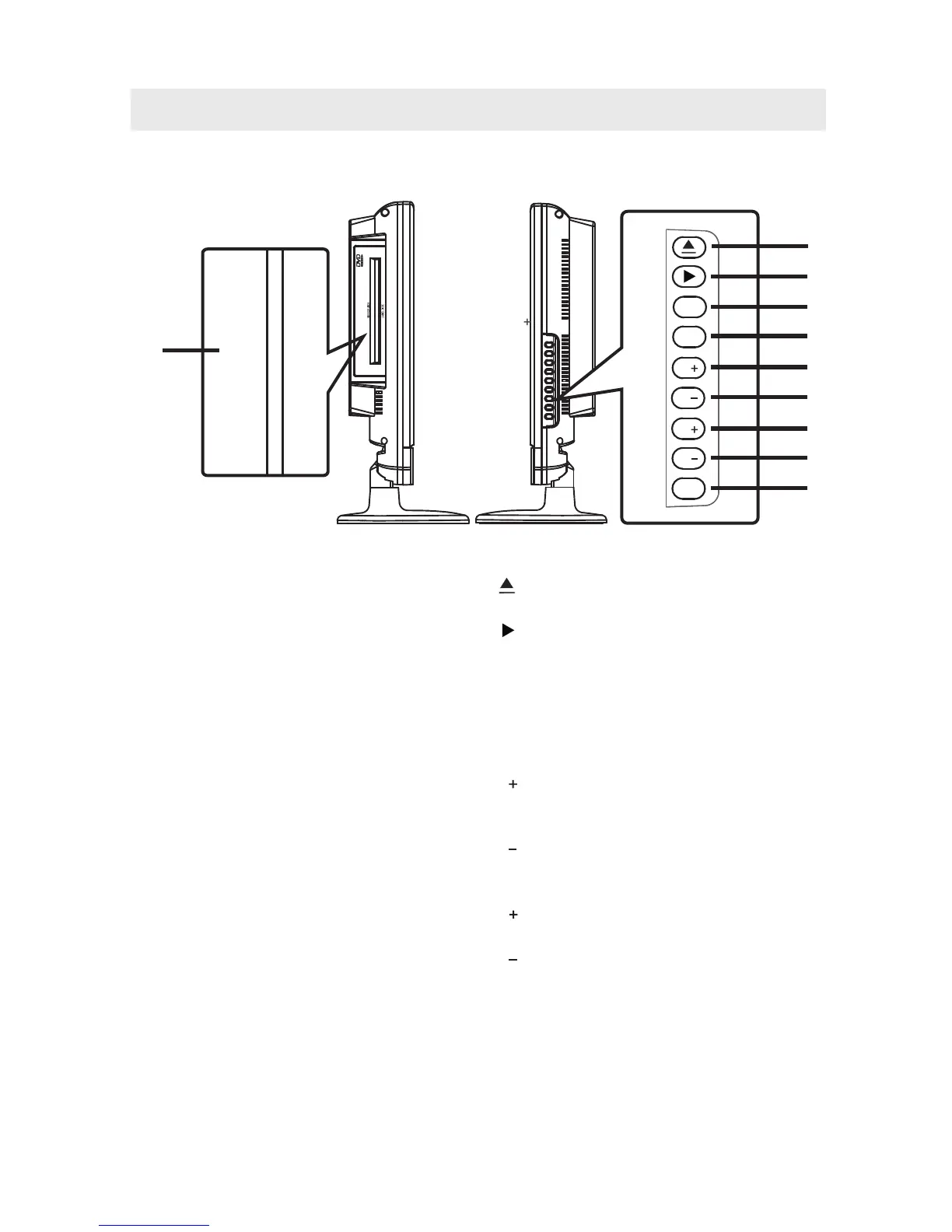
1
1. Disc Door
Insert discs to disc door
Note: When inserting a disc, please
take note of the indication of direction
around the disc door for operation.
(right direction: put the label side of
the disc against yourself )
.
SIDE VIEW
CONTROL REFERENCE GUIDE
TV/AV
Menu
P
P
V
V
Power
1
2
3
4
5
6
7
8
9
1. Button
Press to eject a disc.
2. Button
Press to start or resume playback of a disc.
3. TV / AV Button
Select ATV, AV, S-VIDEO, YPbPr, HDMI,
PC, or DVD.
4. Menu Button
Press to display the on-screen TV menu.
5. P Button
Press to change the TV channels and up
highlight selections on the menu screen.
6. P Button
Press to change the TV channels and down
highlight selections on the menu screen.
7. V Button
Press to adjust the volume up.
8. V Button
Press to adjust the volume down.
9. Power Button
Press to turn the unit on and off.
MIRROR SIDE
LABEL SIDE
7



 To Next Page