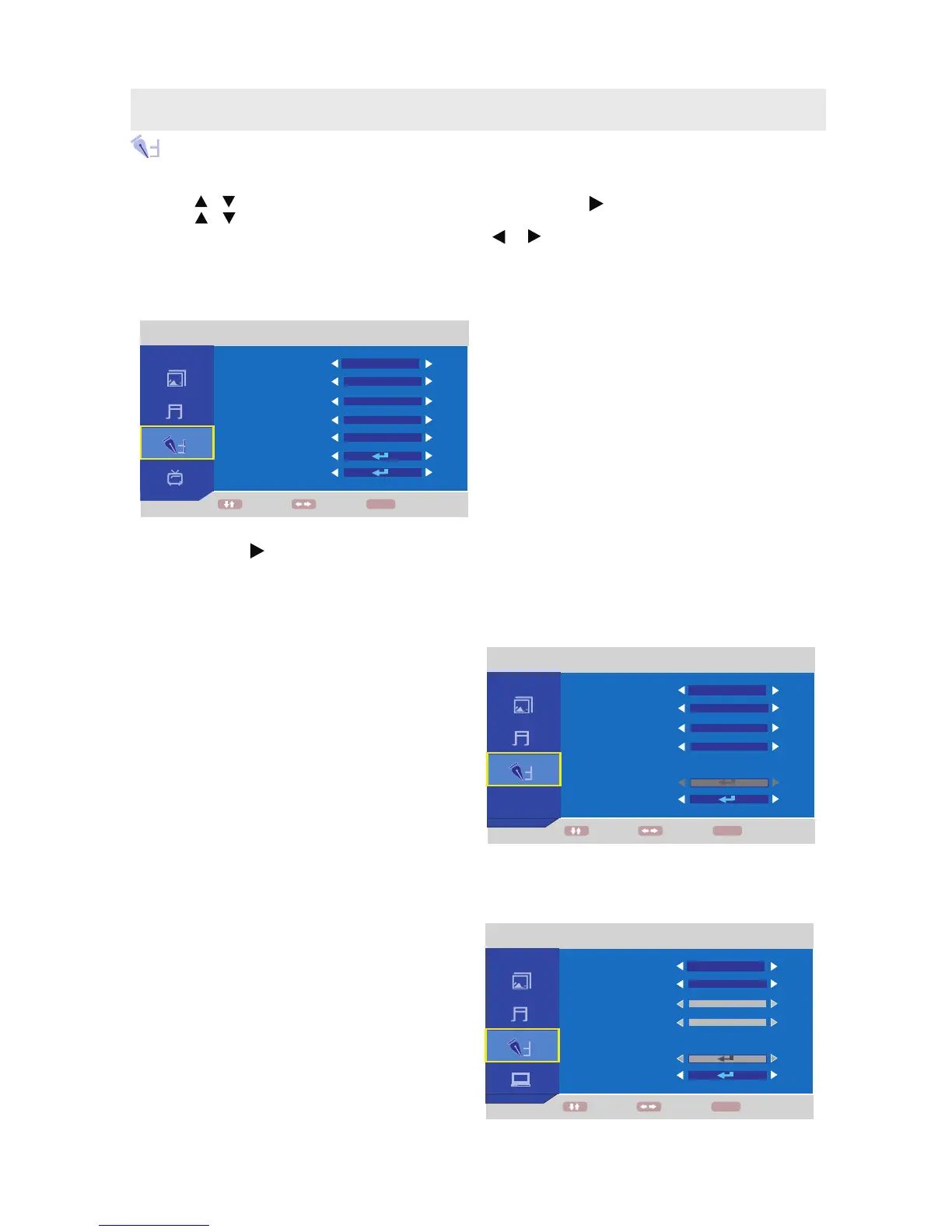
FUNCTION MENU
1. Press the MENU button.
2. Use the or button to select the FUNCTION menu, then press the button to enter the setting.
3. Use the or button to select the options (Language, Aspect Ratio, OSD Duration, Blue Screen,
CCD Mode,V-Chip, Reset ) and adjust them using the or buttons.
4. Press the MENU button to return to previous menu, repeat step 2 to adjust other settings.
5. To exit the MAIN MENU and return to the normal screen, press the EXIT button on the remote control.
In ATV / AV / S-Video mode
V-Chip : Press the button, then input the 4-digit password to enter Child Lock setup.
(Initial password is 0000.) (Refer to the next page Parental for details.)
Reset : Reset the TV / AV/ S-Video / Y Pb Pr / HDMI / PC mode to the factory settings.
In Y PbPr / HDMI mode
Language : Select the language your prefer.
(English / Italiano / Spanish / Portuguese /
Francais / Deutsch)
Aspect Ratio : Select the screen ration your prefer
for watching(Full, 4:3, Zoom).
OSD Duration :
: 5 Seconds,10Seconds,
30Seconds,60Seconds, Never.
Blue Screen : Select to switch on/off of
blue background.
Reset : Reset the TV / AV/ S-Video / Y Pb Pr / HDMI
mode to the factory settings.
In PC mode
Language : Select the language your prefer.
(English / Italiano / Spanish / Portuguese /
Francais / Deutsch)
OSD Duration :
: 5 Seconds,10Seconds,
30Seconds,60Seconds, Never.
Reset : Reset the TV / AV/ S-Video / Y Pb Pr / HDMI /
mode to the factory settings.
.
Select the length of time for the On
screen menu is displayed
/
PC
Select the length of time for the On
screen menu is displayed
PC
Language : Select the language your prefer.
(English / Italiano / Spanish / Portuguese /
Francais / Deutsch)
Aspect Ratio : Select the screen ration your prefer
for watching(Full, 4:3, Zoom).
OSD Duration :
: 5 Seconds,10Seconds,
30Seconds,60Seconds, Never.
Blue Screen : Select to switch on/off of
blue background.
CC Mode : Select the mode of Closed Caption
Display: t
Select the length of time for the On
screen menu is displayed
OFF, CC1, CC2,CC3, CC4, TT1, TT2, TT3, T 4.
TV SETUP
FUNCTION
ENGLISH
MOVE ADJUST
BACK
LANGUAGE
ASPECT RATIO
CC MODE
OSD DURATION
BLUE SCREEN
V-CHIP
RESET
FULL
OFF
60 SECONDS
OFF
MENU
FUNCTION
ENGLISH
MOVE ADJUST
BACK
LANGUAGE
ASPECT RATIO
OSD DURATION
BLUE SCREEN
V-CHIP
RESET
FULL
OFF
60 SECONDS
MENU
FUNCTION
ENGLISH
MOVE ADJUST
BACK
LANGUAGE
ASPECT RATIO
OSD DURATION
BLUE SCREEN
V-CHIP
RESET
FULL
OFF
60 SECONDS
MENU
15



 To Next Page