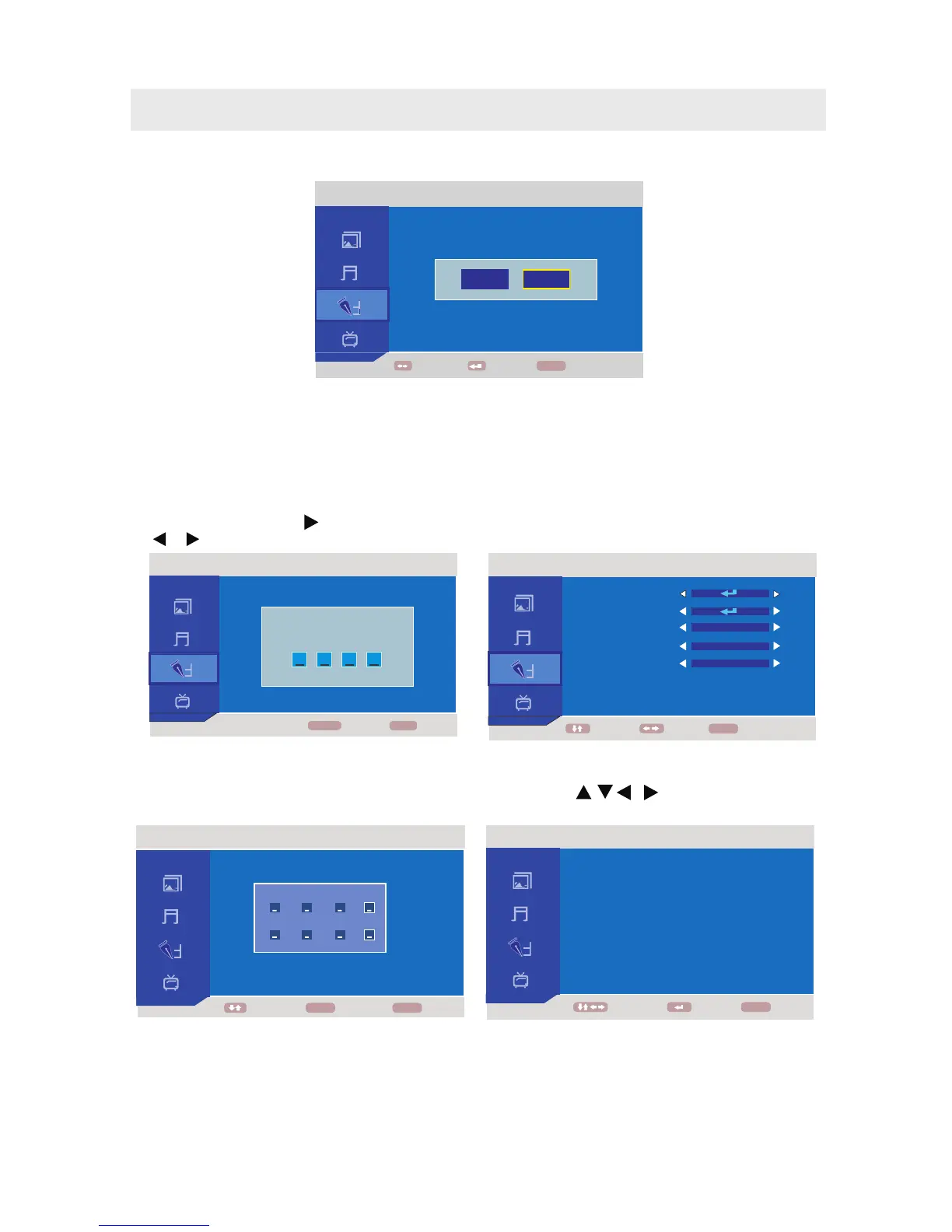
TV Rating :
ENTER
Set U.S. TV ratings.
(Use the button , , , to highlight a rating level,
press the button to change Lock or Unlock.)
V-Chip
In V-Chip menu, press the button and input the 4-digit password to enter detailed setting and use
the or button to adjust the setting.(New Password, TV Rating, MPAA, CAN ENGLISH, AN RANCE)
New Password :
MPAA :
C F
To change the password, input a
new 4-digit password two times.
(Remember your password!)
Set U.S. Movie (MPAA) ratings.
CAN ENGLISH :
AN RANCE
Set Canadian English ratings.
C F : Set Canadian French ratings.
TV SETUP
Reset
NOTE
If you reset the TV to the factory settings, all your present settings on PICTURE & AUDIO will be erased
and replaced by the factory's default settings
CHANGE CODE
NUMBERMOVE
BACK
MENU
0~9
ENTER NEW PASSWORD
ENTER PASSWORD AGAIN
FUNCTION
MOVE ADJUST
BACK
NEW PASSWORD
TV RATING
MPAA
CAN ENGLISH
CAN FRANCE
OFF
OFF
E
E
MENU
FUNCTION
NUMBER
BACK
MENU
ENTER PASSWORD
0 - 9
FUNCTION
MOVE
ENTER
BACK
MENU
NO
YES
FUNCTION
MOVE ENTER BACK
MENU
FV
-
B
-
-
-
-
RATING
TV-Y
TV-Y7
TV-G
TV-PG
TV-14
TV-MA
STATUS
BLOCK
BLOCK
BLOCK
BLOCK
BLOCK
BLOCK
V
-
-
-
B
B
B
S
-
-
-
B
B
B
L
-
-
-
B
B
B
D
-
-
-
B
B
-
16



 To Next Page