M U T E
A - BR EPEAT
LANG
0
E NT E R
V O L +
V O L -
C H +
C H -
M U T E
D I S P L A Y
1 2 3
4
7
0
5
6
8
9
F A V +
S M O D E
P M O D E
S L E E P
M E N UL A N G S U B .
F A V -
??
T V / A V
E P G
ANGLE
AUDIO
ZOOM
A -B
I NTROP ROG
D.MENU
TITLE
D.DISP
GOTO
D.SETUP
0
E NT E R
V O L +
V O L -
C H +
C H -
M U T E
D I S P L A Y
1 2 3
4
7
0
5
6
8
9
CCD
R E C A L L / - / - -
S . M O D E
P . M O D E
T V / A V
SLOW
ZOOM
P ROG
SUBTITLE
TITLE
D.DISP
GOTO
D.SETUP
E X I T
MTS
ANGLE
3
9
2
7
8
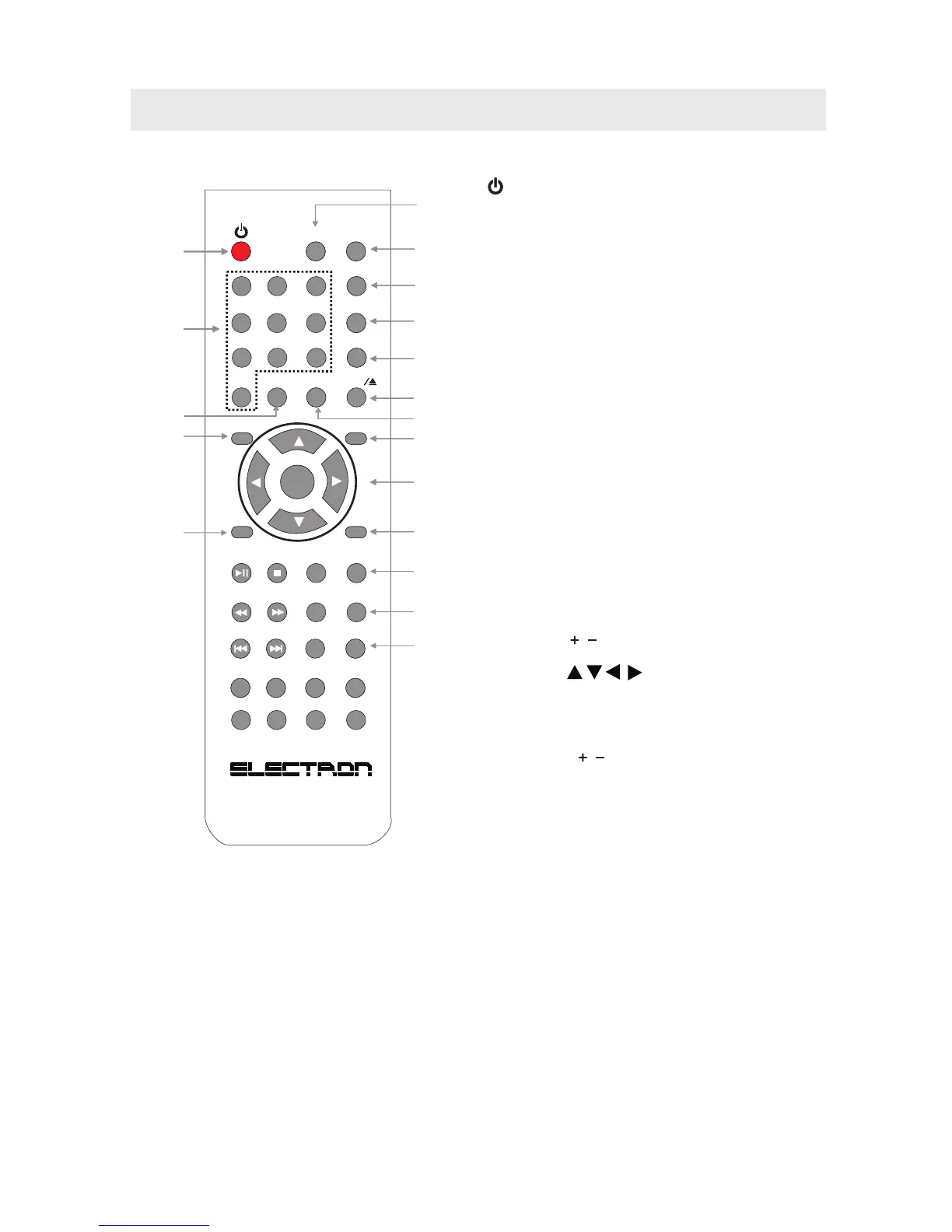
CONTROL REFERENCE GUIDE
1
4
11
5
11
10
15
12
13
6
13
16
14
3
9
2
7
8
TV FUNCTION BUTTONS
1.
Press to turn ON the unit or put it in STANDBY (OFF)
mode.
2. Display Button
Press to Display the source and channel information.
3. TV / AV Button
Press to switch the source input.
4. Number (0 - 9) Buttons
Press to select Select specific channels.
5. RECALL Button
Press to switch repeatedly between the last two
channels displayed.
6. MUTE Button
Press to turn the sound on / off.
7. P. MODE Button
Press to select from preset screen display settings to
match the type of show you are watching.
8. S. MODE Button
Press to select from preset sound settings to
match the type of show you are watching.
9. SLEEP Button
Press to set the SLEEP timer.
The unit will remain on for the time that is set,
and will automatically shut off afterwards.
10. MTS (Multi Channel Television Sound) Button
Press to select between MONO sound,
STEREO sound and Secondary Audio Program (SAP).
11. VOLUME ( / ) Buttons
Press to adjust the volume level.
12. CURSOR ( , , , ) Buttons
Press to highlight selections on a menu screen and
adjust certain settings.
ENTER Button
Press to confirm selections on a menu screen.
13. CHANNEL ( / ) Buttons
Press to change the TV channels.
14. MENU Button
Press to display the on-screen TV menu.
15. EXIT Button
Press to exit the TV SETUP menu and return directly
to normal viewing.
16. CCD Button
Press to activate the Closed Captioning feature.
This function only works on programs broadcasted
with captions.
STANDBY / ON Button
4
REMOTE CONTROL



 To Next Page