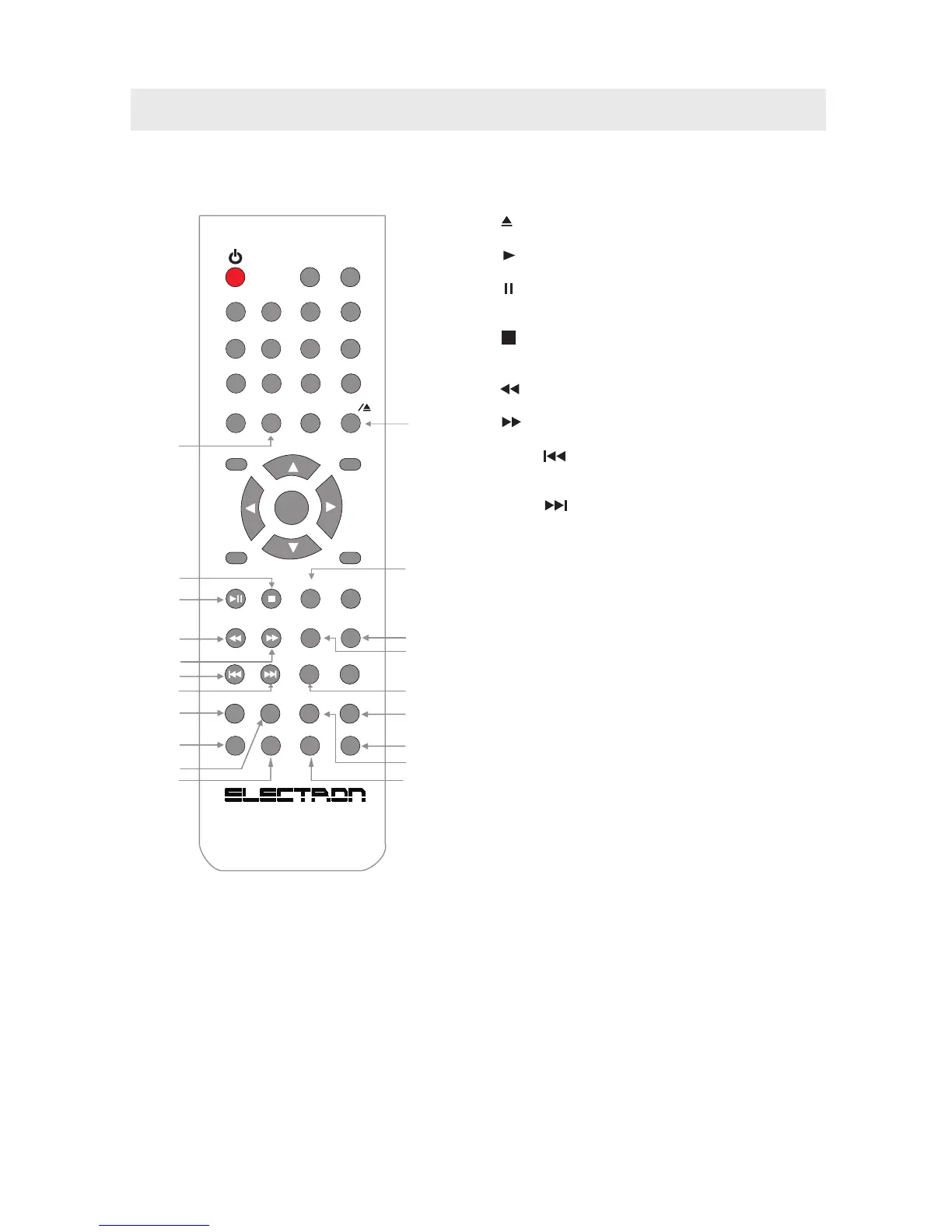
CONTROL REFERENCE GUIDE
M U T E
A - BR EPEAT
LANG
0
E NT E R
V O L +
V O L -
C H +
C H -
M U T E
D I S P L A Y
1 2 3
4
7
0
5
6
8
9
F A V +
S M O D E
P M O D E
S L E E P
M E N UL A N G S U B .
F A V -
??
T V / A V
E P G
ANGLE
AUDIO
ZOOM
A -B
I NTROP ROG
D.MENU
TITLE
D.DISP
GOTO
D.SETUP
0
E NT E R
V O L +
V O L -
C H +
C H -
M U T E
D I S P L A Y
1 2 3
4
7
0
5
6
8
9
CCD
R E C A L L / - / - -
S . M O D E
P . M O D E
T V / A V
SLOW
ZOOM
P ROG
SUBTITLE
TITLE
D.DISP
GOTO
D.SETUP
E X I T
MTS
ANGLE
3
9
2
7
8
28
18
36
31
32
25
27
35
19
20
34
33
30
29
24
23
22
21
17
26
DVD FUNCTION BUTTONS
17. - / – Button
Press to enter the title, chapter and track selection.
18. Button
Press to eject a disc.
19. Button
Press to start and resume playback of a disc.
Button
Press to pause playback and single frame advance on
DVDs
20. Button
Press to stop playing a disc. Press it twice, the unit's
memory will be cleared.
21. Button
Press to Fast reverse playback.
22. Button
Press to Fast forward playback.
23. PREV Button
Press to select the previous title, chapter or track on
a disc.
24. NEXT Button
Press to select the next title, chapter or track on a disc
25. ANGLE Button
Press to switch the camera angle of the video
presentation
when scenes with multiple camera angles are
recorded on a DVD
26. SLOW Button
Press to perform slow forward playback of a DVD.
27. DVD SETUP Button
Press to enter and exit the SETUP menu of the DVD.
28. ZOOM Button
Press to zoom in or zoom out a image.
29. PROGRAM Button
Press to enter into the favorite list to program the
contents in a disc.
30. LANGUAGE Button
Press to select one of the sound languages
programmed on a DVD.
31. REPEAT Button
Press to repeat a chapter or title of a DVD.
Press to repeat a single track or whole CD.
32. A-B Button
Press to perform point-to-point repeat playback on
a DVD or CD.
33. SUBTITLE Button
Press to select one of the subtitle languages
programmed on a DVD.
34. TITLE Button
Press to show title menu.
35. DVD DISPLAY Button
Press to change disc status information displayed
on the screen.
36. GOTO Button
Press to skip directly to a specific location on a
DVD/CD.
5
REMOTE CONTROL



 To Next Page