CD/DVD OPERATION
VOLUME
Press the VOL - / VOL + buttons to adjust the output volume.
NOTE: Playback DVD discs in original code, is not adjustable.
MUTE
Press the MUTE button to mute the audio output. There will have an on screen symbol indicate “MUTE”.
Press again to cancel, or Press the VOL + button to cancel and adjust the volume.
In case there is no audio output, try to press the MUTE button to cancel mute.
ZOOM
Press the ZOOM button to zoom in the picture.
There are 6 zoom modes, press the ZOOM button to toggle between different zoom modes in sequent.
(Zoom2 - Zoom3 - Zoom4 - Zoom1/2 - Zoom1/3 - Zoom1/4 - Zoom OFF)
In Zoom2-4, you may use the , , , buttons to pan the picture for your favorite portion.
A - B
In normal Playback, fast forward or fast reverse, press the A-B button at where you want to
start the repeat portion. There will have an on screen indication “REPEAT A “.
In normal Playback, fast forward or fast reverse, press the A-B button again at where you want to
stop the repeat portion. There will have an on screen indication “REPEAT A B“.
The repeat function started to playback the portion from A to B automatically.
Press the A-B button again to cancel. There will have an on screen indication “A B CANCEL”.
NOTE:
For Super VCD, VCD & CD discs, repeat A-B is only function within the same track. When playing the
others, repeat A-B will cancel automatically.
For Super DVD discs, repeat A-B is only function within the same Title /Chapter. When playing the
others, repeat A-B will cancel automatically.
PROGRAM
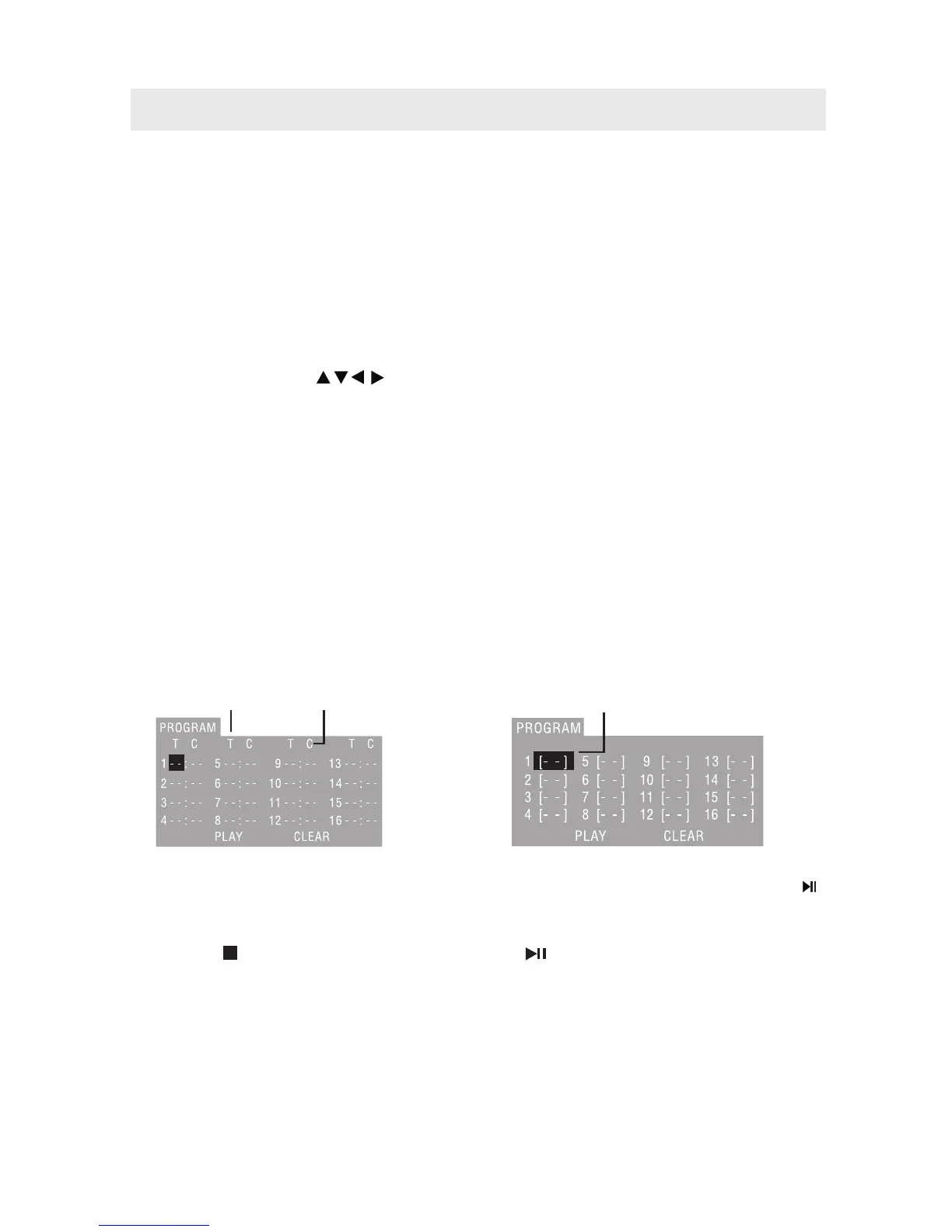
Using Program playback, you can select max. 16 tracks from the disc to playback in programmed order.
OSD for program playback as below.
If it is in PBC ON status, using program playback will turn to PBC OFF automatically.
According to the highlight area input the title and chapter number by the numeric buttons, press the
button to start; or move to the <PLAY> by the navigation buttons, press the ENTER button to start.
While playing the program, you may press the PROGRAM button to display the program menu for edit.
To clear the program by moving to <CLEAR> by the navigation buttons, press the ENTER button.
Or press the button to end the program. When press the button again, the disc will play by sequent.
While playing the program, there will have an on screen indication “PRG PLAY” and the current title
and chapter number.
•
•
•
•
•
•
•
•
•
•
•
•
•
•
•
TITTLE
CHAPTER
TRACK
TITLE/CHAPTER PROGRAMMED PLAYBACK (DVD)
TRACK PROGRAMMED PLAYBACK (CD)
22



 To Next Page