11
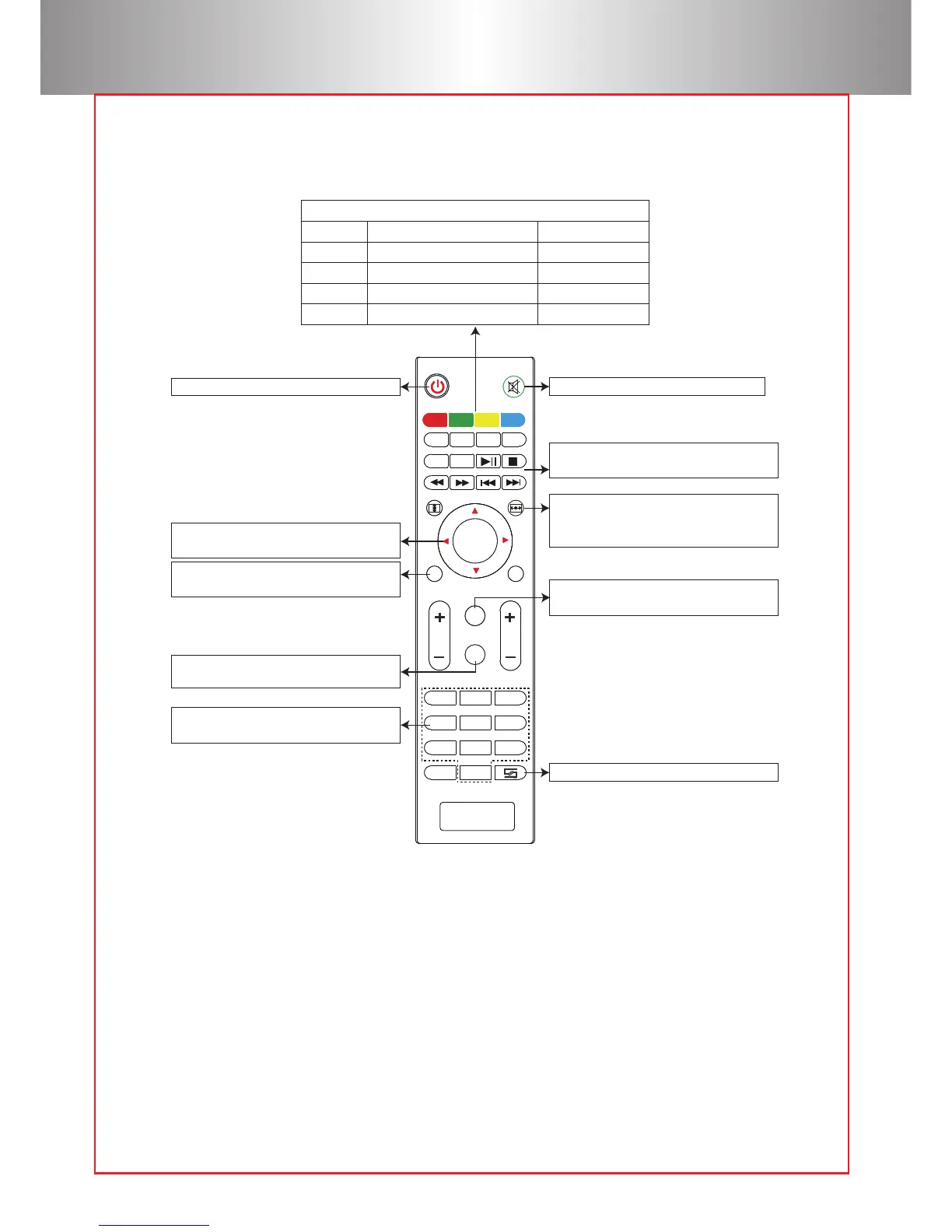
Remote Control Instruction:
TTX
C H
TTX
1 2 3
4
5 6
7
8
9
0
OK
DT V
A-SCA N
SUPAGE
GOTO
EPG
RE C
VOL
1 2 3
4
5 6
7
8
9
0
OK
DT V
M
S
EXIT
GOTO
16:9/4:3
EPG
RE C
MO D E ZOOM
SCHEDULE
Functional in TV or Multimedia mode.
Red
Green
Yellow
Blue
Manual channel search
Save
Channel Edit
Delete
Rename
Move
Skip
Numeric keys
Select TV channel directly
Mute key: Open or close the volume.
Back to previous operation.
Multimedia play key
Function: play/ pause/ forward/ back.
16:9, 4:3 switch key
Switch the display picture for 16:9 or 4:3.
Menu key
Open or switch the parameter menu.
Power key: For turning the power on.
H.Flip key: Adjust image left/ right rotate.
V.Flip key: Adjust image up/ down rotate,
not operational in USB mode.
Source key
Select the source: AV, PC-RGB, HDMI, etc.
Direction key
Menu mode adjust parameter.
Cautions:
1) Do not mix or use old and new batteries together.
2) Make sure nothing stands in the middle of remote and IR.
3) Avoid a light shining directly on the IR.
4) Point the remote directly at the IR within 6m, and 30 degrees.
5) Remove the battery if you are not going to use it for a long time.
6) Please replace the old battery with a new battery when the remote
malfunctions.
7) Do not place the remote in wet or hot conditions.



 To Next Page