Http://www.elego.cc
112 / 137
Lesson 21 JOYSTICK MODULE
Overview
Just like a joystick on game console. you can control x, y and z dimensions input by this
joystick module. It can be considered as combination of potentiometers and one button.
Data type of the x, y dimensions are analog input signals and z dimension is digital input
signal. thus the x and y ports connect to analog pins of Sensor Shield, while z port connects
to digital pin.
Component Required:
(1) x Elego Uno R3
(1) x USB cable
(1) x Joystick module
(x) x F-M wires
Component Introduction
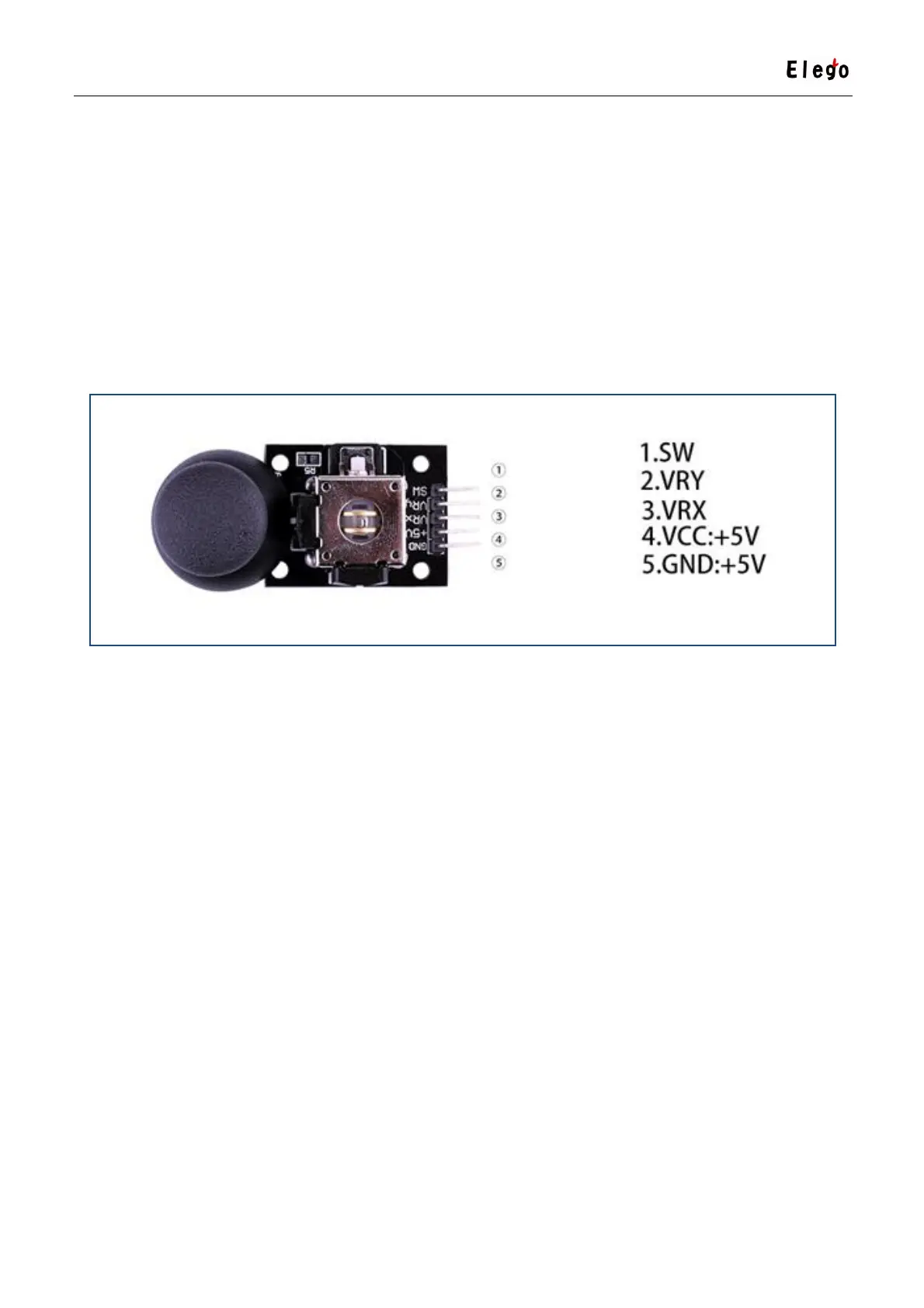
Joystick sensor:
Lots of robot projects need joystick. This module provides an affordable solution. By simply
connecting to two analog inputs, the robot is at your commands with X, Y control. It also has
a switch that is connected to a digital pin. This joystick module can be easily connected to
Arduino by IO Shield. This module is for Arduino (V5) with cables supplied.
Specification



 To Next Page