Http://www.elego.cc
7 / 137
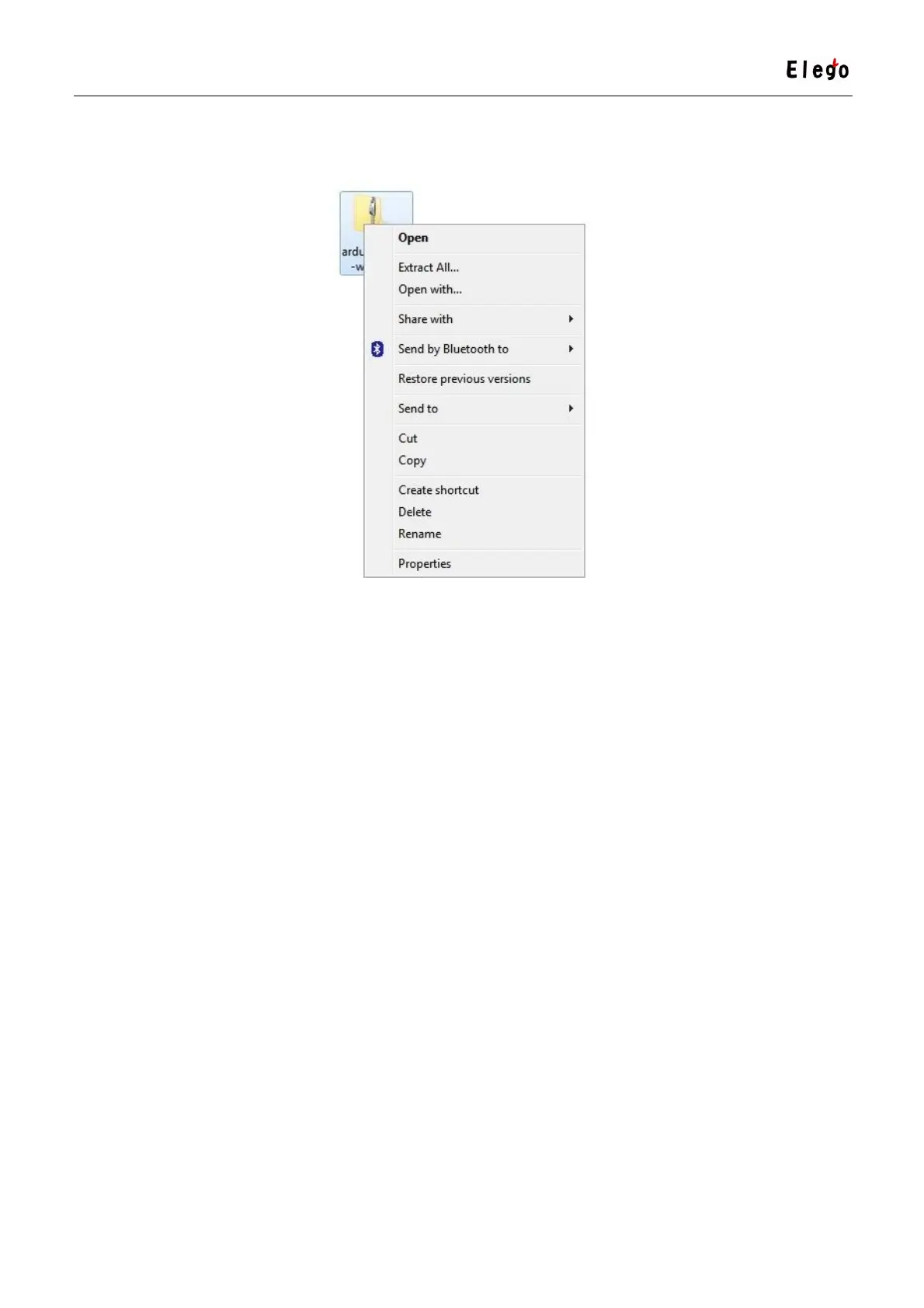
When the zip file has downloaded, extract the contents onto the Desktop, by right-clicking
on the file and selecting 'Extract All...' from the pop-up menu.
Next select your Desktop and click 'Extract'. You can move it somewhere else onto your
computer later, just by moving the folder, but for now, just keep it on the Desktop.
The Arduino folder contains both the Arduino program itself and also the drivers that allow
the Arduino to be connected to your computer by a USB cable. Before we launch the
Arduino software, you are going to install the USB drivers.
Plug one end of your USB cable into the Arduino and the other into a USB socket on your
computer. The power light on the LED will light up and you may get a 'Found New Hardware'
message from Windows. Ignore this message and cancel any attempts that Windows makes
to try and install drivers automatically for you.
The most reliable method of installing the USB drivers is to use the Device Manager. This is
accessed in different ways depending on your version of Windows. In Windows 7, you first
have to open the Control Panel, then select the option to view Icons, and you should find
the Device Manager in the list.
Under the section ‘Other Devices’ you should see an icon for ‘unknown device’ with a little
yellow warning triangle next to it. This is your Arduino.



 To Next Page