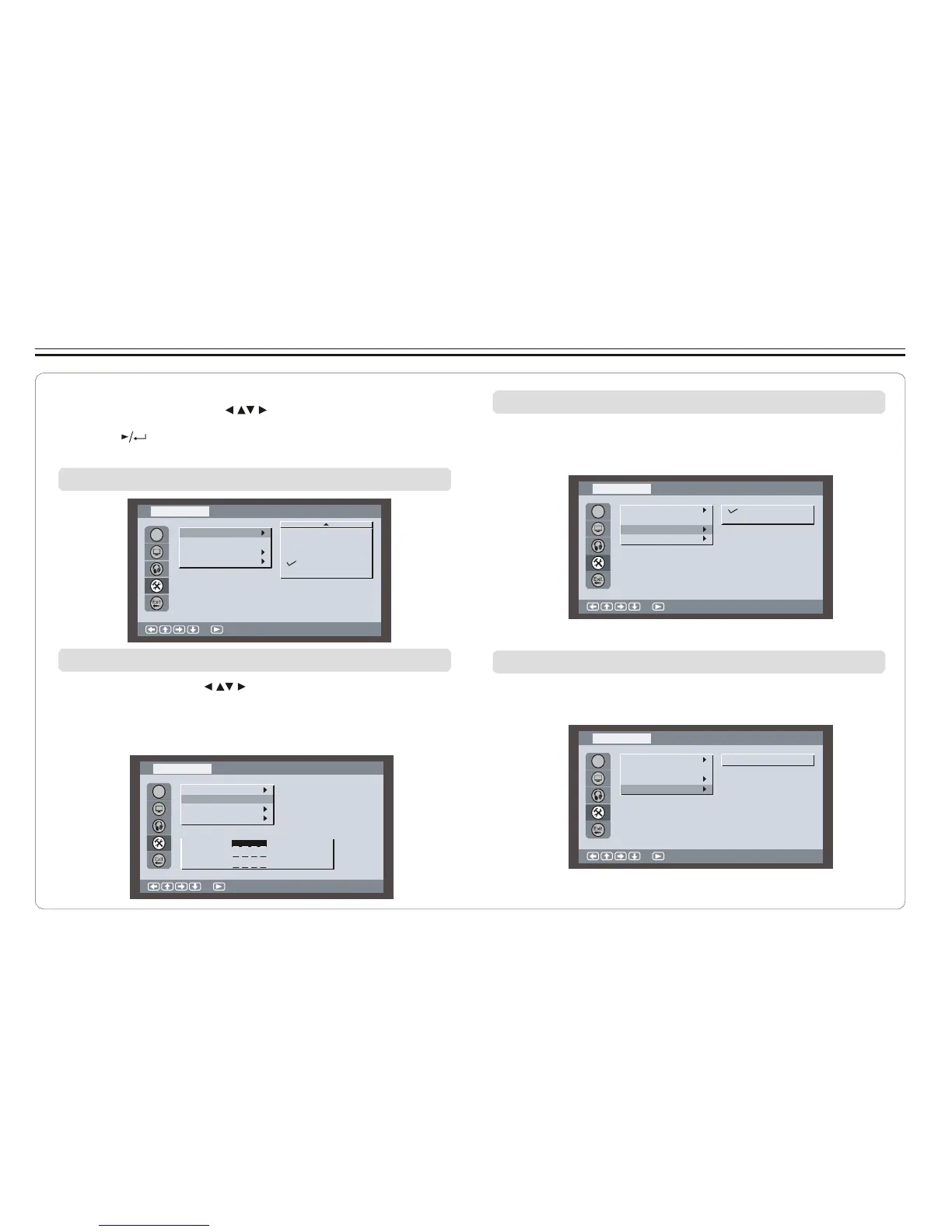
Setting Parental Control, Password, Camera Angle, Default
1. Press SETUP on the remote control.
2. Use the direction keys ( ) to select Custom Setup and
its sub-menu.
3. Press to confirm your selection.
4. Press SETUP to exit.
Setting parental control
Turning on/off camera angle
When ON is selected, the player will display multi-angle mark
on the screen if the disc has multi-angle shot.
Cust o m S etu p
Cust o m S etu p
OSD
Pa rental Ctrl
Pa ss word
…
On
Of f
OSD
Pa rental Ctrl
Pa ss word
…
An gl e M a rk
Default
5
6
7
8
Of f
An gl e M a rk
Default
:S el ec t
:S el ec t
Changing password
1. Use direction keys ( ) to select Password and press
ENTER to confirm.
2. Key in your old password ( 8888 if this is the first use).
3. Key in new password and again to verify.
Returning to default setting
All settings will revert to the original factory settings when
Reset is selected.
Cust o m S etu p
Cust o m S etu p
OSD
Pa rental Ctrl
Pa ss word
…
An gl e M a rk
Reset
OSD
Pa rental Ctrl
Pa ss word
…
An gl e M a rk
Default
Default
Ol d:
New:
Ve ri fy:
:S el ec t
:S el ec t
~ 23 ~



 To Next Page