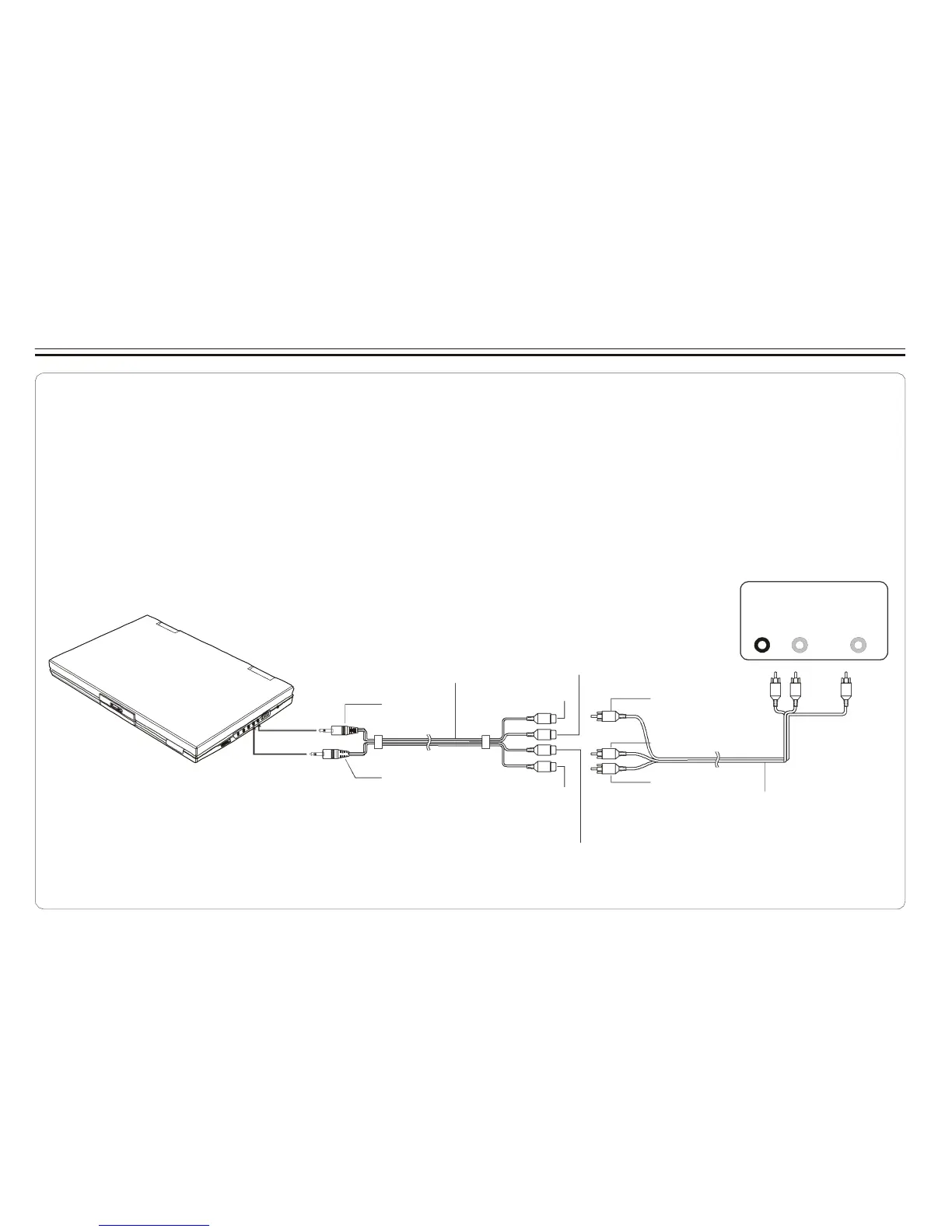
Connecting to an External Component
You can enjoy video from VCR or camcorder on your DVD player.
1. Turn off DVD player, VCR and other components.
2. Connect the audio and video cables as illustrated below.
3.Turn on power.
VCR or other component equipped with external output connectors
AUDIO
OUT
VIDEO
OUT
AV adaptor cable (provided)
(Mini -j ack to RCA)
R L
Video out: Yellow
Video(yell ow)
Video i n: Green
Video out: Yellow
VIDEO IN
Audio(left):White
AUDIO IN/OUT
Audio (black)
Audio(right):Red
Audio(right):Red
AV CABLE (Not p rovided)
Audio(left):White
~ 7 ~



 To Next Page