- 29 -
Plasma TV Service Manual
Element Confidential
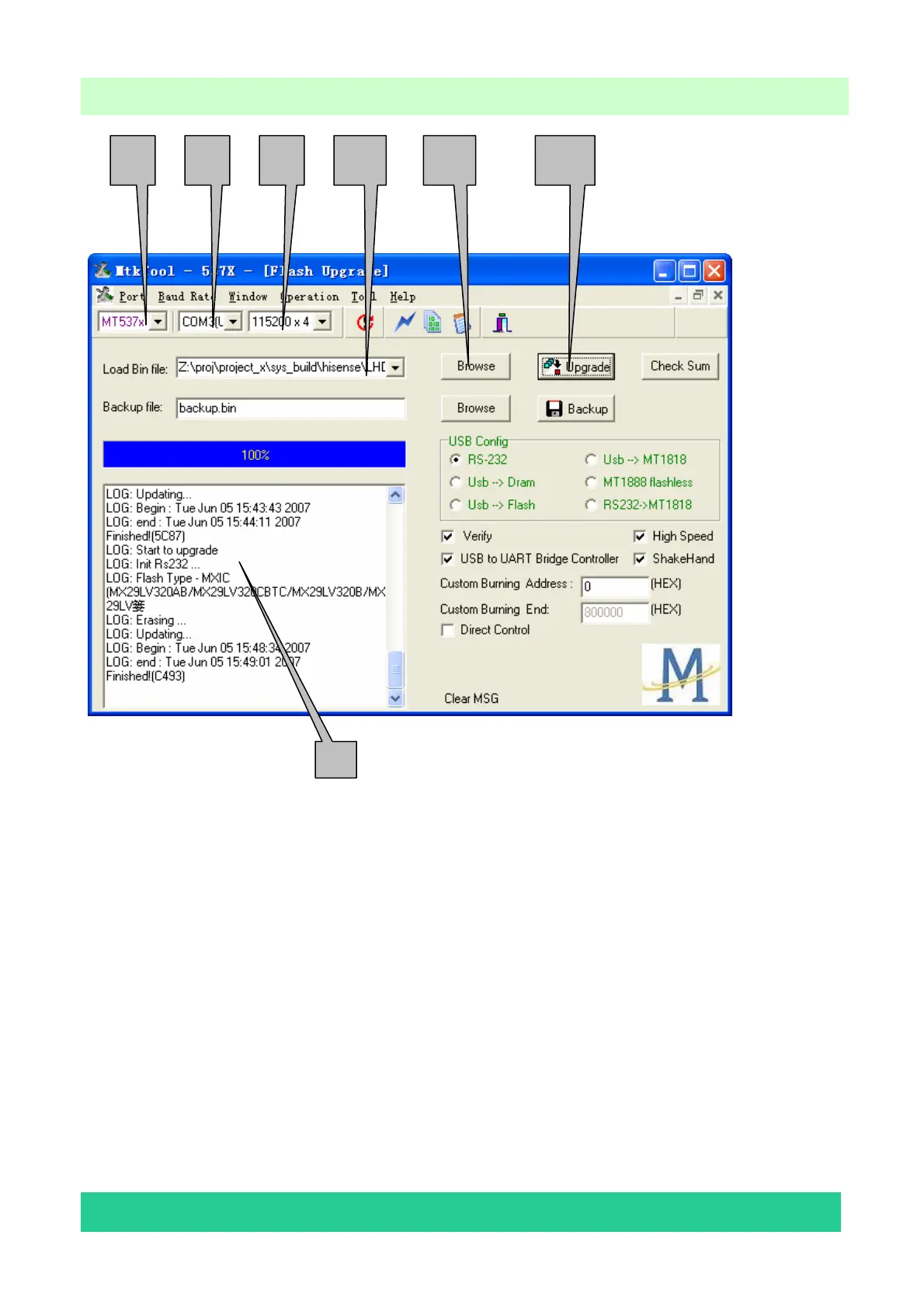
1 2 3 4 5 6
7
1—Flash chip model (for PLX-4202B and PLX-5002B, it will be MT537X).
2—The port through which the PC communicate with the chip.
3—The communicating baud rate
4—The new program file (*.bin) for upgrading.
5—Click this button can select the *.bin file to be used for upgrading.
6—Click to start upgrading.
7—Information displaying window.
Setting the communication port:
Open “Device Manager” and find which port is connected with the TV. In above picture, COM2
is connected to the TV; so, select “COM2” in the MtkTool main interface. Select the right baud rate
according to chip model. For this unit (chip model is MT5371), select 115200×2.



 To Next Page