- 26 -
Plasma TV Service Manual
6. Software Upgrading
The software is upgraded by a burning toll-MtkTool, which can burn the program file *.bin to the
main board of the unit.
6.1 Get ready for upgrading
6.1.1 Install the driver
Double click the icon
, install the driver.
Select the default value, the driver will be installed step by step.
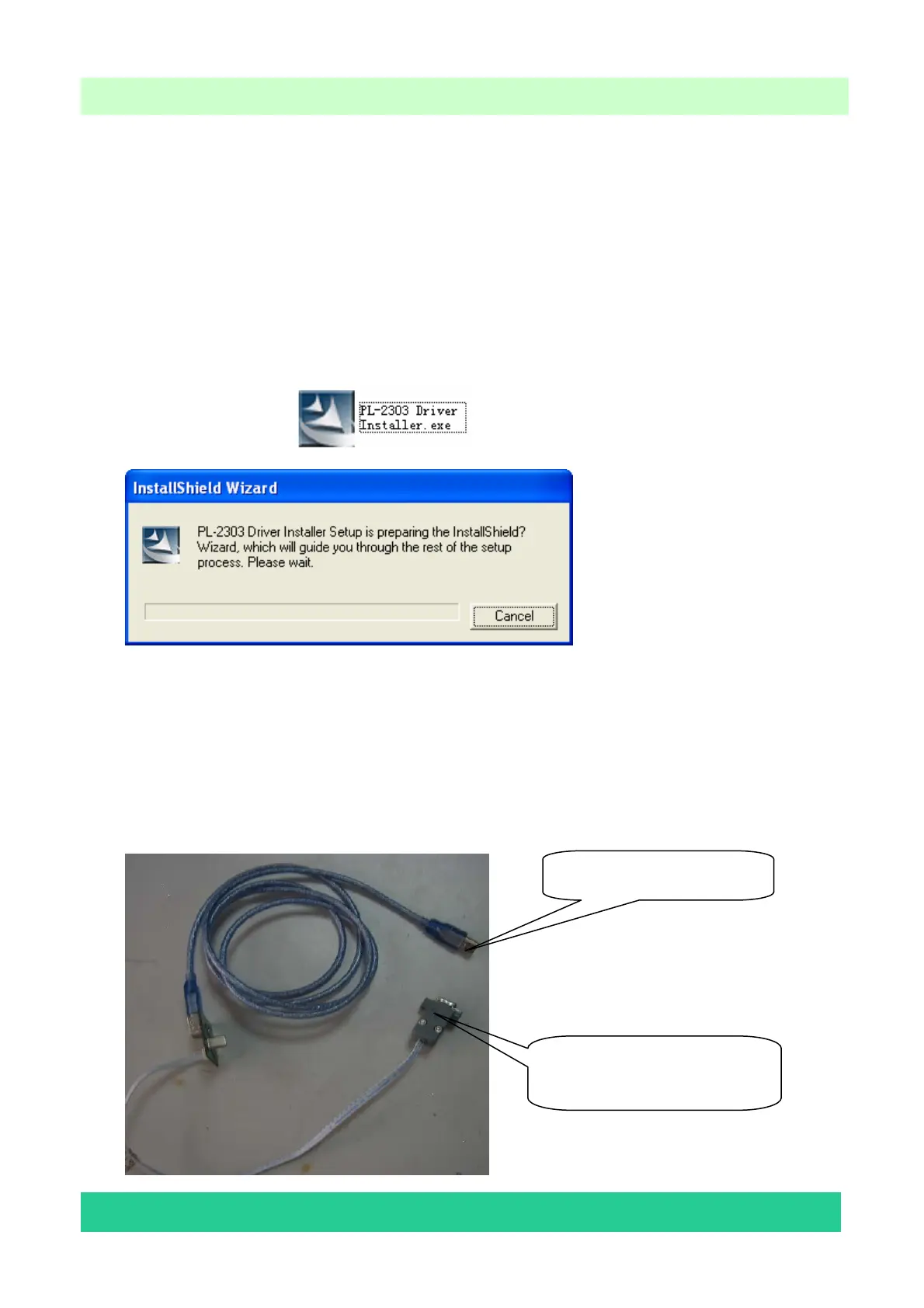
6.1.2 Hardware connecting
Connect the unit to your pc with a USB-to-serial port cable. USB port connects to your pc, and
serial port to the TV’s RS232 port.
USB connector: to PC.
Serial connector: to TV’s RS232
port.
Element Confidential



 To Next Page