User Manual V3.1
Element14 | element14.com/minode 15
Function
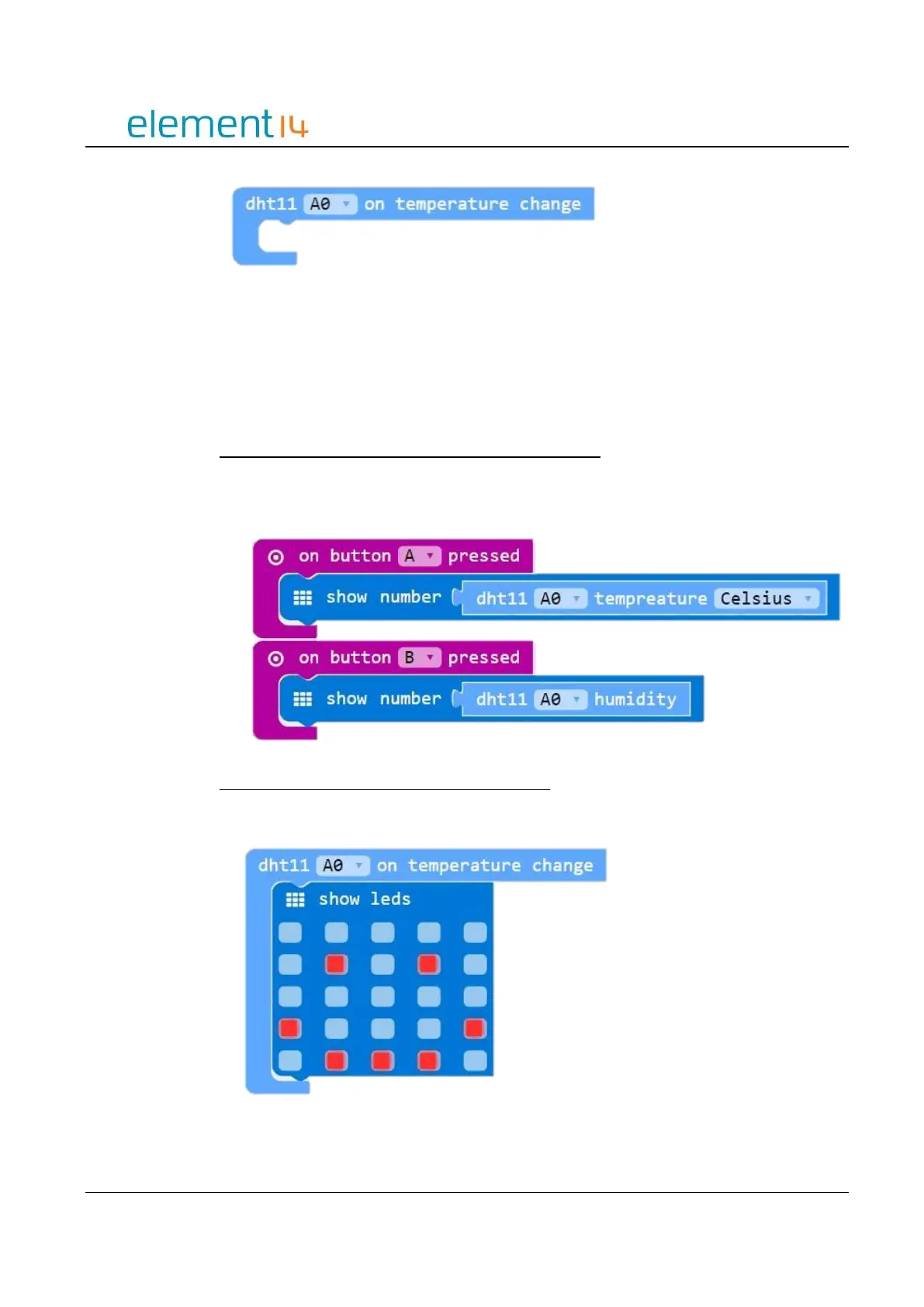
onDHTEvent(connName: ConnName, body: () => void): void;
Parameters
‘ConnName’ is the analog connector's name.
EXAMPLE:
Pressing Buttons to Display Temperature and Humidity
This example shows you how to use Buttons A and B to obtain the temperature and
humidity of the surrounding environment. When Button A is press the screen will show
the current temperature. When Button B is pressed, it will show the humidity
Temperature Change Notification – Smiley Face
Display a smiley face on the LED screen when the temperature changes.



 To Next Page