User Manual V3.1
Element14 | element14.com/minode 5
Connect Board.
One for micro:bit program upload.
Table 1.3 – Kit Contents
* Note: BBC micro:bit not include; sold separately.
2) Getting Started
2.1 The Connector Board
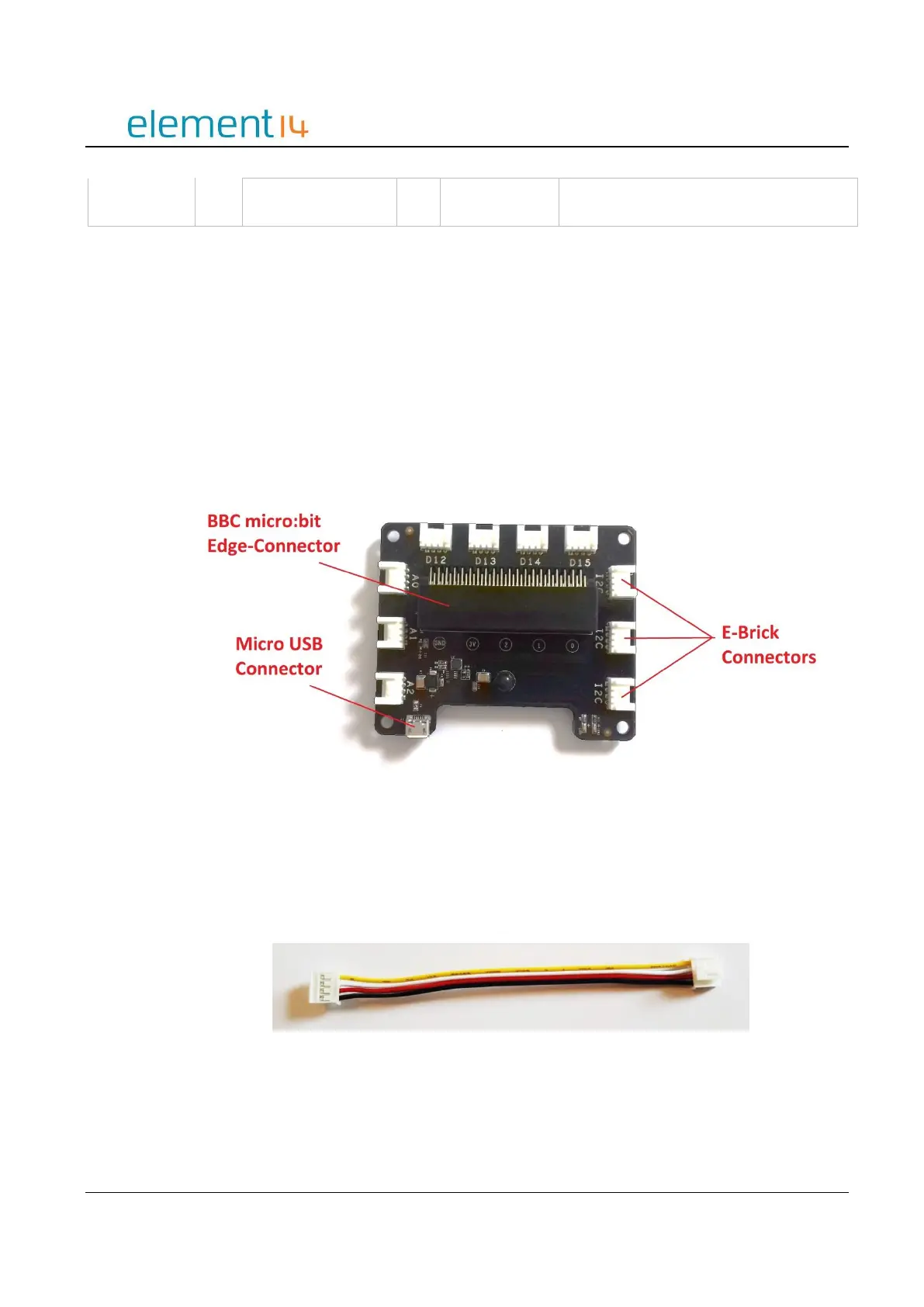
The kit is comprised of a Connector Board and several sensor modules. The Connect Board is a
bridge between the BBC micro:bit and the mi:node sensor modules. It converts the BBC
micro:bit edge connector into several e-brick connectors. The sensor modules can then easily
be attached to it using the provided e-brick cables.
Image 2.1 – mi:node Connect Board
2.2 E-Brick Connectors
E-Brick Connectors are compatible with Grove – a standardized connector for prototyping
systems created by the company called Seeed. This connector enables the mi:node to be a plug-
and-play type product. The E-Brick Connectors each have 4 pins which connect directly to the E-
Brick Connector Cables.
Image 2.2 – E-Brick Connector Cable



 To Next Page