User Manual V3.1
Element14 | element14.com/minode 17
Function
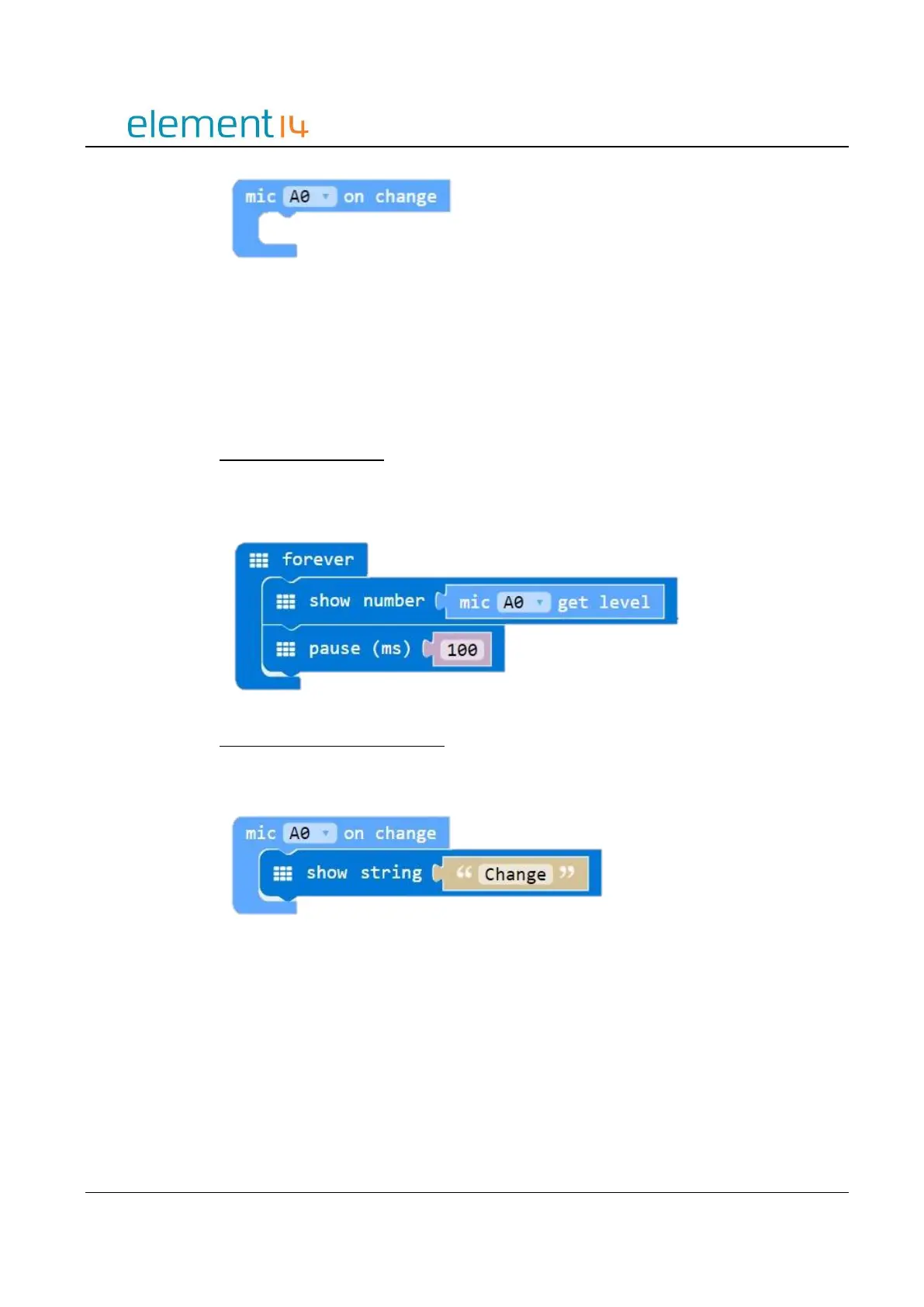
onMICEvent(connName: AnalogConnName, body: () => void): void;
Parameters
‘ConnName’ is the analog connector's name.
EXAMPLE:
Display the Sound Level
This example shows you how to obtain the current sound level and display it as a number
on the LED screen.
Sound Level Change Notification
When the sound level changes, the word ‘Change’ is displayed on the LED screen.
d) Rotary Module
The Rotary Module has a potentiometer that can produce analog output between 0 and
Vcc (the supply voltage). This is done by turning the dial, adjusting the range from 0 – 300
degrees.



 To Next Page