User Manual V3.1
Element14 | element14.com/minode 21
Block API
Control the Motor Speed
To change the speed of the motor/fan, adjust the second parameter value to a number
within the range of 0 to 100.
Function
FanControl_1(connName:AnalogConnName , speed:number): void
Parameters
‘ConnName’ is the analog connector's name.
‘Speed’ is the velocity of the motor; where 0 is used to stop the motor and 100 is
the fastest speed.
EXAMPLE:
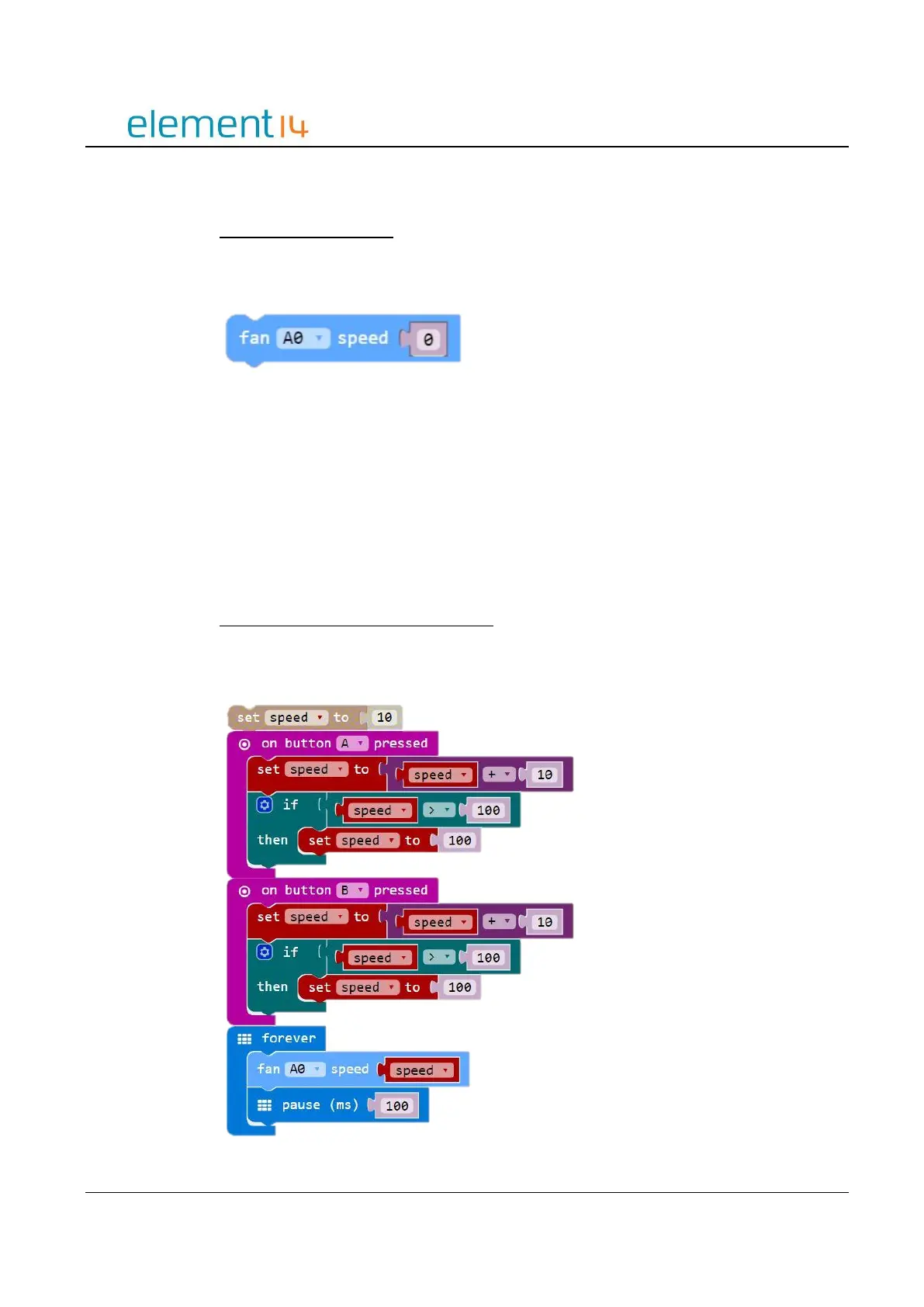
Use the Button to Control Motor Speed
This example demonstrates how to use Button A and B to control the motor speed.
Button A tells the motor to speed up and Button B tells the motor to slow down.



 To Next Page