User Manual V3.1
Element14 | element14.com/minode 26
Function
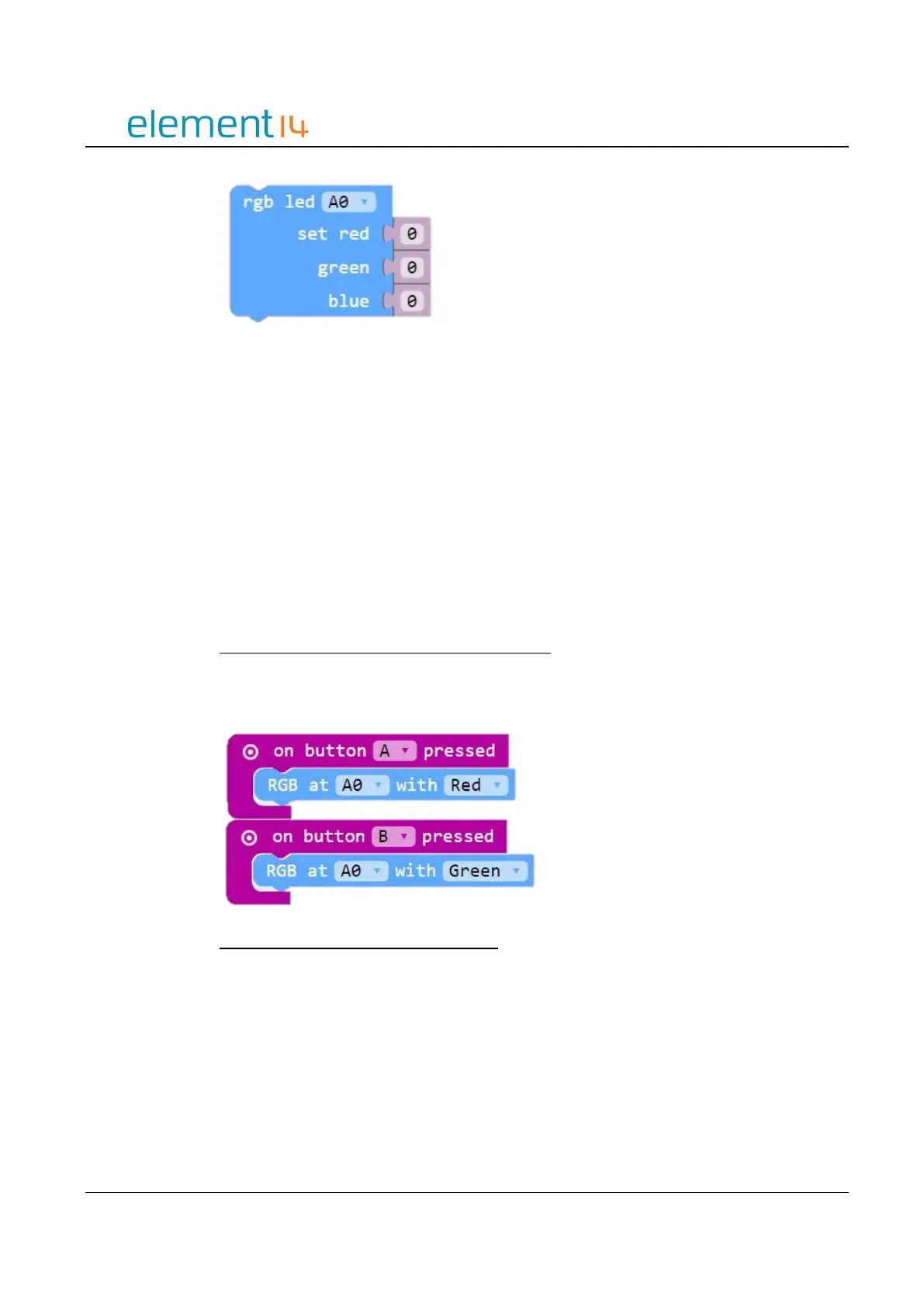
RGBSetColor(connName: ConnName, red: number, green: number, blue: number):
void;
Parameters
‘ConnName’ is the analog connector's name.
‘red’ is the greyscale value of red, ranging from 0 to 255.
‘green’ is the greyscale value of green, ranging from 0 to 255.
‘blue’ is the greyscale value of blue, ranging from 0 to 255.
EXAMPLE:
Use Button A and B to Display Pre-Coded Colors
When you press button A the RGB LED will light up red. Pressing Button B will cause the
RGB LED to turn green.
Use Button A and B to Display Any Color
This example shows you how to set a specific color for Button A and B.



 To Next Page