User Manual V3.1
Element14 | element14.com/minode 28
switchIsOpened(connName: ConnName): boolean;
Parameters
‘ConnName’ is the connector's name.
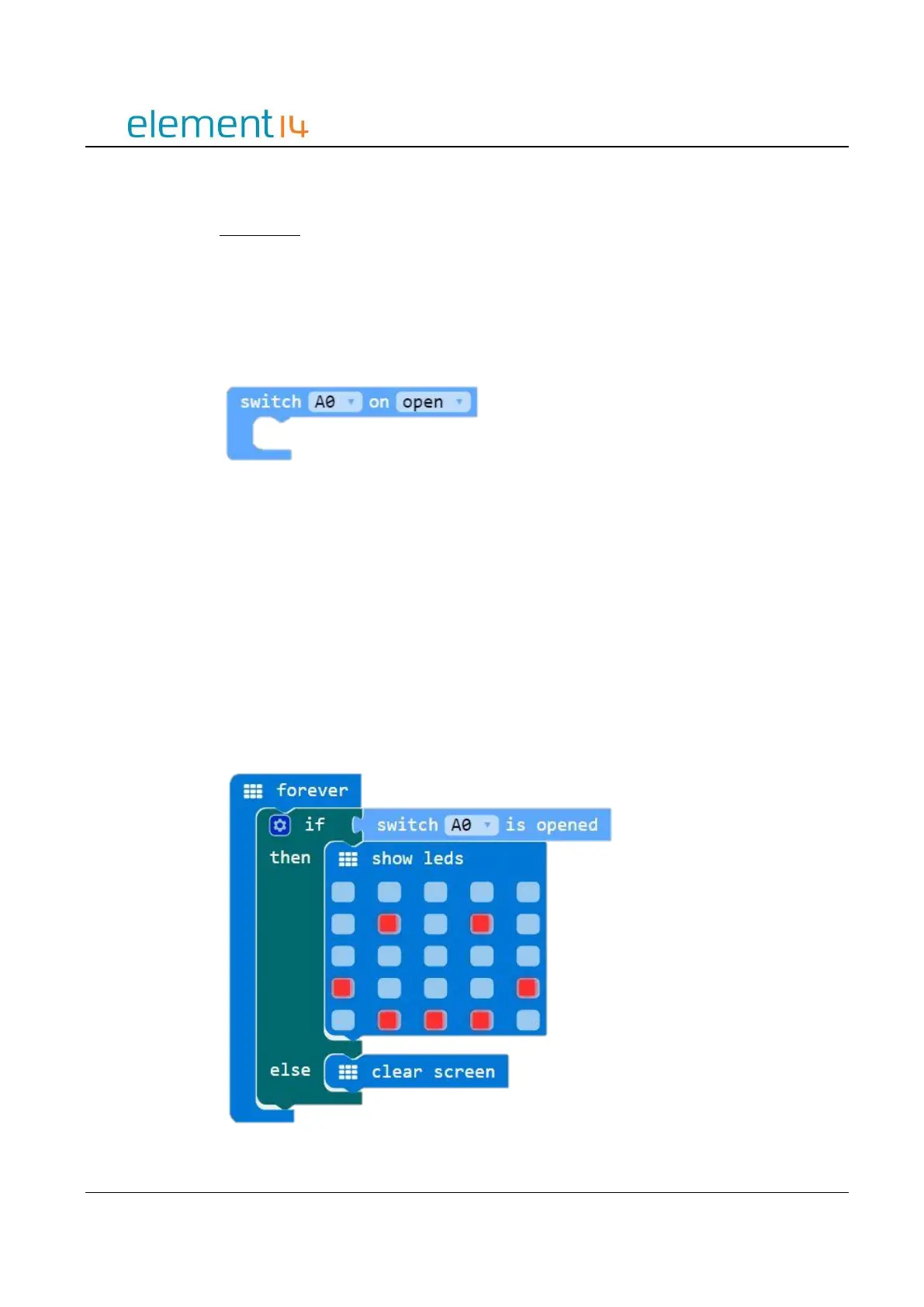
Switch Event
This code block configures the specified pin for a digital input and then executes the
associated code block whenever the switch is either opened or closed, as selected.
Function
onSwitchEvent(connName: ConnName, event: SwitchEvent, body: () => void): void;
Parameters
‘ConnName’ is the analog connector's name.
‘SwitchEvent’ represent the status of switch; either open or closed.
EXAMPLE:
Switch Control – Smiley Face
If the switch is open the LED screen will show a smile face, if the switch if closed the LED
screen will not be illuminated.



 To Next Page