User Manual V3.1
Element14 | element14.com/minode 9
Add the mi:node library to your code
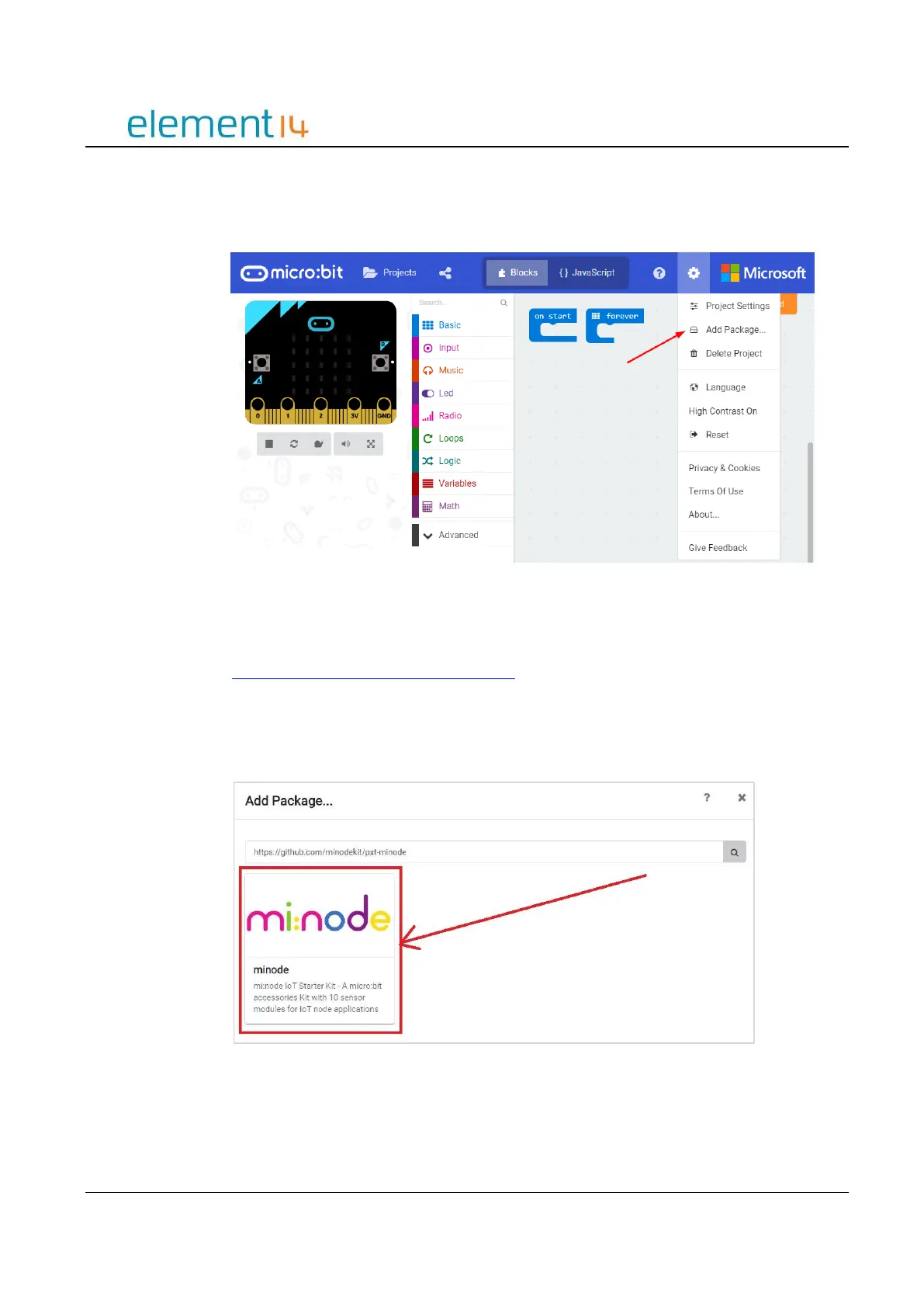
a) Click “More…” and select “Add Package…” from the drop down menu.
Image 3.2a – Click “Add Package…”
b) Type “minode” or “node”, then select the search button.
You can also enter the following project URL:
https://github.com/minodekit/pxt-minode before selecting the search button.
Both options will pull up the mi:node library package.
Select the “minode” library to add it to your project.
Image 3.2b – Search the package and add it
c) After selecting the mi:node library, wait a moment and you will see it being added to your
project. This may take a few seconds.



 To Next Page