5
USER INFORMATION
Remote control electronic ignition sys-
tem RCE GV60
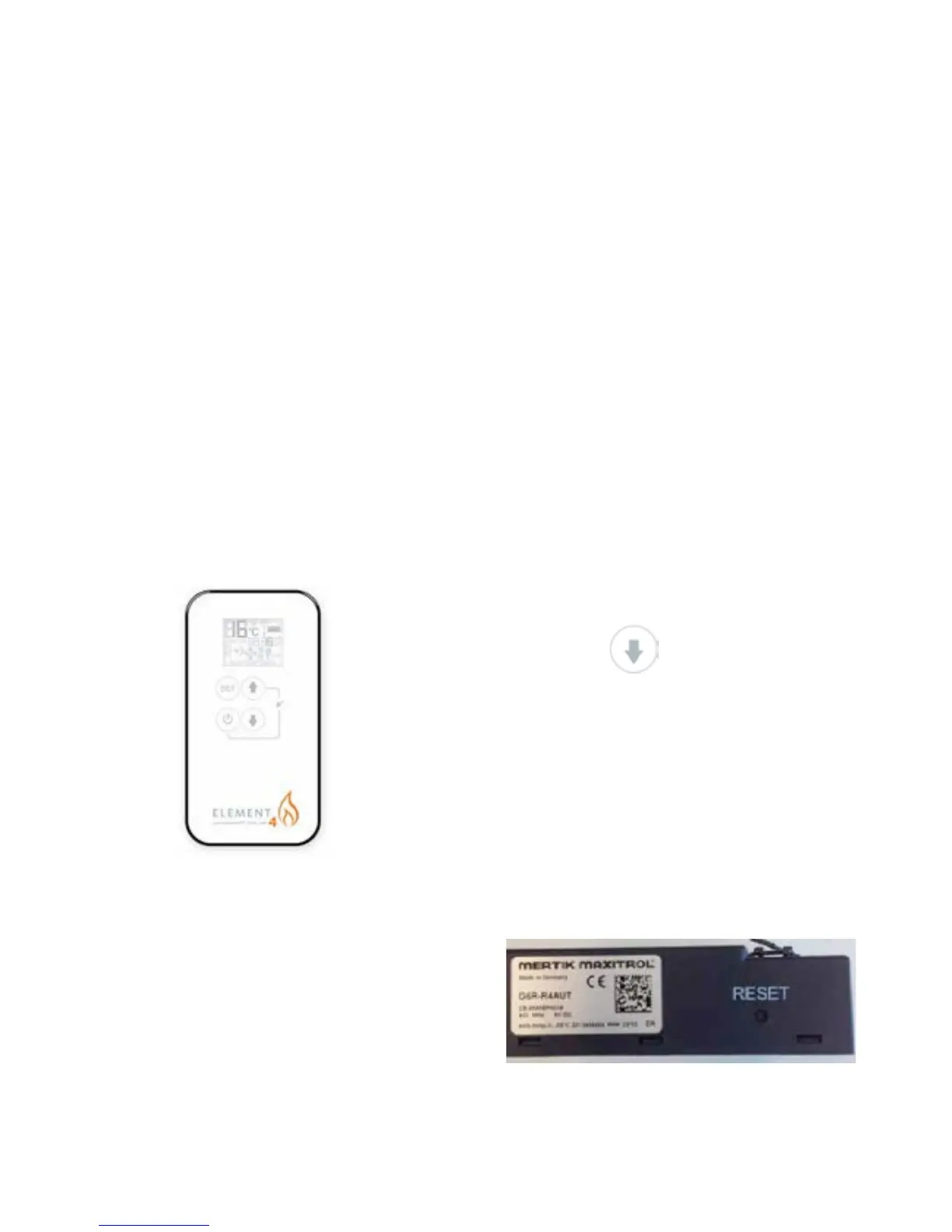
The appliance is supplied with a remote control.
Ignition, controlling the ame height and switch-
ing off are performed by the remote control that
operates a receiver in the control hatch. For some
appliances, no control hatch is supplied. In that
case, the receiver is placed under the appliance.
The receiver and remote control are battery pow-
ered. The receiver requires 4
penlite (AA type) batteries, the remote control
requires 3 x AAA penlites .At normal use, the
batteries will have an average life of one year.
You can also use an optional adapter. Ask your
installer for information. In that case you will need
a 230 V connection near your appliance.
The appliance’s standard functions such as igni-
tion, controlling the ame height, standby (pilot
burner) position and switching off ,are performed
in the MAN position. In the display of the remote
you can see the letters MAN.
In addition, the remote control can also be used
to set a number of additional functions:
- temperature display in degrees Celsius or
Fahrenheit;
- time;
- thermostat function;
- timer for thermostat function.
Setting the communication code
Prior to putting the application into operation, a
communication code must be set between the
remote control and the receiver. The code is cho-
sen randomly from the 65000 available codes. As
a result, the chance that other remote controls
near you are using the same code and affect the
operation of your appliance is very small.
Follow the procedure described below:
Hold down the reset button on the receiver,
until you hear two consecutive sound signals
(see g. 2). After the second, longer signal, let
go of the reset button.
Press button
on the remote control within 20 seconds, until
you hear a sound signal: this is the conrma-
tion of a correct communication.
!Caution When installing a new remote control
or receiver, you must set a new communica-
tion code.
5
USER INFORMATION
Remote control electronic ignition
system RCE GV60
The appliance is supplied with a remote control.
Ignition, controlling the ame height and switch-
ing off are performed by the remote control that
operates a receiver in the control hatch. For
some appliances, no control hatch is supplied.
In that case, the receiver is placed under the
appliance. The receiver and remote control are
battery powered. The receiver requires 4
penlite (AA type) batteries, the remote control
requires 3 x AAA penlites .At normal use, the
batteries will have an average life of one year.
You can also use an optional adapter. Ask your
installer for information. In that case you will
need a 230 V connection near your appliance.
The appliance’s standard functions such as igni-
tion, controlling the ame height, standby (pilot
burner) position and switching off ,are performed
in the MAN position. In the display of the remote
you can see the letters MAN.
In addition, the remote control can also be used
to set a number of additional functions:
- temperature display in degrees Celsius or
Fahrenheit;
- time;
- thermostat function;
- timer for thermostat function.
Setting the communication code
Prior to putting the application into operation, a
communication code must be set between the
remote control and the receiver. The code is cho-
sen randomly from the 65000 available codes.
As a result, the chance that other remote controls
near you are using the same code and affect the
operation of your appliance is very small.
Follow the procedure described below:
Hold down the reset button on the receiver,
until you hear two consecutive sound signals
(see g. 2). After the second, longer signal,
let go of the reset button.
Press button
on the remote control within 20 seconds,
until you hear a sound signal: this is the
conrmation of a correct communication.
!Caution When installing a new remote con-
trol or receiver, you must set a new commu-
nication code.
2
5
USER INFORMATION
Remote control electronic ignition
system RCE GV60
The appliance is supplied with a remote control.
Ignition, controlling the ame height and switch-
ing off are performed by the remote control that
operates a receiver in the control hatch. For
some appliances, no control hatch is supplied.
In that case, the receiver is placed under the
appliance. The receiver and remote control are
battery powered. The receiver requires 4
penlite (AA type) batteries, the remote control
requires 3 x AAA penlites .At normal use, the
batteries will have an average life of one year.
You can also use an optional adapter. Ask your
installer for information. In that case you will
need a 230 V connection near your appliance.
The appliance’s standard functions such as igni-
tion, controlling the ame height, standby (pilot
burner) position and switching off ,are performed
in the MAN position. In the display of the remote
you can see the letters MAN.
In addition, the remote control can also be used
to set a number of additional functions:
1
- temperature display in degrees Celsius or
Fahrenheit;
- time;
- thermostat function;
- timer for thermostat function.
Setting the communication code
Prior to putting the application into operation, a
communication code must be set between the
remote control and the receiver. The code is cho-
sen randomly from the 65000 available codes.
As a result, the chance that other remote controls
near you are using the same code and affect the
operation of your appliance is very small.
Follow the procedure described below:
Hold down the reset button on the receiver,
until you hear two consecutive sound signals
(see g. 2). After the second, longer signal,
let go of the reset button.
Press button
on the remote control within 20 seconds,
until you hear a sound signal: this is the
conrmation of a correct communication.
!Caution When installing a new remote con-
trol or receiver, you must set a new commu-
nication code.



 To Next Page