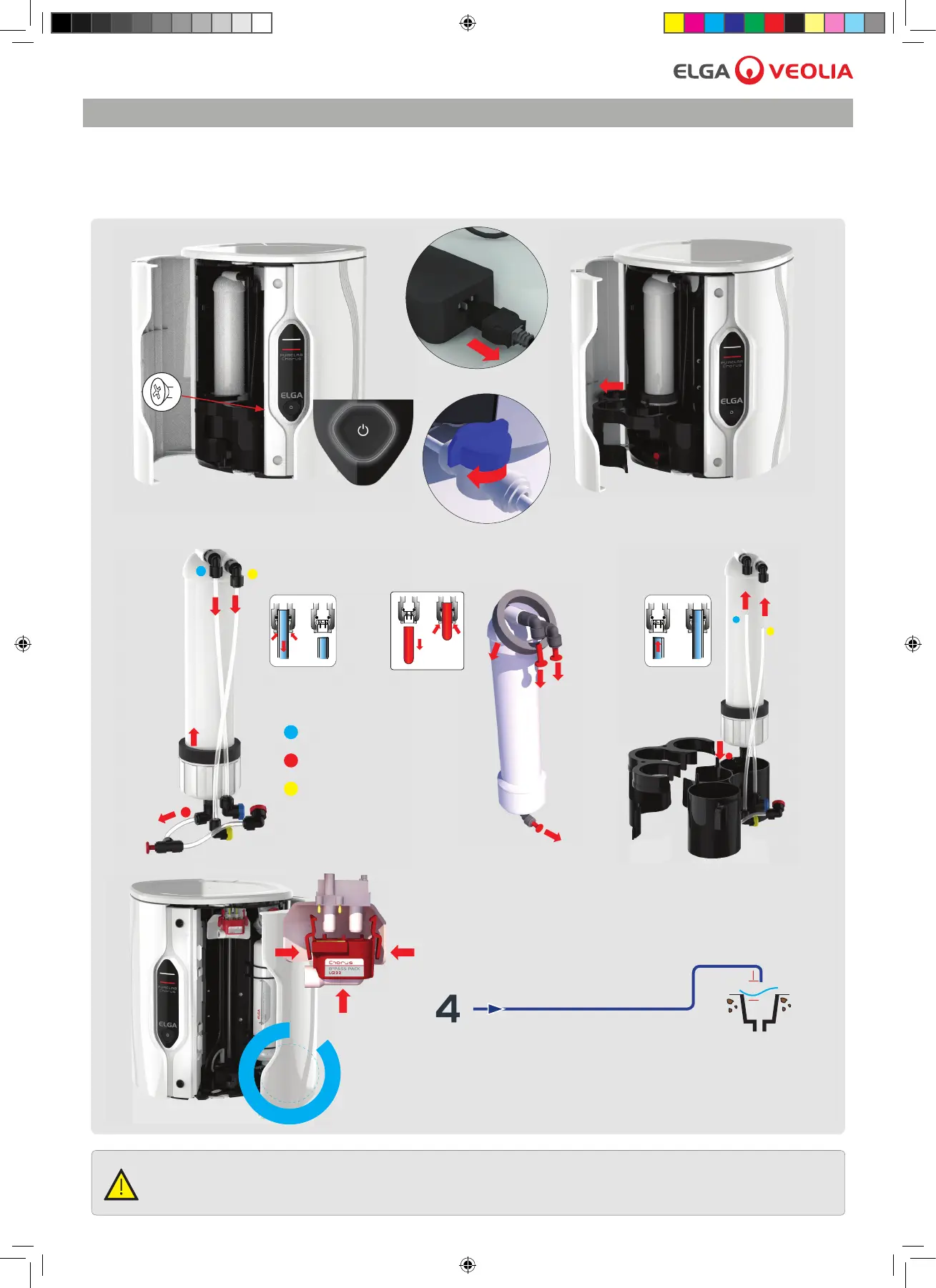
10. Process button (ON), normal operation resumes.
3.4 Replacing the Reverse Osmosis Module LC240
Follow the instructions below.
Chorus is tted with Reverse Osmosis (RO) modules. The RO Modules may need replacing if the permeate water purity or
ow rate is not adequate and does not meet predicted or previous performance.
Product outlet
Inlet
Drain
O2
1. Process button (OFF).
2. Unscrew RO housing.
5. Disconnect RO tubing.
ALL NEW RO MODULES ARE FILLED WITH A PRESERVATIVE SOLUTION TO PREVENT BACTERIAL
CONTAMINATION DURING STORAGE. THE RO MODULES WILL THEREFORE REQUIRE RINSING PRIOR TO USE.
WARNING!
3. Turn off power and water supply.
4. Remove RO Housing.
Power
Port 1
6. Remove and replace RO module.
7. Remove the pur cation pack and t bypass LC233.
9. After 60 mins, process button (OFF) reconnect Port 4
to reservoir port 1. Remove the bypass pack LC233
and t the pur cation pack.
8. Water needs to be re-directed from
Port 4: Product Outlet to drain.
Power on the system and water supply.
Chorus 2 Operator Manual MANU40003 Version 03 3/19 Page 6
3. MANTENANCE



 To Next Page