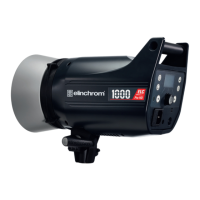
To operate the unit in the TTL mode, please use the radio
remote Transmitter Pro and activate the TTL function.
FIRMWARE UPDATES
The functionality is constantly extended and improved,
always use the latest rmware for the Transmitter Pro and
the FIVE ash unit.
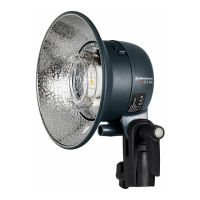
LED MODELLING LAMP
Modelling lamp settings are accessible through a dedicated
modelling lamp button.
Controlling the LED/MOD lamp menu access:
• A short press on the modelling lamp button turns on the
LED lamp of the FIVE monolight ash unit.
• A long press on the modelling lamp button opens the
modelling lamp setup menu.
LED MODELLING LAMP MENU FEATURES
Enter the modelling lamp setup menu with a long press
on the modelling lamp button. You can directly adjust the
power of the modelling lamp by turning the scroll button.
To exit the menu press the (right) button.
LED MODELLING LAMP SETTINGS
To access modelling lamp mode prop/free, VFC (visual ash
control) and the mod. lamp timer press the (left) button.
With the scroll button go to the feature (turning) you want
to modify. Now press the scroll button to activate the option
and select (turning) the option and press to conrm.
18 — ELINCHROM FIVE User manual



 To Next Page