REPLACING THE FLASHTUBE
1. Remove the battery and USB-C cable if you were
using Active Charge.
2. Wait 45 min. whilst the internal discharging is in
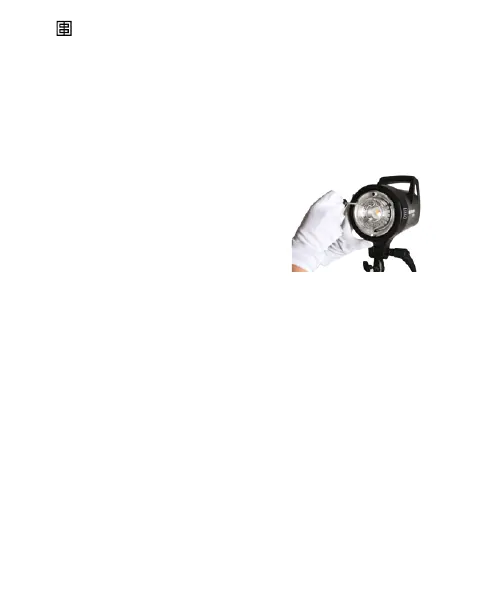
progress. Flashtube and internal reector dish can
be hot!
3. To remove the glass dome, you
require a Torx TX10 screw driver.
Remove the three screws which
holds the glass dome with the
metal ring on the inner reector
dish.
4. Never touch ashtubes, please use gloves. Pull the
ashtube carefully out. HIGH VOLTAGE! Never touch
broken ashtubes or electrodes! In this case remove
the ashtube with an isolated clamp!
5. Insert a new ashtube, please use gloves.
6. Use only the original Elinchrom ashtube for this unit,
third party ashtubes may damage the ash unit.
7. Please check that the trigger contact fork rmly grips
the ashtube.
8. Re-mount the glass dome with the metal ring by using
the 3x TX10 screws.
9. Ensure that all parts are in place and test the unit.
22 — ELINCHROM FIVE User manual



 To Next Page