TROUBLESHOOTING
SOFT RESET
To reset settings to default values, push the LEFT and
RIGHT buttons at the same time and hold for at least
5 seconds. The unit will reboot and will clear working
parameters. This will not reset the counter in the “Info”
menu.
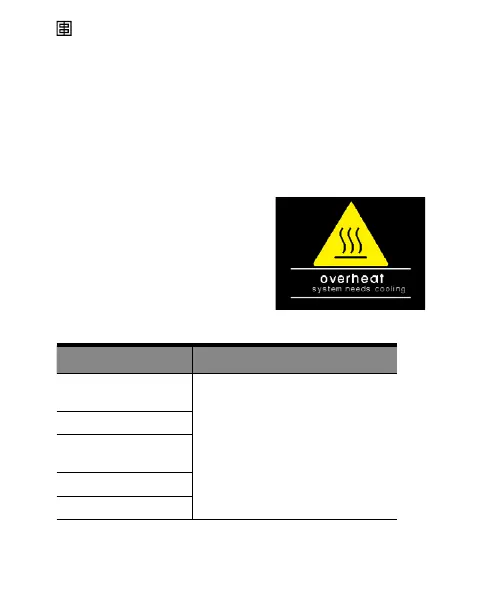
Warning Messages
Wait until the unit has cooled
down. The unit will switch back
to the normal operation as soon
as the temperature decreases.
ERROR TABLE
Description Solution
Capacitors over
voltage
Switch the unit off, wait 2 minutes
and switch the unit on again. If
the error shows up again the
unit requires a check-up at an
authorised Elinchrom Service
Centre.
Charge Timeout
Unstable voltage
(Charge hold error)
Discharge circuit error
Overtemperature
23 — ELINCHROM FIVE User manual



 To Next Page