5
ACCESSING AND USING THE MENUS
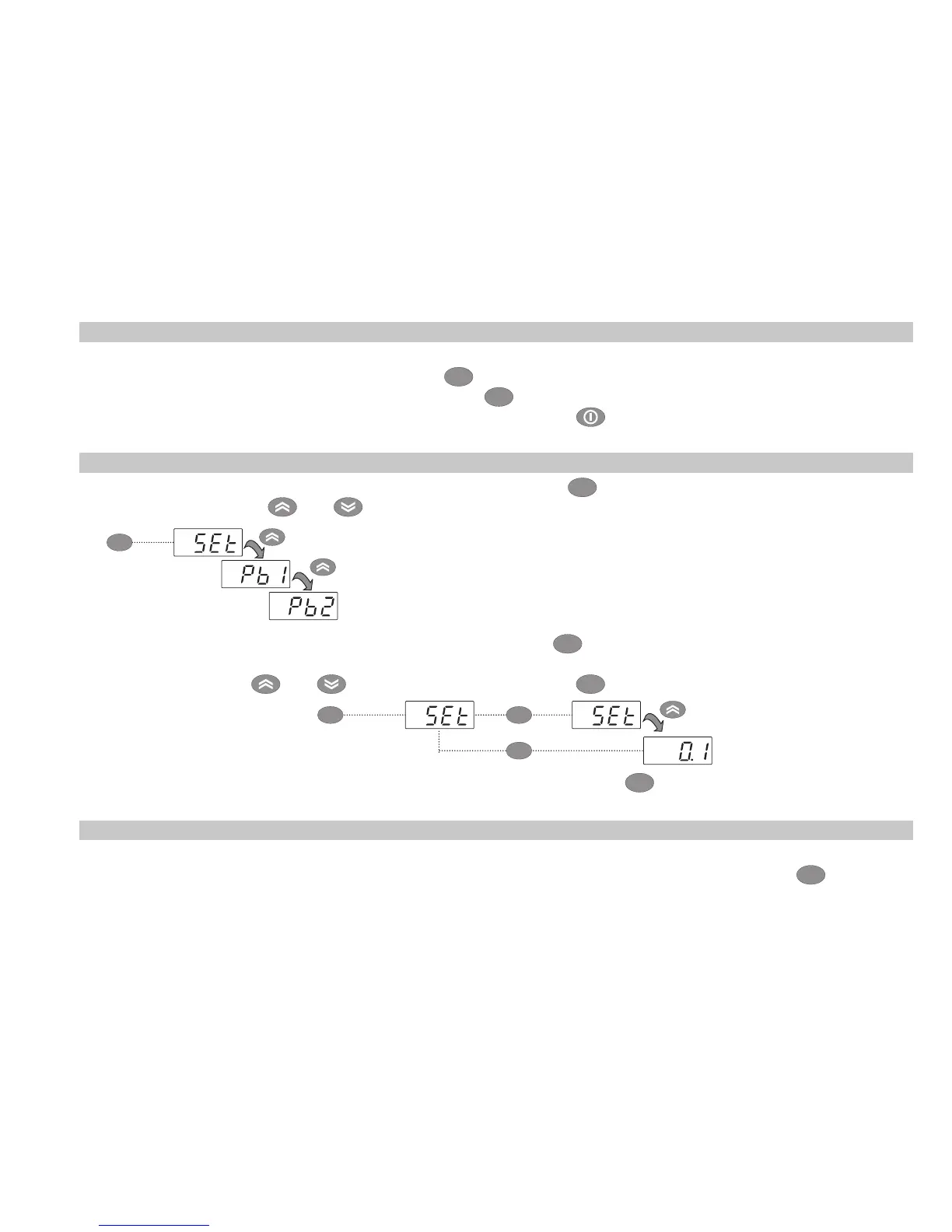
Resources are organized into 2 menus which are accessed as explained below:
• ‘Machine Status’ menu: press and release the
set
key.
• ‘Programming’ menu: press for at least 5 secs the
set
key.
Either do not press any keys for 15 seconds (time-out) or press the key once, to confirm the last value
displayed and return to the previous screen.
MACHINE STATUS MENU
Access the “Machine Status” menu by pressing and releasing the
set
key. If no alarms are active, the “SEt” label
appears. By pressing the
and keys you can scroll all folders in the “Machine Status” menu:
- AL: alarms folder (only visible if an alarm is active);
- SEt: Set point setting folder;
- Pb1: probe 1 folder;
- Pb2: probe 2 folder **;
(** models EWPlus 971 and EWPlus 974 only)
Setting the Set point: To display the Set point value press the
set
key when the ‘SEt’ label is displayed.
The Set point value appears on the display. To change the Set point value, press the
and keys within 15 seconds. Press
set
to confirm the modification.
set
set set
Displaying the probes: When the Pb1 or Pb2* label is displayed, press
set
and the associated probe value
will appear (* Pb2 is only present on models EWPlus 971 and EWPlus 974).
SET POINT EDIT LOCK
It is possible to disable the keypad on this device. The keypad can be locked by programming the ‘LOC’
parameter. With the keypad locked you can still access the ‘Machine Status’ menu by pressing
set
to display
the Set point, but you cannot edit them. To disable the keypad lock, repeat the locking procedure.
set



 To Next Page
 Loading...