EasyManua.ls Logo

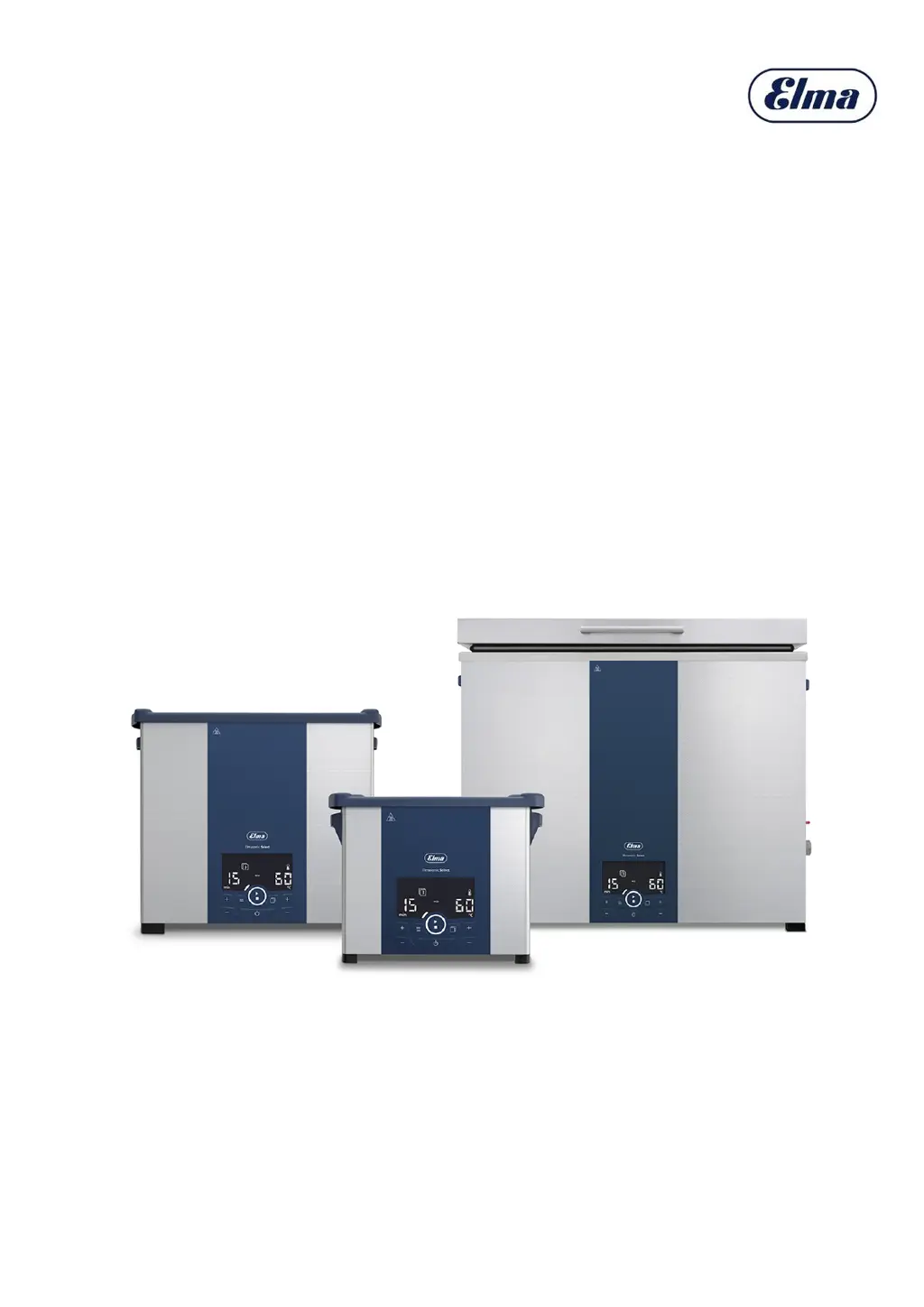
Elma Elmasonic Select 500 - User Manual

Default Icon
32 pages
Print Icon
To Next Page IconTo Next Page
Loading...
04/2021
Translation of the original manual
Elmasonic Select
Ultrasonic cleaning unit
english
Version 1
Item No. 1112616

Questions and Answers

  • G
    George NolanAug 9, 2025
    How to fix Elma Elmasonic Select 500 when the display does not light up?
    • J
      John OwensAug 9, 2025
      If the Elma Cleaning Equipment display doesn't light up, first ensure the unit is switched on. Then, check the power cable for proper connection and any damage, replacing it if needed. Finally, verify the power supply.
  • E
    Emily JohnsonAug 15, 2025
    Why is the blower off on my Elmasonic Select 120–900 Cleaning Equipment?
    • S
      Steven FlemingAug 15, 2025
      If the blower is off in your Elmasonic Select 120–900, check if the ultrasound is switched on or if the bath temperature is above 50 °C. If the ultrasound is on or the temperature is higher than specified and the blower is still off, there may be a defect.
  • W
    Whitney WaltersAug 21, 2025
    What to do if Elma Elmasonic Select 500 Cleaning Equipment display shows Er?
    • J
      Jasmine OchoaAug 21, 2025
      If your Elma Cleaning Equipment shows 'Er' on the display, check the error code and attempt to rectify the fault.
  • S
    Sue SmithAug 27, 2025
    What to do if Elma Cleaning Equipment shows filling level too low?
    • A
      Andrew DeanAug 28, 2025
      If the filling level is too low on your Elma Cleaning Equipment, top up the fluid. If the symbol indicating low filling level continues to be displayed after topping up, the heating system may require repair.
  • K
    Kevin GarnerSep 2, 2025
    What to do if max bath temperature exceeded on Elma Elmasonic Select 500 Cleaning Equipment?
    • D
      Dennis LewisSep 3, 2025
      If the maximum permissible bath temperature is exceeded on your Elma Cleaning Equipment, switch off the unit and allow it to cool. Disconnect it from the mains power if necessary.

Summary

Proper Unit Use

Guidelines for Ultrasonic Cleaning

Specifies intended use, acceptable liquids, and user responsibilities for safe operation.

Understanding and Avoiding Misuse

Defines misuse, its risks, and consequences like warranty invalidation and liability exclusion.

Safety Information

Specific Hazard Safety: Electrical, Fire, Infection, Heat

Covers safety precautions for electrical power, fire risk, infections, and hot surfaces.

Cleaning Agent Guidelines

Product Contents and Inspection

Unit Components Overview

Control Panel Interface

Understanding Controls and Displays

Explains the function of each button and display element on the unit's control panel.

Unit Setup and Connection

Installation Site and Electrical Requirements

Specifies criteria for the installation site, electrical connections, and power supply.

Object Insertion and Tank Filling

Inserting Items for Cleaning

Explains how to properly place objects into the basket or insert for ultrasonic cleaning.

Filling the Tank with Cleaning Fluid

Provides instructions on adding cleaning fluid, noting fill level markings and potential overflow.

Operating the Unit: Initial Steps

Operational Safety Precautions

Highlights risks associated with hot liquids, noise emissions, and dry running.

Powering On the Unit

Step-by-step guide on powering on the unit and what the display shows.

Starting Ultrasonic Cleaning Process

Guide on initiating ultrasonic cleaning, including heating and monitoring progress.

Removing Cleaned Objects Safely

Steps for safely removing cleaned items, including handling hot liquids and protective equipment.

Draining the Ultrasonic Unit

Changing Parameters in Setup

Setup Menu and Parameter Adjustment

Guide to accessing and modifying unit parameters, including warnings about saving programmes.

Parameter Reference Guide

Details adjustable unit functions, their values, and effects, including factory defaults.

Troubleshooting and Error Handling

Common Unit Malfunctions

Lists common faults, their potential causes, and recommended solutions.

Interpreting Displayed Faults

Explains how the unit displays faults using symbols or error numbers and how to rectify them.

Specific Error Code Resolution

Details error codes like Er 40-44 and Er 47, their causes, and remedies.

Unit Maintenance

Elma Elmasonic Select 500 Specifications

General IconGeneral
ModelElmasonic Select 500
Frequency37 kHz
Material TankStainless steel
Timer1-30 minutes
Temperature Range20-80 °C
Operating ModesSweep, Degas, Pulse

Related product manuals