- 10 -
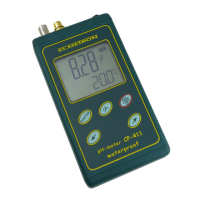
User‘s manual for CP-511 pH meter v1.10
6. Preparation to work
Before starting work:
- connect the power adapter plug to the Power connector;
- connect the combination pH electrode or the redox electrode to the
pH/mV connector (BNC-50);
- in case of using a measuring and reference electrode connect them with
use of the adapter, available optionally;
- connect the temperature probe to the t temperature connector (Chinch);
- switch the meter on by pressing the button.
6.1. Choosing the kind of temperature compensation
The meter switches to the automatic temperature compensation mode after
connecting the temperature probe. Next to the reading the symbol is
displayed. The measurement will be compensated to the value of
temperature measured by the probe.
Disconnecting the temperature probe switches the meter to the manual
temperature compensation mode (the
symbol disappears and the
symbol appears). At the same time the , buttons will be unlocked,
what enables the temperature value changing.
Note: pressing the , buttons simultaneously will set the
compensation temperature to 20
0
C.


 To Next Page