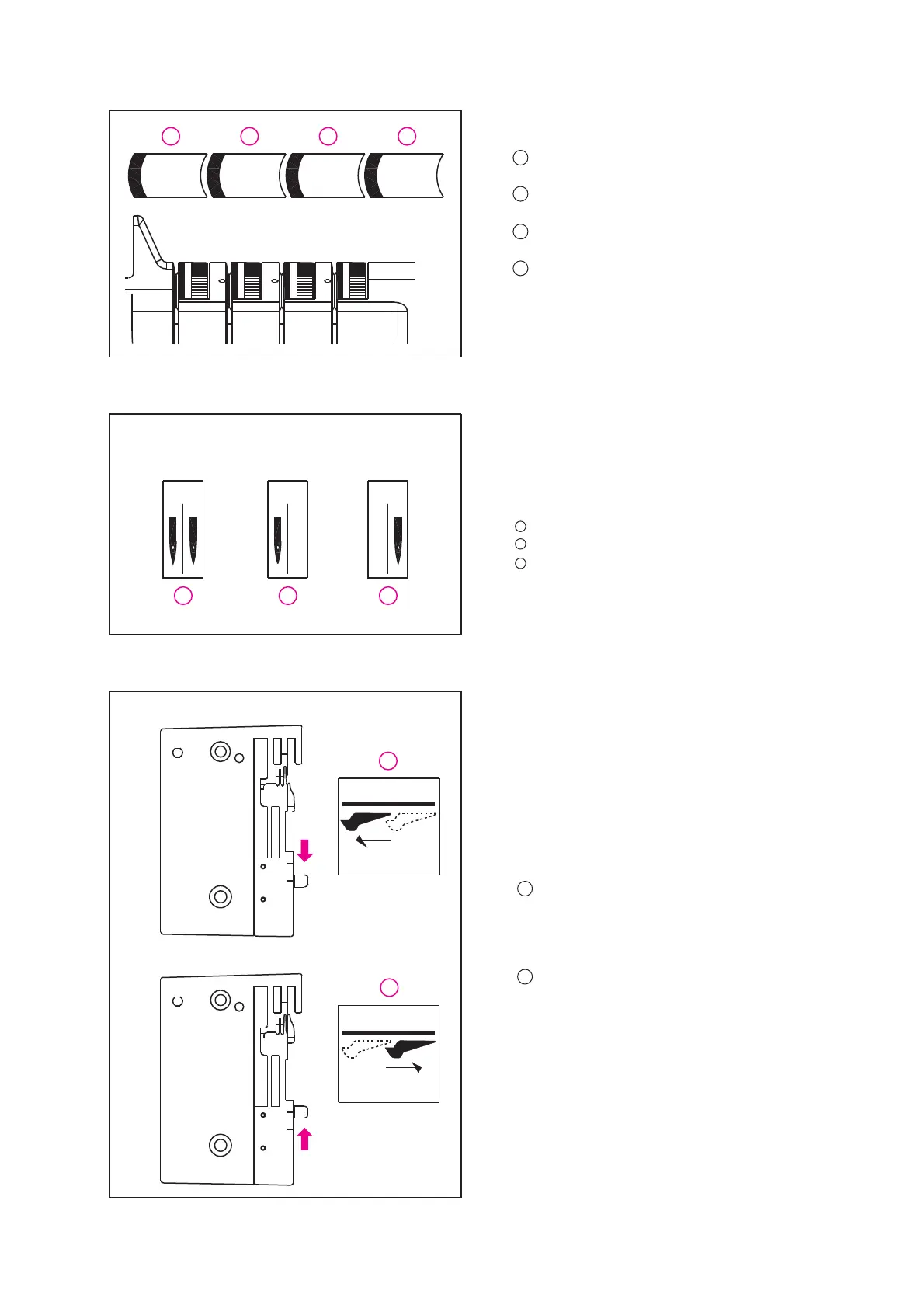
Blue Tension Setting
Red Tension Setting
Yellow Tension Setting
Green Tension Setting
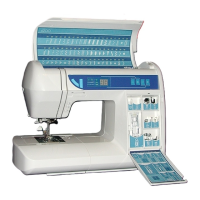
Needle Position
There are 2 needle positions
available to sew the programs. Insert
needle(s) into the proper needle
position. See page 38 - Changing the Needle(s).
Example:
Insert needles in positions A and B
Insert needle in position A.
Insert needle in position B.
IMPORTANT: Switch off the machine when
inserting needles.
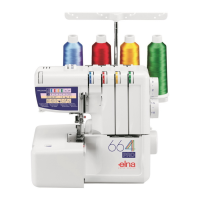
Instant Rolled Hem Device
(Stitch Width Finger)
Your machine comes equipped with
the instant rolled hem device. You can
do all overlock stitches by engaging or
disengaging the stitch width finger.
To Disengage ("R" position)
Move the lever to "R" position for
rolled and narrow hems.
To Engage ("N" position)
Move the lever to "N" position.
1
1
2
1
2
3
2
3
4
22
1
2
3
4
1
2
3
1
2
AB AB AB
4.0 4.0 4.0 4.0
3
4
5
3
4
5
3
4
5
3
4
5
N
R
N
R


 To Next Page