82
SECTION V
Adjustments
Thread Tension
The type of thread or fabric you use may
require the tensions to be adjusted
.
Before changing tensions, make sure the
thread is properly engaged in the tension
discs. (HINT: Press and hold the tension
release lever while pulling up on the blue, red,
yellow and green threads above the tension
discs.)
Thread tensions are controlled by the color
coded dials - blue, red, yellow, green and
brown. Move the dial that corresponds to the
thread that needs adjusting.
Adjust only one tension setting
at a time and
then view the result before adjusting again.
Chainstitch
Balanced Tension
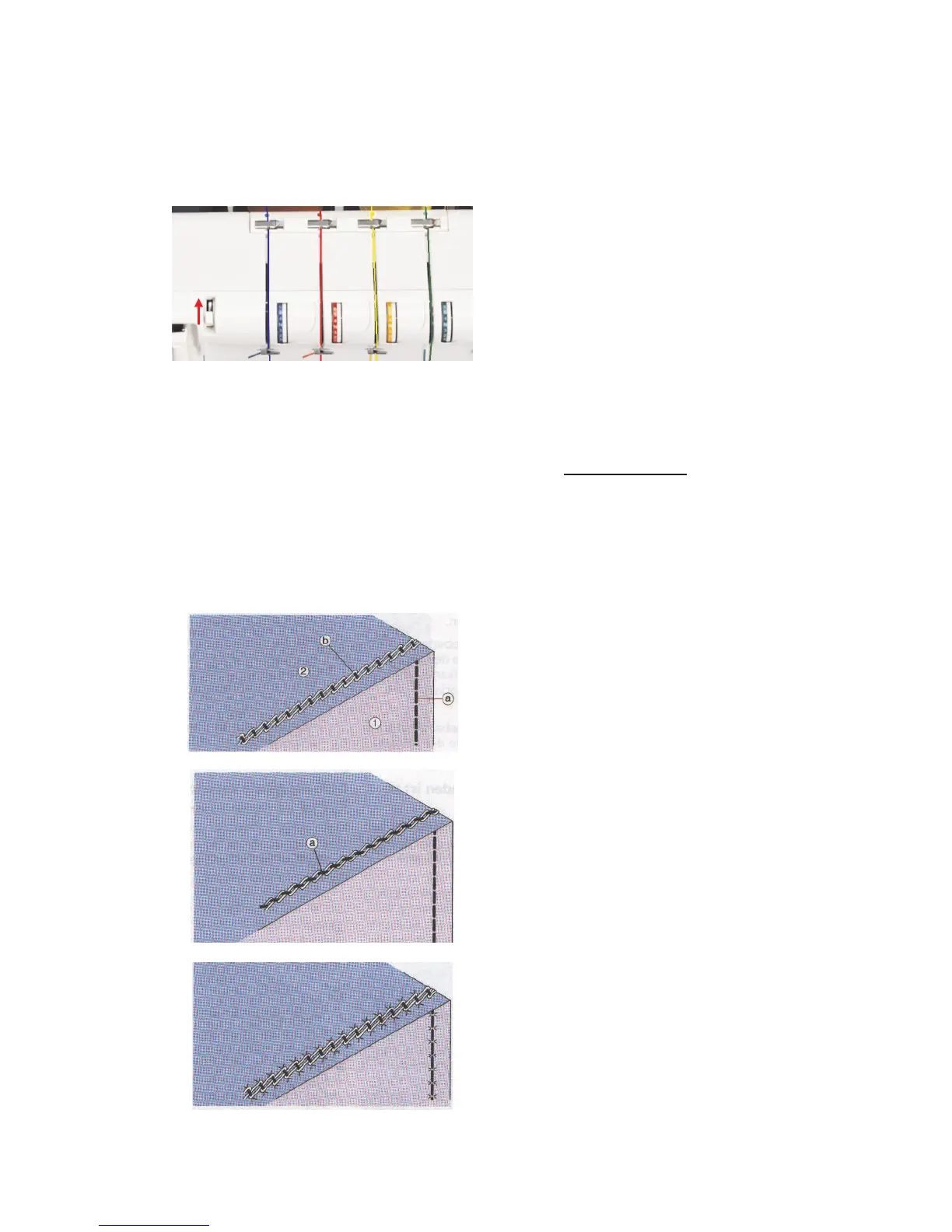
The chainstitch needle thread (a) resembles
straight stitches on the topside (1) of the
fabric. It is just visible in the chainstitch looper
thread (b) on the underside (2) of the fabric.
The needle thread is too loose.
If the needle thread (a) is too loose and
clearly visible on the underside of the fabric,
increase the left needle thread tension (blue).
The needle thread is too tight.
If the fabric puckers, decrease chainstitch
needle thread tension (blue). Lightweight
fabrics may require a shorter stitch length. Do
not set the stitch length dial below 2.5.



 To Next Page