28
Auto-off timer
NOTE:
The auto-off timer is available in EU countries and
some regions which use 200 - 240 voltage standards.
The machine will be turned off if you do not use the
machine within the time period set by this timer.
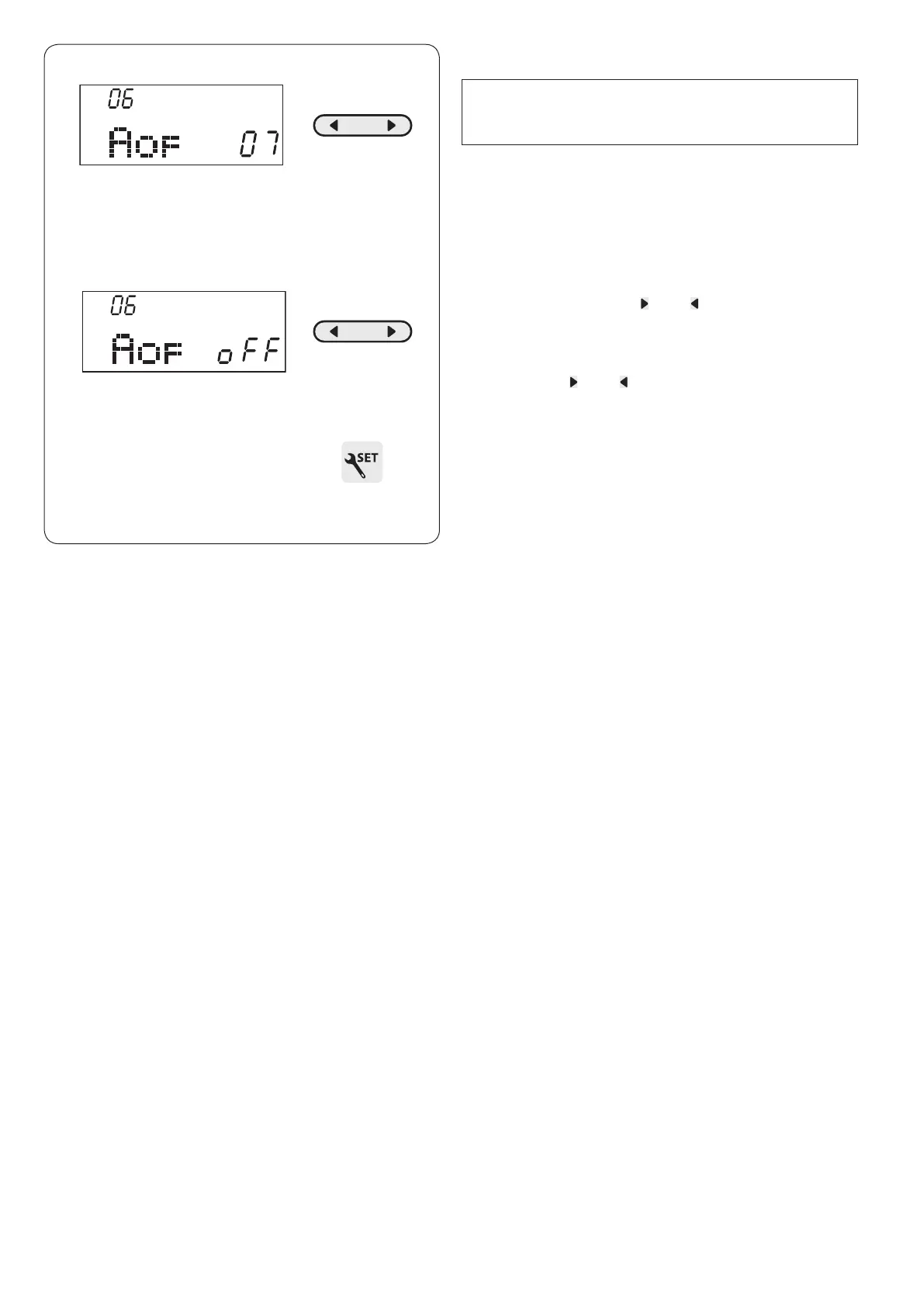
z Enter the machine setting mode. Press the mode key 5
times to enter the auto-off timer setting.
The default auto-off timer setting is 7 hours and “07”
sign appears on the screen.
x Press the cursor key “ ” or “ ” to increase or
decrease the setting value.
The auto-off timer can be set from 1 to 12 hours.
If you wish to turn off the timer, press and hold the
cursor key “ ” or “ ” until “oFF” sign appears on the
screen.
c Press the set key to exit the machine setting mode.












 To Next Page