71
PROGRAMMING A PATTERN
COMBINATION
Pattern Combination
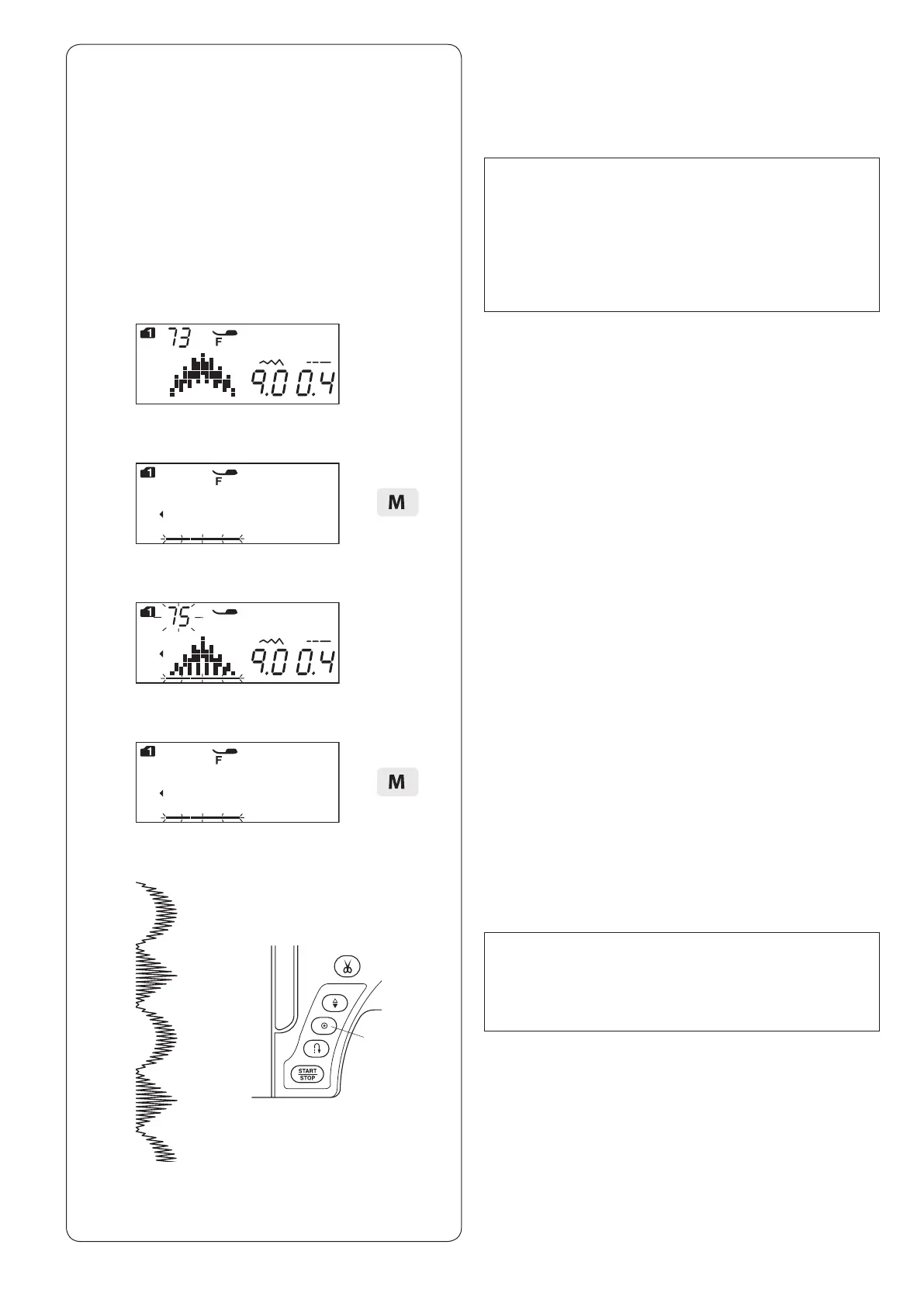
Example: Programming patterns 73 and 75 (MODE 1).
NOTE:
• Patterns in the different groups, letters and
numbers can also be programmed.
• Check tension balance by test sewing.
Manual tension adjustment may be required when
sewing a pattern combination.
• Up to 50 stitch patterns combination can be
memorized.
q
b
v Press the memory key.
z
x
c
v
z Select pattern 73 (MODE 1).
x Press the memory key.
c Select pattern 75 (MODE 1).
b Start sewing. Combination of patterns 73 and 75 will
be sewn continuously.
NOTE:
If you press the auto-lock button in the middle of
sewing, the machine will sew to the end of the current
pattern, sew locking stitches and stop automatically.
q Auto-lock button












 To Next Page