59
Adjusting the shape of an eyelet
Correct the shape of the eyelet as follows:
If the eyelet gap opens, press “ – ” on the stitch length
adjusting key.
If the eyelet overlaps, press “ + ” on the stitch length
adjusting key.
q
Eyelet gap opens
w
Eyelet overlaps
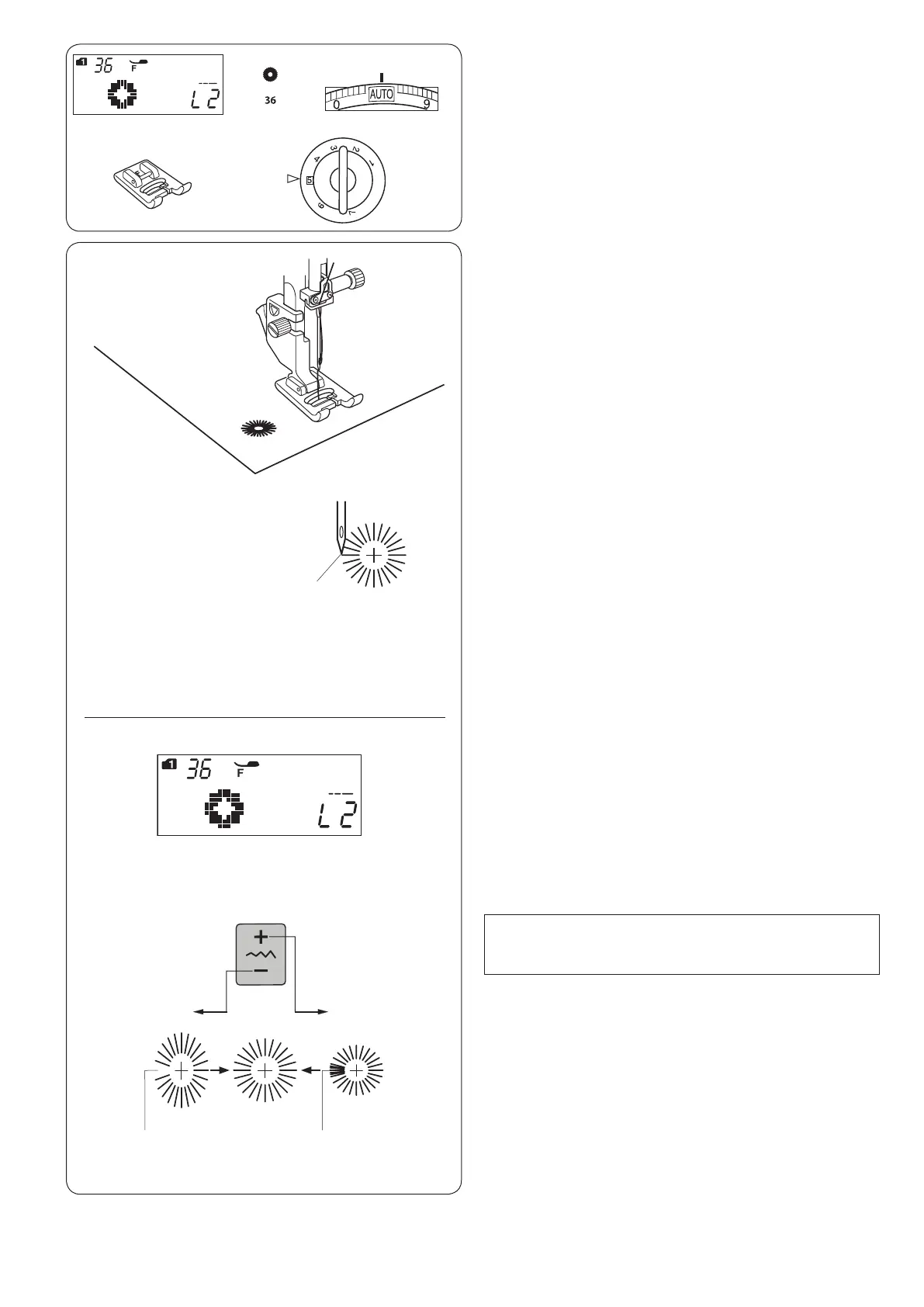
The eyelet is used for belt holes etc.
Sewing
Sew until the machine stops automatically.
Open the eyelet with an eyelet puncher or pointed
scissors.
q
Starting point
q
e
w
r
q
w
q
Eyelet
Machine settings
q Pattern: MODE 1: 36
w Thread tension: AUTO
e Presser foot: Satin stitch foot F
r Foot pressure: 5
L1 L3
NOTE:
The shape can be adjusted within L1 to L3 (default
setting is L2).












 To Next Page