15
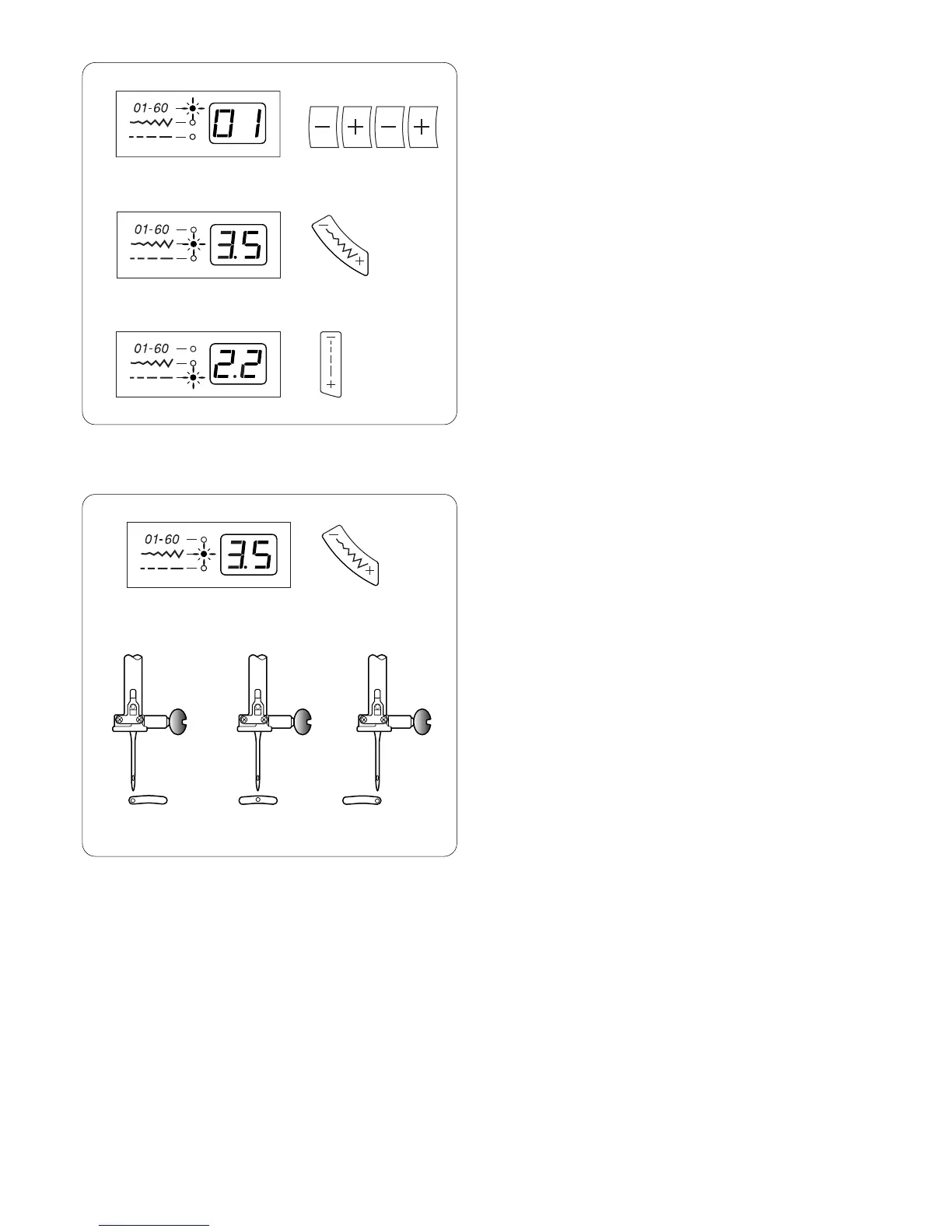
r Indicator Lights and LED Readout
a When this light is lit, the readout displays the
selected stitch.
b When this light is lit, the readout displays the
selected stitch width/needle position.
c When this light is lit, the readout displays the
selected stitch length.
a
b
c
t Stitch Width and Needle Position Key
Press this key to display pre-programmed stitch width or
needle position.
To decrease stitch width or move needle position to the
left, press “–” side of key.
To increase stitch width or move needle position to the
right, press “+” side of key.
Stitches 01, 07 and 23 allow you to move from center
needle position (3.5) to left (0.0) or right (7.0). There are
15 needle positions.
a Left position
b Center position
c Right position
abc
0.0
3.5
7.0













 To Next Page