62
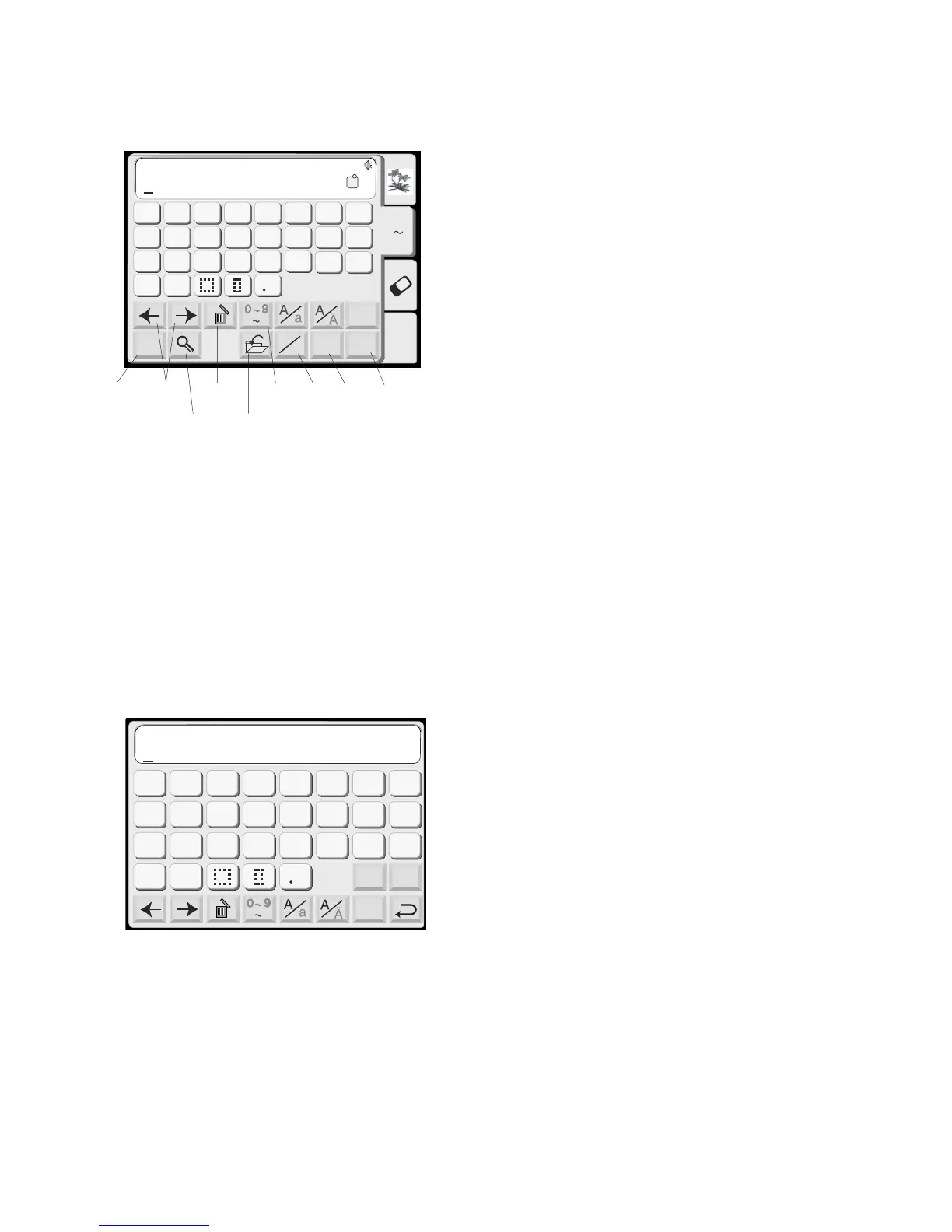
q Move Cursor keys
Touch either of these keys to move the cursor
(underline). The cursor location allows you to
edit the text. To add a letter, number or
punctuation (character), move the cursor until
it is under a character. When the new
character is selected it will be inserted on the
left side of the cursor (underlined character).
See page 68.
w Delete key
A character can be deleted if the cursor
(underline) is under it. Use the Move Cursor
keys until the character to be deleted is
underlined. Touch “Delete” key. See page 68.
e Numbers/Punctuation key
Touch this key to switch between letters and
numbers/punctuation keys.
r Horizontal/Vertical key
Touch this key to switch the embroidery
direction between horizontal and vertical. See
page 66.
t Alphabet Size key
Touch this key to switch between large,
medium and small size lettering. This key will
not be active if the font selection is 2 or 3
letters.
y Magnifier key
Touch this key to enlarge the keys so they are
easier to select. Touch the “Return” key to go
back to regular sized keys.
u OK key
When all characters have been selected,
touch this key to proceed to the ready to sew
window.
i Save File key
Touch this key to save your selections in a file
for future use. See page 86.
o Mode key
See page 20.
Font
OK
M
L
S
G
H
IJKL
M
N
O
P
Q
RST
U
V
W
X
YZ
A
B
C
DE F
A Z
AB
Edit
Font
A Z
AB
OK
M
L
S
AB
Mode
G
H
IJKL
M
N
OP
Q
RST
U
V
W
X
YZ
A
B
C
DEF
Gothic
AB
A(F)
A Z
q
we
r
t
y
u
i
o














 To Next Page