Page 14
Each preview screen can show date, time, channel name, monitoring channel playback
and alarm status.
Table 3.1 Preview Symbols
3.5 Desktop Quick Launch
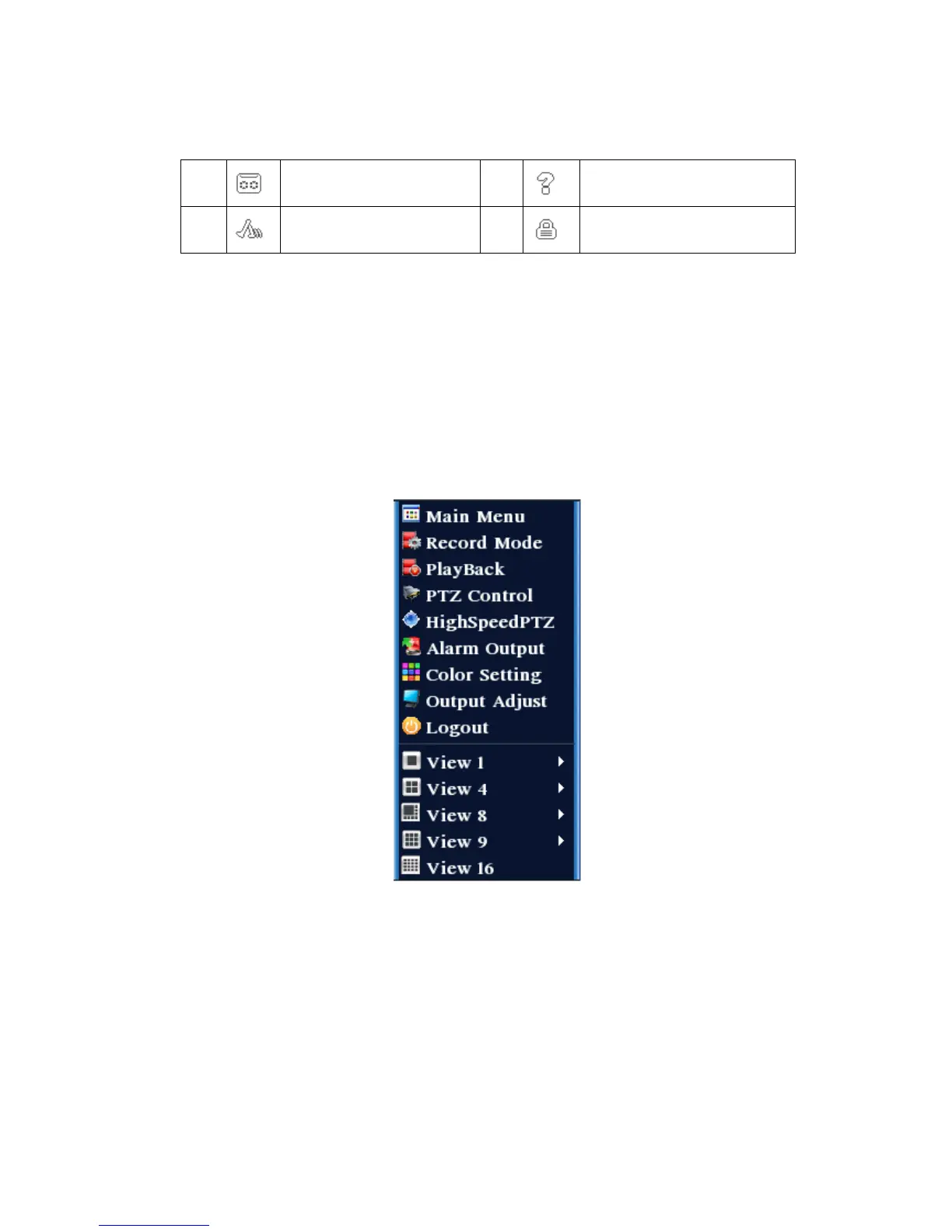
In Preview mode, right click the mouse to pop-up Quick Launch menu as shown in
Figure 3.2. Quick Launch menu includes: Main Menu, PlayBack, Recorde Mode, Alarm
output, Highspeed PTZ, PTZ Control, Color Setting, Output adjust, System shutdown,
and Screen switch.
Figure 3.2 Quick Launch Menu
3.5.1 Main Menu
The main menu includes operating functions of the device.



 To Next Page