Page 8
units to the rack.
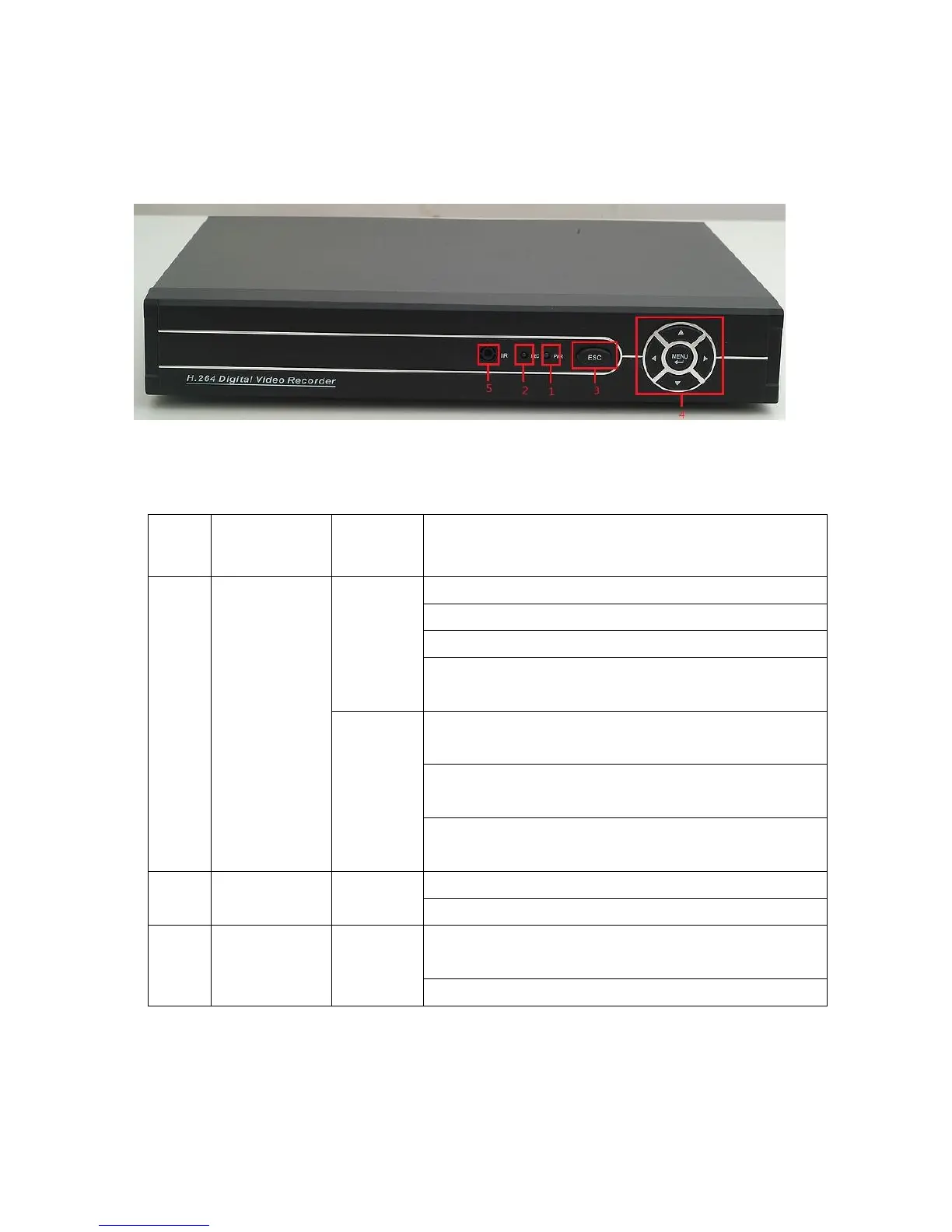
2.3 Front Panel
(1) Power indicator (2) Remote receiving indicator (3) ESC (4) Arrow keys
(5) IR
Functions of front panel buttons
Increase or decrease numbers in edit frame
Change settings in drop-down menu
Access channel 1 or channel 4 for single-screen view in
surveillance screen.
Press left or right arrow to move the cursor in pop-up
main menu or sub-menu
Press left or right arrow to move the focusing point of a
functional button under playback mode
Access channel 2 or channel 3 for single-screen view in
surveillance screen.
Return to previous menu, or cancel operation in a
functional menu
Return to live surveillance mode during playback



 To Next Page