Page 34
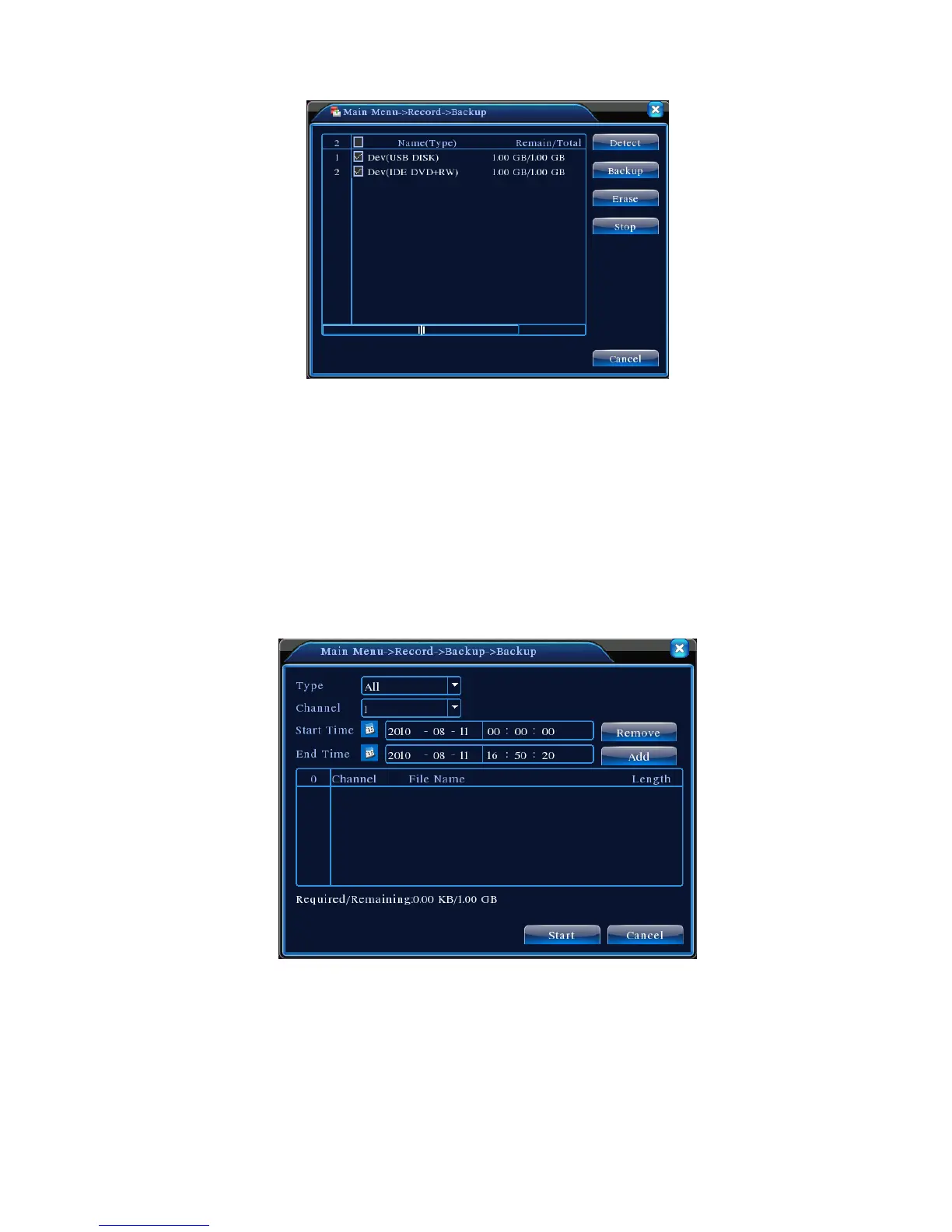
Figure 4.3 Storage Device Check
Detect: Detect storage devices connected to the unit. It could be USB flash drives or hard
drives.
Erase: Select the devices you wish to clean up. Click Erase to delete files on the devices.
Stop: Stop the backup;
Backup: Click Backup to show the dialog as Figure 4.3. Backup can be setup based on file
type, channel, or time.
Figure 4.3 Record Backup
Empty: Empty displayed file information;
Add: Show all information matching the specified file properties;
Start/Stop: After selecting the files, click Start to backup and Stop to terminate the backup.
Note: During backup, you may exit the page to execute other functions.



 To Next Page